There's a moment most developers building image-heavy apps run into eventually.
A PM asks: "Can we add background removal? Our users keep asking." Or: "Competitors have an enhance feature; we need that."
And you have two options. Spend four months training a segmentation model, setting up GPU infrastructure, managing model versions, handling edge cases, and monitoring quality drift. Or call an API.
The math isn't complicated. But picking the wrong API - one that works in testing, breaks in production, gets deprecated in 18 months, or costs 10x what you budgeted at scale is a real risk. This post walks through what to look for, what to avoid, and how to evaluate an image editing API before you integrate it.
Why developers reach for an API instead of building
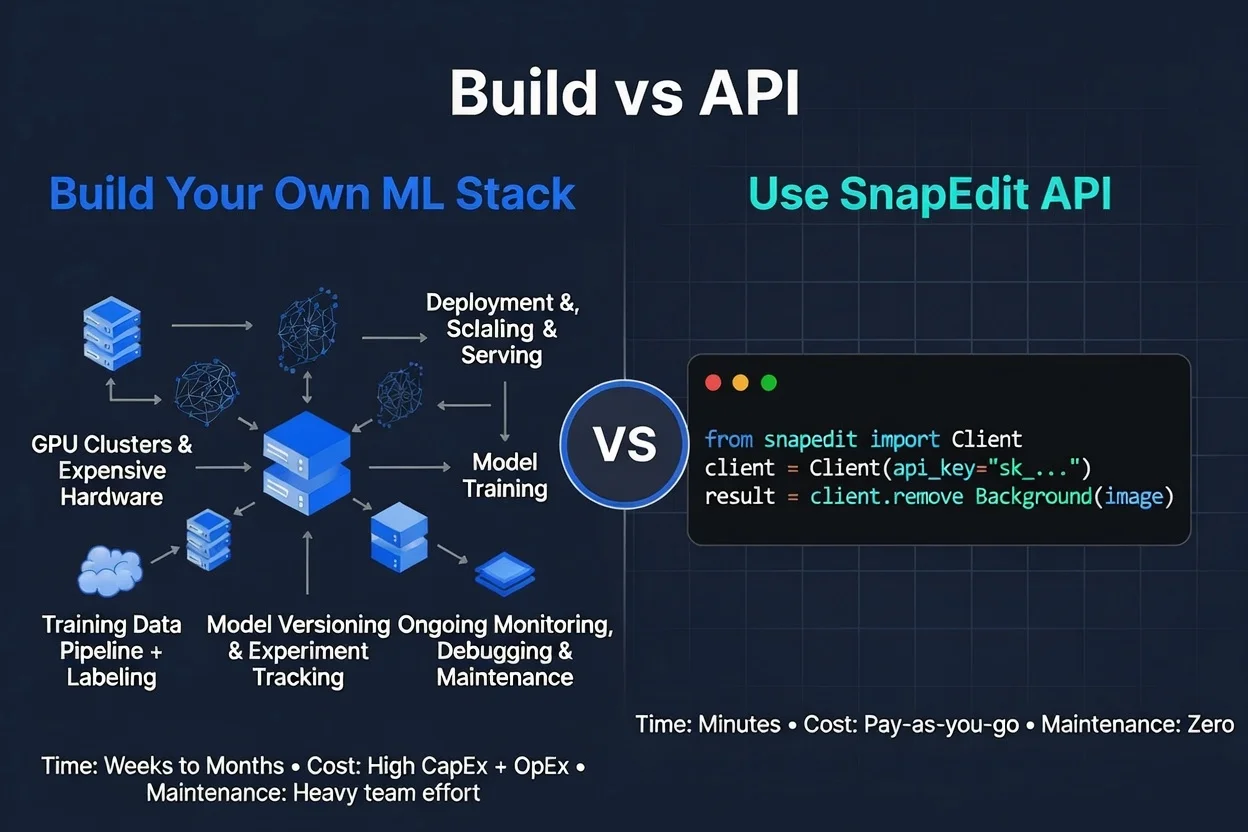
Training your own image editing models isn't just slow; it pulls your best engineers away from your core product for months. And the output is usually worse than a purpose-built model from a team whose entire job is image processing.
Adding image editing capabilities with an API takes days instead of spending months building and maintaining canvas-based tooling. It eliminates browser compatibility issues, mobile optimizations, and complex image processing logic that would otherwise need to be built and maintained in-house.
For smaller companies or startups whose development team might not be as diverse skill-wise, third-party APIs allow integration of features that might be beyond in-house developers' skills, or too expensive to develop from outside. If the API is from a reputable development company, it will be of higher quality compared to something built by developers following a few tutorials.
The real trade-off isn't build vs. buy. It's your engineers' time on your core product vs. your engineers' time on infrastructure someone else has already solved.
What image editing features developers actually need
Before evaluating APIs, be specific about what your app actually needs. The category is broad.
Removal features: object removal, background removal, text/watermark erasure, wireline cleanup. High demand in e-commerce, real estate, social apps.
Enhancement features : upscaling, sharpening, restoring degraded photos, colorizing black-and-white images, fixing backlit exposures. High demand in photo editors, printing services, archival tools.
Portrait and beauty features : skin retouching, hairstyle transformation, AI portrait generation, virtual try-on. High demand in social, dating, fashion apps.
Generation and editing: text-to-image, prompt-based editing, outpainting/canvas expansion. High-demand in creative tools, ad platforms.
Most apps need features from more than one category. This matters when choosing an API - more on that below.
The multi-vendor problem nobody warns you about
The most common mistake developers make isn't picking a bad API. It's stitching together four different APIs for four different features, each with different auth systems, different response formats, different rate limits, and different billing cycles.
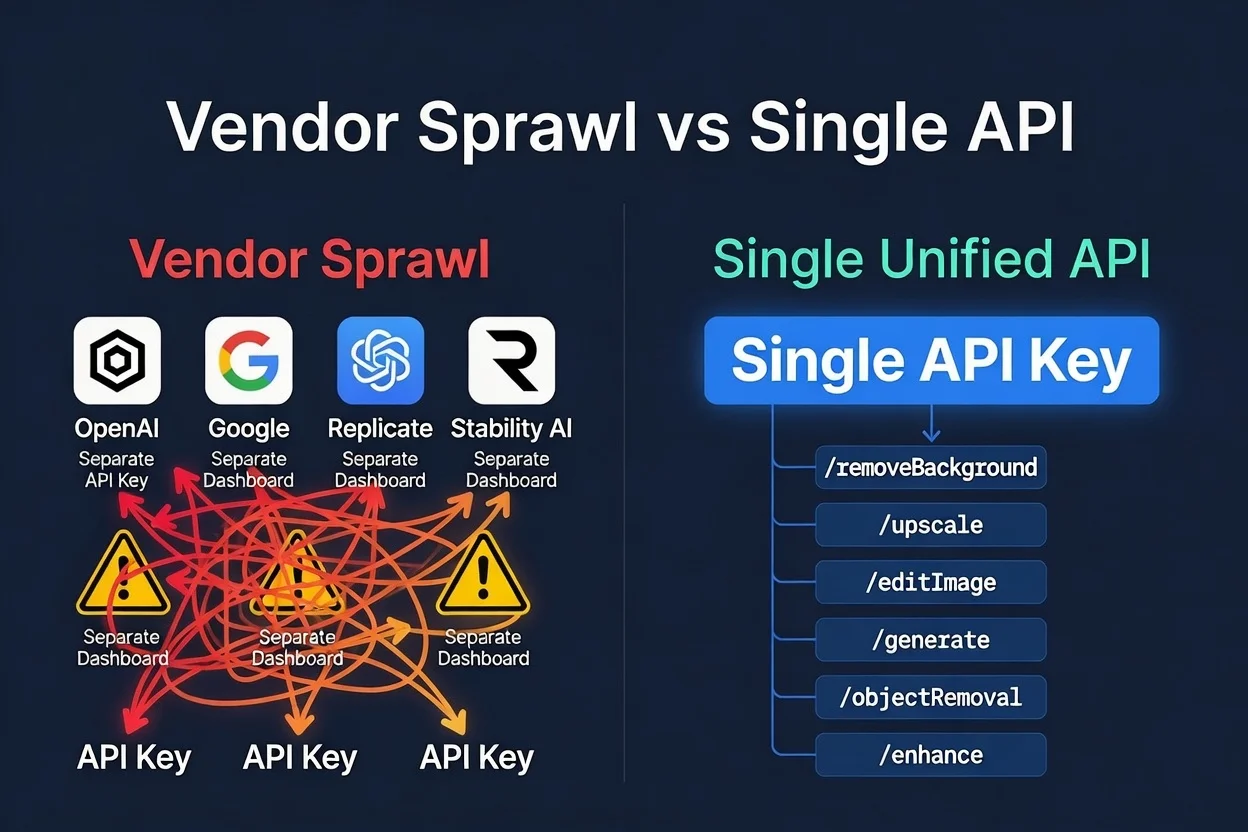
You end up with:
- Four API keys to rotate when anyone leaves the team
- Four dashboards to monitor
- Four vendors that can each raise prices or deprecate endpoints independently
- Four integration points to maintain when any of them changes
The core differentiator between the best image editing APIs is their ability to automate and unify workflows. Single-purpose image APIs allow you to scale one editing function, like background removal, over thousands of images — but most apps need more than one function.
Before you integrate, ask: how many of the features you need can come from a single API?
If the answer is one or two out of five, you're building a vendor management problem, not a feature.
What to evaluate before you commit
1. Does the response format match your stack?
The best image editing APIs return results in a consistent, predictable format. The OpenAI image API format, where the response contains data[0].url pointing to the processed image, has become something of a standard because it's easy to parse and works the same across different endpoint types.
If an API returns results in four different formats depending on which endpoint you call, that's integration overhead you'll be maintaining forever.
2. What's the actual latency in production?
Documentation latency numbers are best-case scenarios. What you need to know:
- What's the p95 latency (not average)?
- Does latency increase with image size?
- Are generative endpoints (outpainting, portrait generation) async or synchronous?
For real-time user-facing features, synchronous endpoints returning in 1–3 seconds are viable. For generative features that take 5–15 seconds, you need async task-based processing where your app creates a task, gets a task ID back, and polls for the result. Make sure the API you're evaluating supports both patterns where appropriate.
3. How does pricing behave at your expected scale?
Pay-per-call APIs are typically better for variable-volume workloads — batch processing jobs, bursty traffic patterns, or early-stage apps where volume is unpredictable. Subscription APIs work better when volume is high and predictable.
The critical question most developers don't ask: do credits expire?
If you buy a credit pack and don't use all of it in 30 days, do you lose the remainder? For teams with variable workloads, credits that never expire are meaningfully cheaper than a subscription that resets monthly regardless of usage.
4. What happens when a call fails?
Are failed calls charged? What error codes are returned, and what do they mean? A good API returns a reason field on 4xx errors so your error handling can be specific rather than generic.
For production pipelines, you need to know:
- 5xx errors (server-side failures): not charged, safe to retry
- 4xx errors (client-side failures like unsupported format or no detectable subject): not charged, but the input needs to change before retrying
- Timeout behavior: what's the server-side timeout, and what HTTP status comes back when it's hit?
5. Is there a free tier for testing?
The only way to know if an API's quality holds on your specific image types is to test it on your actual data, not on the demo images in the documentation. An API with a free tier (even small daily credits) lets you run real quality tests before committing. An API that requires a subscription before you can test anything is asking you to buy a car without a test drive.
Integrating an image editing API: a practical starting point
Here's what a minimal integration looks like for background removal using SnapEdit's image editing API — which follows the OpenAI image API format:
import requests

response = requests.post(
    "https://platform.snapedit.app/v1/images/remove-background",
    headers={"X-API-KEY": "YOUR_API_KEY"},
    files={"input_image": open("product.jpg", "rb")}
)

result_url = response.json()["data"][0]["url"]
Three lines of actual logic. The rest is error handling and pipeline integration — which is the same regardless of which API you use.
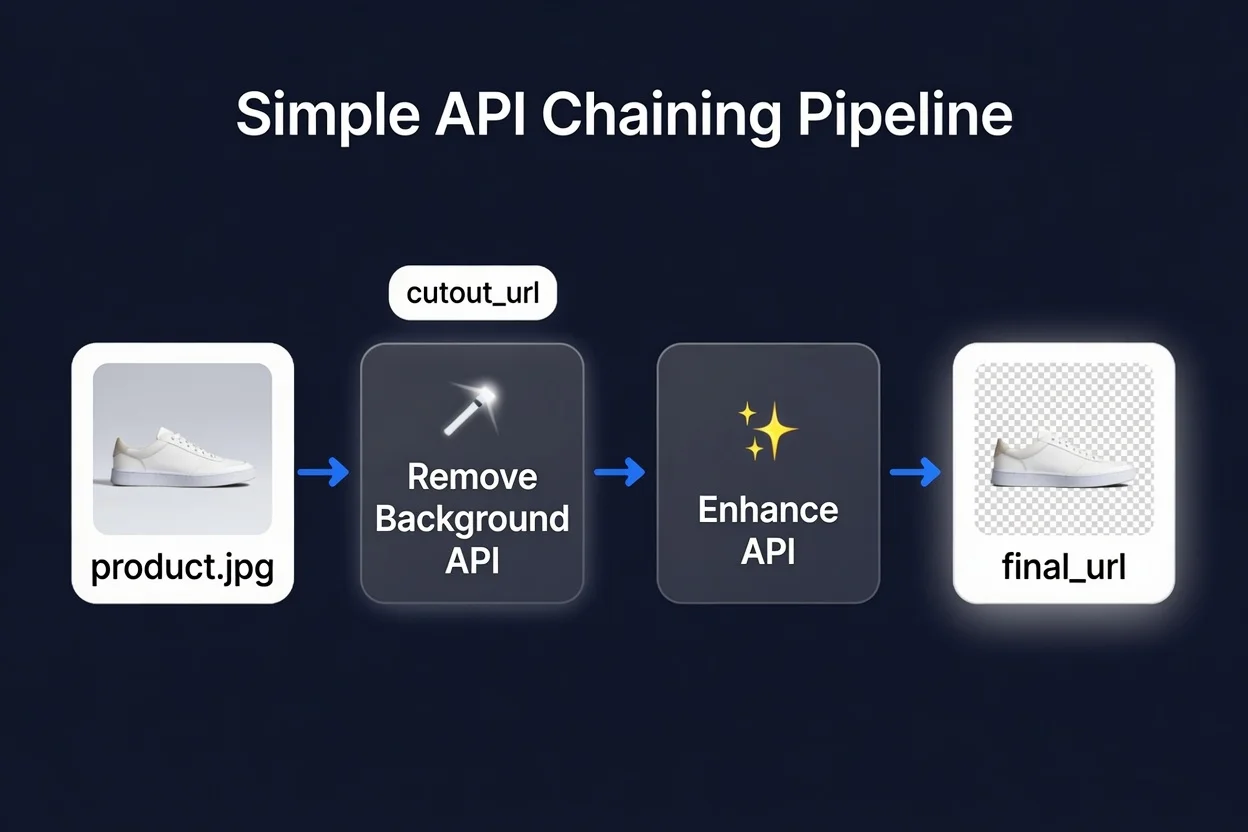
For chaining operations — removing the background, then enhancing the isolated subject before compositing — each call takes the output URL from the previous step as input:
# Step 1: Remove background
bg_response = requests.post(
    "https://platform.snapedit.app/v1/images/remove-background",
    headers={"X-API-KEY": "YOUR_API_KEY"},
    files={"input_image": open("product.jpg", "rb")}
)
cutout_url = bg_response.json()["data"][0]["url"]

# Step 2: Enhance the cutout
enhance_response = requests.post(
    "https://platform.snapedit.app/v1/images/enhance",
    headers={"X-API-KEY": "YOUR_API_KEY"},
    data={"input_image": cutout_url, "upscale_factor": 2}
)
final_url = enhance_response.json()["data"][0]["url"]
Same API key, same response format, no context switching between vendors.
What to watch for after you ship
The integration work is the easy part. What catches teams off-guard after launch:
Quality consistency on edge cases. Models perform well on the images they were trained on. Product photos on white backgrounds? Great. Flat-lay garments on patterned surfaces with fine-detail fringing? Run a batch of 50 representative images through the API before you go live — not 5 cherry-picked clean shots.
Rate limits under burst traffic. Most image editing APIs default to 60–120 requests per minute. If your app has usage spikes — a sale event, a feature launch — confirm what happens when you hit the rate limit (HTTP 429, hopefully with a retry-after header) and implement backoff logic before you need it.
Monitoring and alerting. Add logging around your image editing API calls from day one: status codes, latency, error rates. You want to know when quality or reliability changes, not find out when users start complaining.
Summary
Adding AI photo editing to your app doesn't require training models or managing GPU infrastructure. A well-chosen API lets you ship the feature in days, not months, and stay focused on the parts of your product that actually differentiate you.
The things worth evaluating before you commit: how many features can come from a single API (to avoid vendor sprawl), whether the response format is consistent across endpoints, what the pricing looks like at your expected scale, whether credits expire, and whether there's a free tier for real testing on your actual data.
SnapEdit's image editing API covers background removal, object removal, image enhancement and upscaling, AI portrait generation, virtual try-on, and 25+ other endpoints all under one API key with pay-per-call pricing and credits that never expire. See the full endpoint list and documentation →