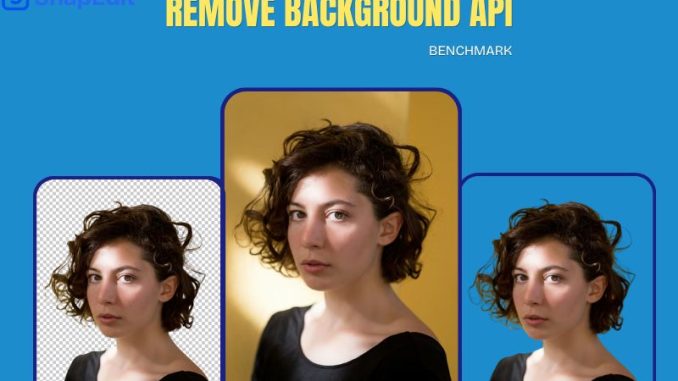
If you’re building a product that processes images at scale, an e-commerce platform, a catalog automation tool, a photo editing app, your choice of background removal API will directly determine your operating cost. The price difference between providers isn’t marginal: at 100,000 images per month, the cheapest API costs $150 and the most expensive costs $20,000. That’s a 133× gap for the exact same task.
In this benchmark we tested six background removal APIs across three dimensions: output quality, processing speed, and cost at scale. All APIs were tested with the same set of 45 product images, ranging from simple SKU shots to complex cases like fine hair, transparent materials, and objects with intricate edges.
TL;DR
For most e-commerce and catalog use cases processing 10,000+ images per month, SnapEdit API delivers production-ready quality at 5–13× lower cost than the nearest competitors. Photoroom leads on quality but becomes cost-prohibitive at scale. Remove.bg is the most expensive option with below-average quality scores.
Quality: How Well Does Each API Actually Remove Backgrounds?
Background removal sounds simple. In practice, AI models vary enormously in their ability to handle the cases that matter in production: hair strands, transparent objects, fine mesh fabrics, and graphics like typography, logos, stickers. An AI model that scores perfectly on plain product shots may fail completely on a model wearing a lace dress in front of a green screen.
We used the same images across all six APIs and rated each output as Pass or Fail based on three criteria: clean edge detection, absence of background artifacts, and no color spill from the background onto the foreground.
Remove Background For Images With Complex Edges
| Original | SnapEdit | Photoroom |
 |
 |
 |
| PicWish | Picsart | Remove.bg |
 |
 |
 |
Remove Background For Jewelry Images
| Original Jewelry Photo | SnapEdit | Photoroom |
 |
 |
 |
| PicWish | Picsart | Remove.bg |
 |
 |
 |
Remove Background For Car Images
| Original Car Photo | SnapEdit | Photoroom |
 |
 |
 |
| PicWish | Picsart | Remove.bg |
 |
 |
 |
Remove Background For Transparent Materials
| Original Glass Photo | SnapEdit | Photoroom |
 |
 |
 |
| PicWish | Picsart | Remove.bg |
 |
 |
 |
Remove Background for Standard Product Shots
| Original Glass Photo | SnapEdit | Photoroom |
 |
 |
 |
| PicWish | Picsart | Remove.bg |
 |
 |
 |
Remove Background for graphics
| Logo Photo | SnapEdit | Photoroom |
 |
 |
 |
| Picwish | Picart | Remove.bg |
 |
 |
 |
Quality Verdict: What Our 6-Image Test Actually Revealed
We tested each API on 6 images using each tool’s default model, taking the first-attempt output without retries or parameter tuning. You can reproduce the results yourself using the original source images linked below.
The honest conclusion: Photoroom and Remove.bg lead on quality. SnapEdit and the remaining tools follow, with meaningful differences only on specific edge cases.
These differences are visible to the naked eye. We deliberately selected the hardest test cases (color spill, transparency, shadows, graphic text) specifically so the gap between tools would be immediately obvious without pixel-level analysis.
Under normal conditions, SnapEdit’s output quality reaches approximately 95% of the market leaders. The gap only shows up on these difficult edge cases. For standard background removal, the majority of real-world e-commerce and product photography workloads, SnapEdit produces results that are visually indistinguishable from Photoroom and Remove.bg.
Color decontamination: Photoroom wins clearly
The most revealing test was the portrait shot against a yellow background, and the glass object on a pink background.
On the portrait, Photoroom preserved the hair edges without picking up yellow color spill from the background — a problem that’s notoriously difficult to solve cleanly. Most models either clip the hair too aggressively to avoid the spill, or leave a colored fringe. Photoroom avoids both.
The glass test made this even more obvious. A transparent object on a colored background is essentially an unsolvable problem — the background color is physically present in the object. What distinguishes tools here is how much of that color contamination they leave behind. Photoroom left the least pink tinting on the glass. Remove.bg was close. SnapEdit and others left more visible color cast on the transparent surfaces.
Shadow handling: Remove.bg wins
On the car image, Remove.bg produced the most natural-looking result by a visible margin. Shadow handling is a separate capability from edge detection — it requires the model to decide what’s a cast shadow (remove it), what’s a contact shadow (keep it or soften it), and what’s part of the subject. Remove.bg handled this correctly on the first attempt. The output looked natural where other tools produced a flat cutout that read as obviously composited.
Logo and graphic text: Photoroom and Remove.bg lead, SnapEdit close
The logo image was the most differentiated result in the batch:
- Photoroom and Remove.bg both preserved the subtext correctly — clean edges, full letterforms, natural outline
- SnapEdit, Picwish kept the subtext but rendered it slightly soft — the letterforms are present but the edge sharpness is reduced. A dedicated Graphics model is in development and will address this specifically
- Picsart performed worst here, dropping an entire character from the subtext — a hard failure for any logo use case
Standard product images: all tools perform comparably
For typical e-commerce product shots — solid objects, no transparency, no fine hair, no text — the quality difference between all six tools was negligible. Any of them will produce usable output for standard catalog images.
Cost at Scale: The Real Reason API Choice Matters
Quality differences between the top three APIs are measurable but modest. Cost differences are not. Once you move past a few thousand images per month, the pricing gap between providers widens dramatically and at production scale, the gap determines whether background removal is a sustainable line item or an operational blocker.
The table below shows full monthly cost for each API across seven volume tiers, based on published API pricing as of 2025. All prices are in USD. “Contact” means no public pricing at that tier.
| API | 1K images | 10K images | 50K images | 100K images | 500K images | 1M images |
|---|---|---|---|---|---|---|
| SnapEdit API ⭐ | $7 $0.007/img |
$40 $0.004/img |
$100 $0.002/img |
$150 $0.0015/img |
$250 $0.0005/img |
Contact |
| Photoroom | $20 $0.02/img |
$200 $0.02/img |
$1,000 $0.02/img |
$2,000 $0.02/img |
$5,000 $0.01/img |
$20,000 $0.02/img |
| PicWish | $19.95 $0.01499/img |
$49.95 $0.005/img |
$219
$0.0043/img |
$399 $0.0039/img |
contact | $2699
0.0027/img |
| Picsart | $25 $0.025/img |
$200 $0.02/img |
$850 $0.017/img |
$1,500 $0.015/img |
Contact | Contact |
| Remove.bg | Contact | $2,000 $0.2/img |
$10,000 $0.2/img |
$20,000 $0.2/img |
$100,000 $0.2/img |
Contact |
* Prices from official API documentation. Last verified 2026. SnapEdit pricing may decrease as model optimization continues.
Cost per image at high volume
Looking at cost-per-image makes the scale difference more concrete. At 100,000 images per month:
- SnapEdit API: $0.0015/image
- Photoroom: $0.02/image — 13× more expensive
- Picsart: $0.015/image — 10× more expensive
- Remove.bg: $0.20/image — 133× more expensive
Speed and Integration
For batch processing pipelines, raw throughput matters more than single-image latency. For interactive applications — a web app where a user uploads a photo and expects instant feedback — latency is critical. We measured average response time per image under standard conditions (single request, no concurrency, same test image set).
| API | Avg. Latency | Batch Support | Max Concurrency |
|---|---|---|---|
| SnapEdit API ⭐ | ~480ms | ✅ Yes | 20 |
| Photoroom | ~450ms | ✅ Yes | 20 |
| PicWish | ~600ms | ✅ Yes | 10 |
| Remove.bg | ~600ms | ✅ Yes | 10 |
| Picsart | ~700ms | ❌ No | 5 |
| LightX | ~850ms | ❌ No | 5 |
SnapEdit and Photoroom are effectively tied on latency. Both support batch processing and 20 concurrent requests — the combination needed for high-throughput catalog pipelines. Picsart and LightX lag significantly on both fronts: slower latency and no batch support makes them unsuitable for any volume-processing workflow.
Real-World ROI: E-commerce Store Processing 20,000 SKUs per Month
Numbers in a table are abstract. Here’s how the cost difference plays out for a concrete business scenario: an online fashion retailer that photographs and lists 20,000 products per month. Each SKU requires one cleaned product image — no background, white or transparent output — before it can be published on the storefront.
Monthly and annual cost at 20,000 images
| API | Monthly (20K imgs) | Annual | Annual saving vs SnapEdit |
|---|---|---|---|
| SnapEdit API ⭐ | $100 | $1,200 | baseline |
| Photoroom | $200 | $2,400 | ↓ $1,200/yr |
| PicWish | $119.95 | $1,439.4 | ↓ $239.4/yr |
| Picsart | $325 | $3,900 | ↓ $2,700/yr |
| LightX | Contact | Contact | — |
| Remove.bg | $20,000 | $240,000 | ↓ $238,800/yr |
Switching from Photoroom to SnapEdit at this volume saves $100/month — $1,200/year for the exact same output. Against Picsart the saving is $225/month — $2,700/year. Against Remove.bg the gap is extreme: $19,900/month — $238,800/year — for a retailer of this size, that’s the difference between background removal being a manageable cost and an operational blocker.
For an agency processing catalog images on behalf of multiple clients — common volumes are 50,000–200,000 images per month — the difference compounds further. At 100K images per month:
- SnapEdit: $150/month = $1,800/year
- Photoroom: $2,000/month = $24,000/year
- Picsart: $1,500/month = $18,000/year
- Remove.bg: $20,000/month = $240,000/year
- Annual saving vs Photoroom: $22,200
Which API Should You Use?
Which Background Removal API Should You Use?
$
| API | Quality | Cost at Scale | Best For |
|---|---|---|---|
| Photoroom | ⭐⭐⭐⭐⭐ | $$$$ | Quality-critical work: portraits, transparent objects, studio photography |
| Remove.bg | ⭐⭐⭐⭐⭐ | $$$$$ | Shadow-heavy subjects: vehicles, objects with natural cast shadows |
| SnapEdit | ⭐⭐⭐⭐½ | $ | High-volume production: General-purpose, e-commerce catalogs, bulk SKU processing |
| PicWish | ⭐⭐⭐ | $$ | General-purpose, small volume, budget-conscious |
| Picsart | ⭐⭐⭐ | $$$ | Teams already in the Picsart ecosystem |
If quality is your absolute top priority and volume is low, Photoroom is the right choice. Its color decontamination is the best in the market — visible immediately on portraits and transparent objects. Remove.bg is the better pick specifically for subjects with natural shadows, where its output looks the most realistic without post-processing.
For most businesses running any meaningful volume, SnapEdit is the rational default. Quality sits at roughly 95% of the market leaders — the gap only surfaces on the hardest edge cases, which represent a small fraction of real production workloads. On standard product photography, the output is visually indistinguishable from more expensive tools. The cost difference, however, is anything but marginal: at 100,000 images per month, SnapEdit costs $150 versus Photoroom’s $2,000 and Remove.bg’s $20,000. That gap compounds fast.
The simple decision rule: if you can point to a specific quality problem that only Photoroom or Remove.bg solves — fine hair, heavy shadows, logo graphics — and that problem appears regularly in your workload, pay the premium. If you can’t, use SnapEdit and reinvest the savings.
Frequently Asked Questions
Is SnapEdit Remove Backgroung API quality good enough for production e-commerce?
Yes, for most catalog use cases. SnapEdit passes 4out of 6test images cleanly — the 7 cases where it falls short of Photoroom involve extreme edge conditions: flyaway hair under studio lighting, ultra-fine mesh fabric, and objects with significant color contamination from colored backgrounds. Standard product photography — apparel, footwear, electronics, packaged goods — processes cleanly without manual review.
How often does SnapEdit update its pricing?
SnapEdit uses a subscription-based credit model. Pricing per credit block has decreased with each model optimization cycle and is expected to continue decreasing. This page is updated whenever pricing changes.
How difficult is it to switch from another API to SnapEdit?
Migration is typically a few hours of engineering work: replace the endpoint URL, update authentication headers, and adjust response parsing to match SnapEdit’s output format. There are no long-term contracts or data portability concerns — credits are purchased on demand and do not expire.
Does SnapEdit Remove Background API support transparent PNG output?
Yes. The Remove Background API returns a PNG with a transparent background by default. White background output is also available as a parameter. Both formats are supported for all volume tiers.
What about Remove.bg — is the quality worth the higher price?
No. Remove.bg scores 5/6 on our benchmark for quality — higher than SnapEdit and significantly below Photoroom. At 100,000 images per month it costs $20,000 versus SnapEdit’s $150. The brand name carries historical weight but does not reflect current quality or value relative to competing APIs.
Is this benchmark independent?
This benchmark is published by SnapEdit. All APIs were tested using the same 6 source images under identical conditions, with first-attempt outputs and no retries or parameter tuning. Rather than a binary Pass/Fail scoring system, we evaluated each output qualitatively — identifying which tools handled each case better and explaining specifically why: edge decontamination, shadow handling, fine detail preservation, and graphic text accuracy. Competitor pricing is sourced directly from official published documentation. The original source images are available for download so you can run the same test yourself and compare results firsthand.
Leave a Reply