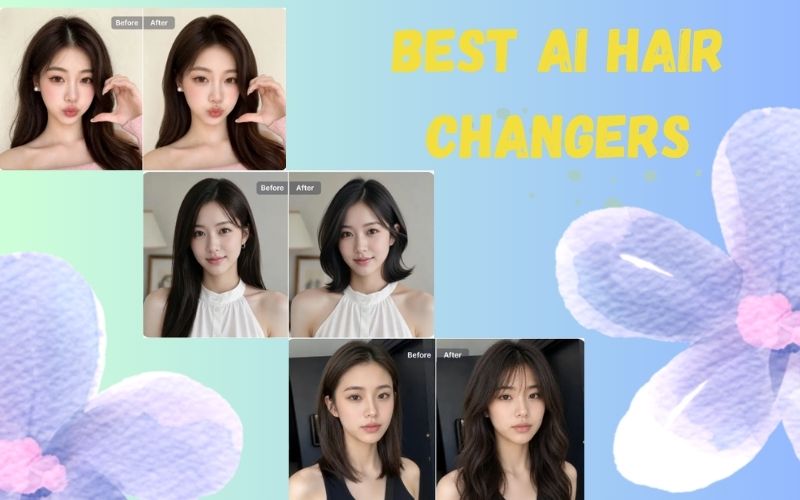
There are dozens of AI hairstyle changers online. Most reviews list them without actually testing them side by side. We did: one photo, one hairstyle (bobcut), five tools — and recorded real results for speed, face preservation, hair realism, and pricing.
Here’s what we found, ranked by how well they work as a genuine virtual hairstyle try-on — not just as AI image generators that happen to involve hair.
How We Tested AI Hair Changer Tools
We used a single outdoor portrait with a side angle and golden hour backlight — a genuinely difficult input that separates tools that handle real-world photos from tools optimized for clean studio selfies. Applied a bobcut across all five tools and scored each on:
- Face preservation — Does the result still look like the subject?
- Hair realism — Does the new hair blend naturally?
- Body/scene handling — How does the tool reconstruct what’s below the hair?
- Processing speed — Time from upload to downloadable result
- Pricing — What’s actually free and what requires payment?
1. SnapEdit AI Hair: Best for Face Accuracy and Speed
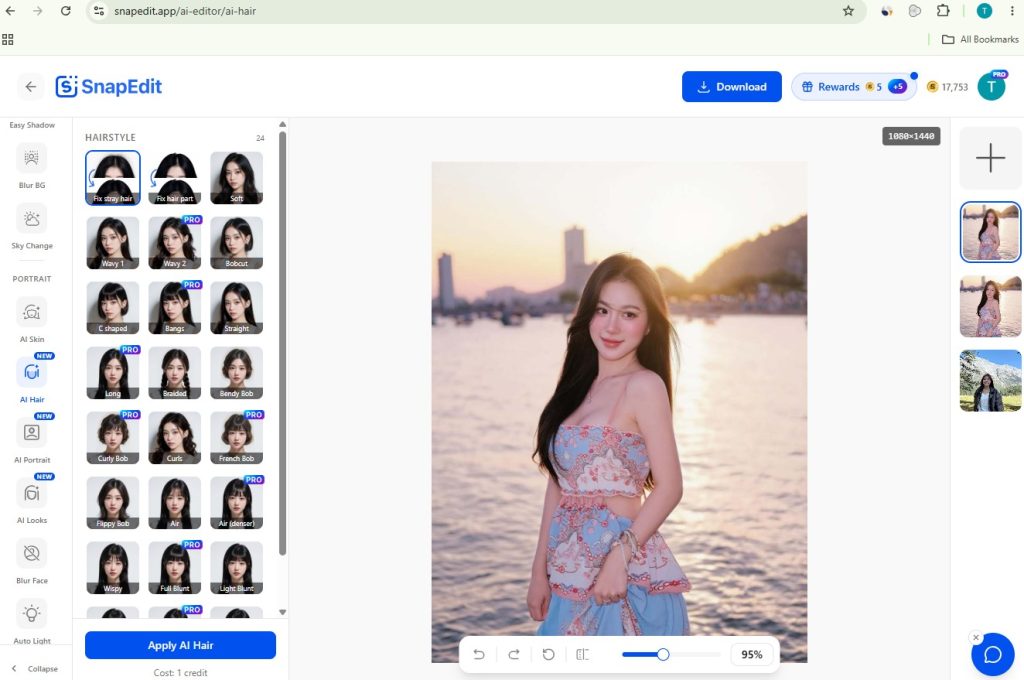
Website: snapedit.app/ai-hair · Free tier: Yes — daily credits, no sign-up · Mobile app: Yes (iOS + Android)
SnapEdit is an AI photo editing suite with a dedicated hairstyle try-on tool built on an image-to-image model. It offers 24 curated visual presets — Soft, Wavy, Bobcut, Bangs, Braided, French Bob, Curly Bob, Flippy Bob, and more — displayed as thumbnails so you see exactly what each style looks like before applying. No text prompts, no descriptions: you tap a preset and the AI applies it directly to your face.
Two presets stand out as genuinely unique: Fix Stray Hair removes flyaways from your existing hair without changing the style, and Fix Hair Part corrects uneven or visible partings. No other tool in this test offers these utilities.
SnapEdit is also available as a mobile app on iOS and Android, in addition to the browser version which works on mobile too.
Test result
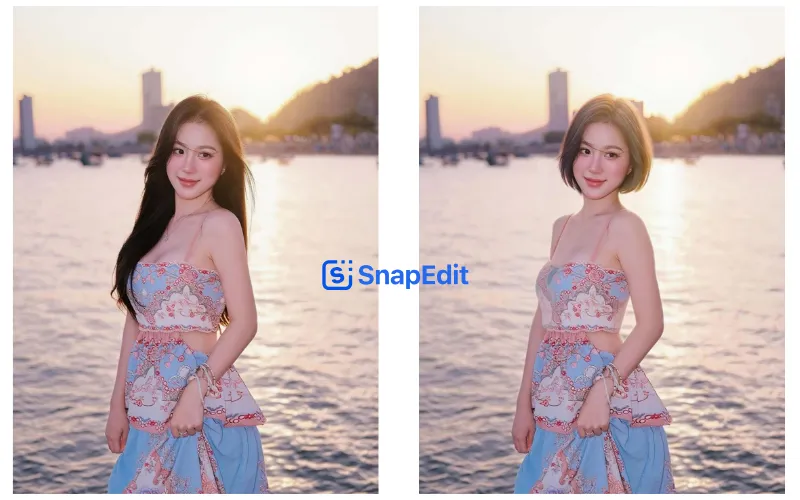
Processed in 5 seconds — the fastest in the test. The bobcut landed cleanly on the original side angle without correcting the pose or changing the expression. Facial features, the direction the subject was looking, and the overall likeness were all preserved accurately. The hair-to-skin transition was natural with no visible seam. The original outfit and background remained exactly as photographed — SnapEdit doesn’t redraw the body.
- ✅ Face preservation: excellent — angle, expression, and likeness unchanged
- ✅ Hair blending: clean, natural transition at hairline
- ✅ Speed: 5 seconds (fastest in test)
- ✅ 24 visual presets — no prompts needed
- ✅ Fix Stray Hair + Fix Hair Part utilities — not available elsewhere
- ✅ Free daily credits — no account required
- ℹ️ Body not redrawn — original scene preserved as-is
Pricing: Free with 10 AI credits (no sign-up needed). Pro plan unlocks unlimited use and HD downloads. See SnapEdit pricing.
Best for: Anyone who wants accurate face preservation, fast results, and the ability to keep editing the photo after the hairstyle — using AI skin, makeup looks, lighting, or portrait generation in the same tab.
2. HairstyleAI — Best for Body and Scene Realism
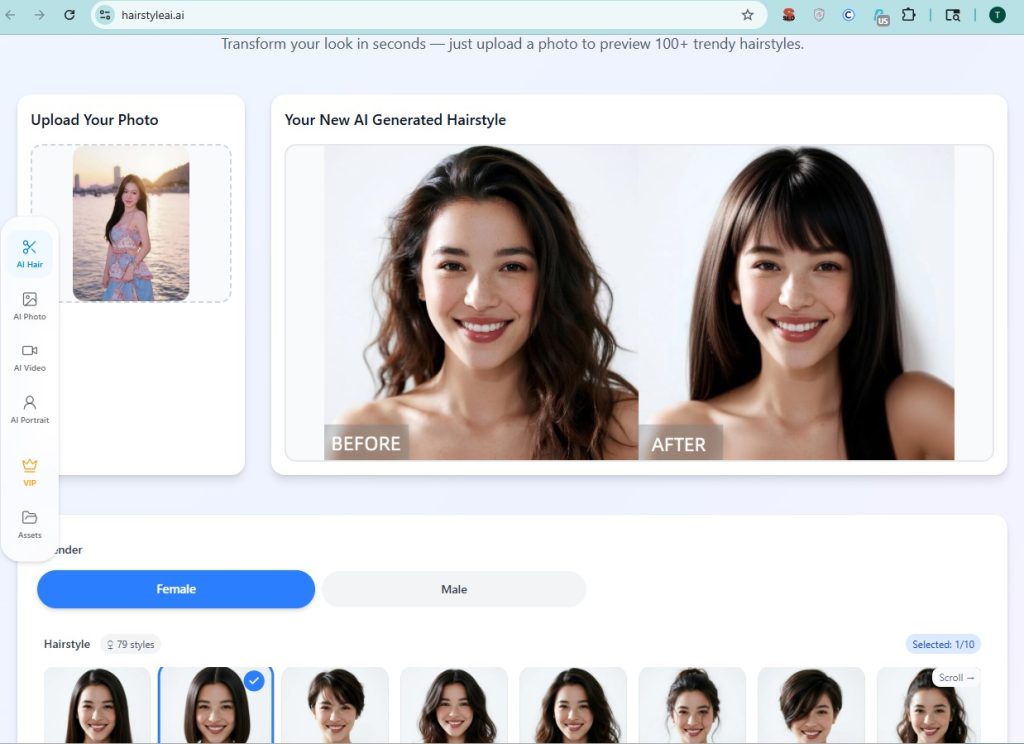
Website: hairstyleai.ai · Free tier: Yes — no sign-up required · Mobile: Browser only
HairstyleAI is a dedicated hairstyle try-on tool with one of the largest style libraries available: 79 female styles and additional male styles, covering Straight, Bob, Pixie Cut, Layered, Wavy, Messy Bun, Dutch Braid, Space Buns, and many more. Up to 10 styles can be selected and generated in a single batch. Input supports JPEG, PNG, and WebP up to 10MB.
The tool selects up to 10 styles per batch, which is useful if you want to compare multiple looks without re-uploading.
Test result
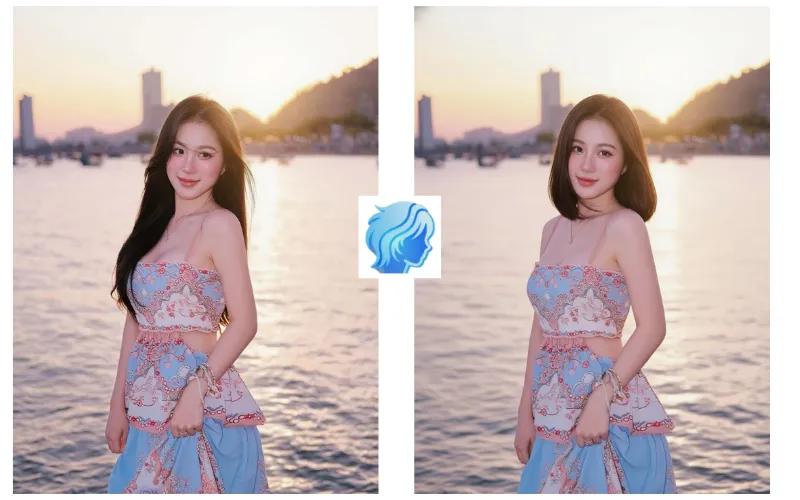
HairstyleAI produced the most convincing body realism in the test. Shoulders, skin, and the overall figure were redrawn naturally — the result looked like a professionally retouched photo rather than a hairstyle overlay. Hair quality was sharp and well-placed.
The tradeoff: the face changed noticeably. The original photo was a side angle, and after processing, the eyes were looking more directly at the camera. Facial features shifted by approximately 10%. Shown without the original, the result is convincing. Side-by-side, it’s clearly a different rendering of the face, not just a different hairstyle on the same face.
- ✅ Body realism: best in test
- ✅ Hair quality: sharp, naturally placed
- ✅ 79+ styles — large library
- ✅ Batch generation (up to 10 styles)
- ⚠️ Face preservation: ~90% — visible shift on side-angle photos
Pricing: Free tier available. Paid plans for HD and additional generations. Sign-in required for some features.
Best for: Getting a feel for how a style sits on your body and figure. Less reliable if exact facial likeness is critical.
3. YouCam (PerfectCorp) — Best Style Library
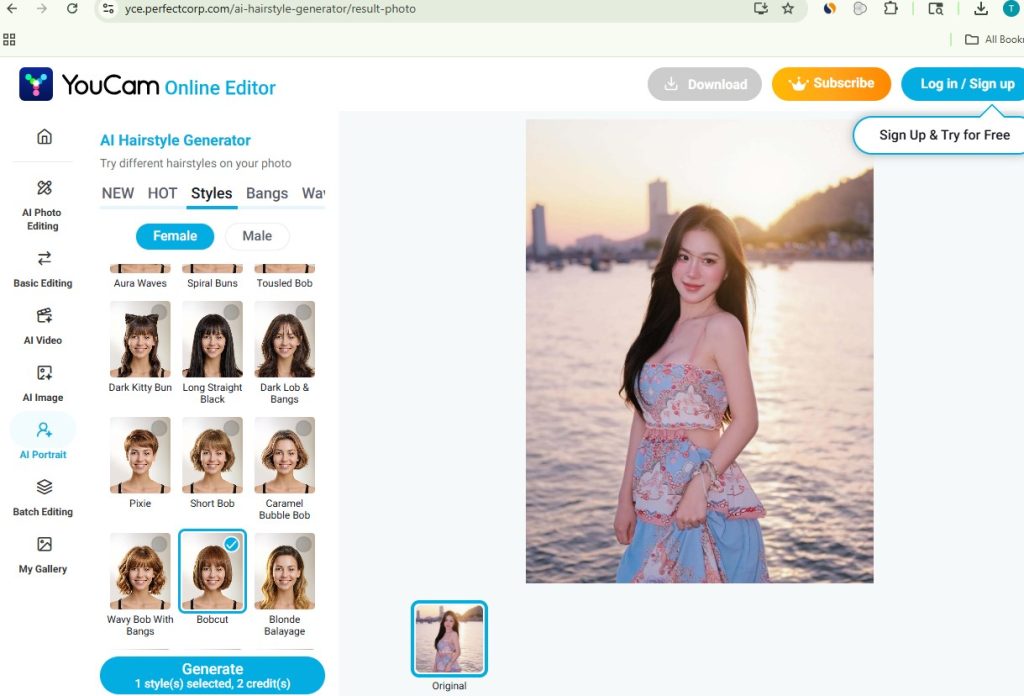
Website: yce.perfectcorp.com · Free tier: Yes — 2 credits per generation · Mobile: Browser + app
YouCam’s AI Hairstyle Generator is part of PerfectCorp’s broader AI photo editing platform, used widely for virtual beauty try-on. It offers 150+ hairstyles for men and women — the largest library in this test — organized by type: styles, bangs, waves, and categorized for male and female. The platform is well-established with a strong track record in the beauty tech space.
Each generation costs 2 credits. The platform integrates with other YouCam tools for makeup, skin retouching, and photo editing.
Test result
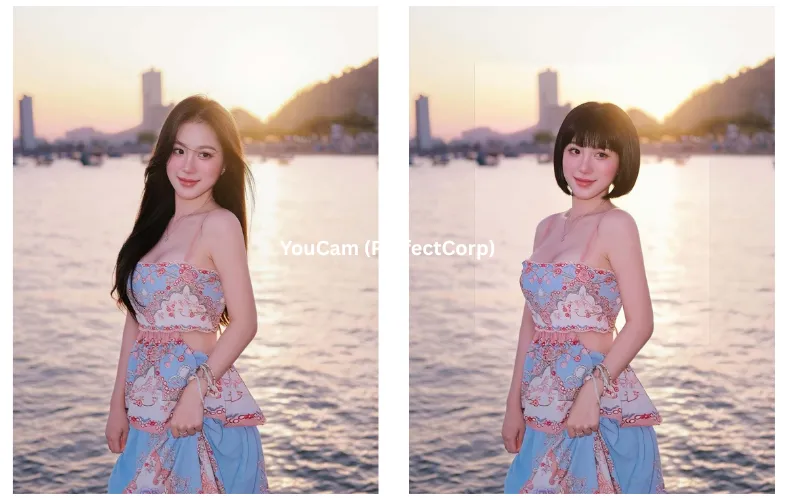
YouCam handled the bobcut well overall, hair blending was natural, body proportions stayed consistent, and the result looked balanced. Face preservation was good on this photo.
One noticeable artifact: a soft processing boundary appeared around the face area in the output — a composite seam where the AI-adjusted face region meets the original photo. It’s subtle but visible on close inspection, particularly against the unedited background. It didn’t affect how the hairstyle looked, but it did make the edit more detectable.
- ✅ 150+ hairstyles — largest library in test
- ✅ Hair blending: natural
- ✅ Male + female styles
- ⚠️ Composite seam visible around face area
- ℹ️ 2 credits per generation
Pricing: Free credits included. Subscribe for unlimited use and additional features.
Best for: Users who want the widest style selection and are already part of the YouCam ecosystem.
4. Airbrush AI Hairstyle — Best for Headshot Photos
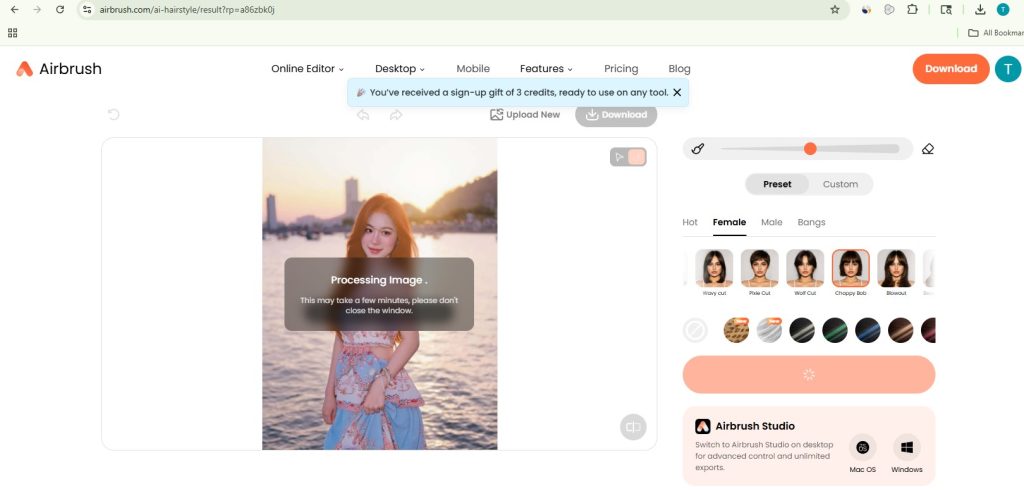
Website: airbrush.com/ai-hairstyle · Free tier: Yes · Mobile: Browser
Airbrush positions itself as an AI-powered portrait editor for creators, with the hairstyle changer as part of a broader suite of portrait retouching tools. The tool is browser-based with no app install required. It supports free try-on with quick results and covers a range of common haircut styles.
Test result
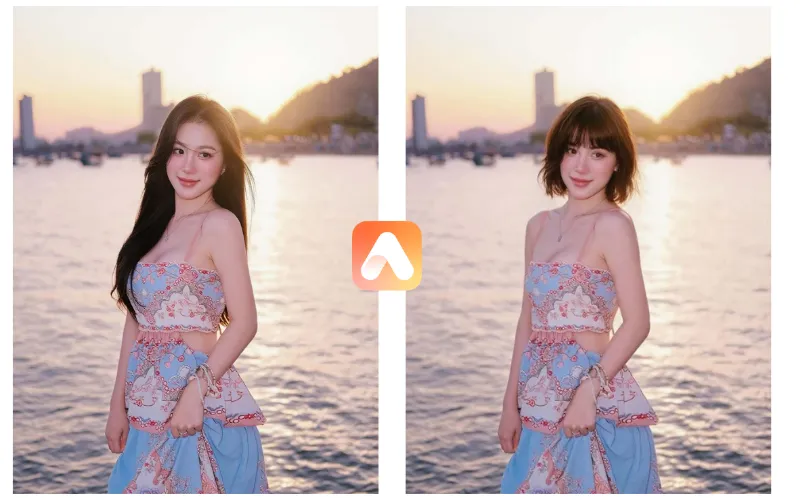
Airbrush preserved facial features and expression well — one of the stronger face-preservation results in the test. The subject’s angle, expression, and overall likeness were maintained. Hair placement was clean with no obvious edge artifacts.
Where it fell short: the body and shoulder area. Below the neck, the reconstruction was less consistent — some detail in the original outfit was lost or softened. For a tight headshot this wouldn’t matter. For a portrait with visible outfit detail (like the photo we used), it was noticeable. Processing took approximately 10 seconds.
- ✅ Face preservation: strong — expression and angle maintained
- ✅ Hair: clean placement, good edge handling
- ⚠️ Body/outfit detail: less convincing below the neck
- ⏱ Speed: ~10 seconds
Pricing: Free to try. Premium features behind subscription.
Best for: Close-up headshots where the face fills most of the frame and outfit detail isn’t a factor.
5. Krea AI — Most Flexible, But Not a True Try-On Tool
Website: krea.ai · Free tier: Limited · Mobile: Browser
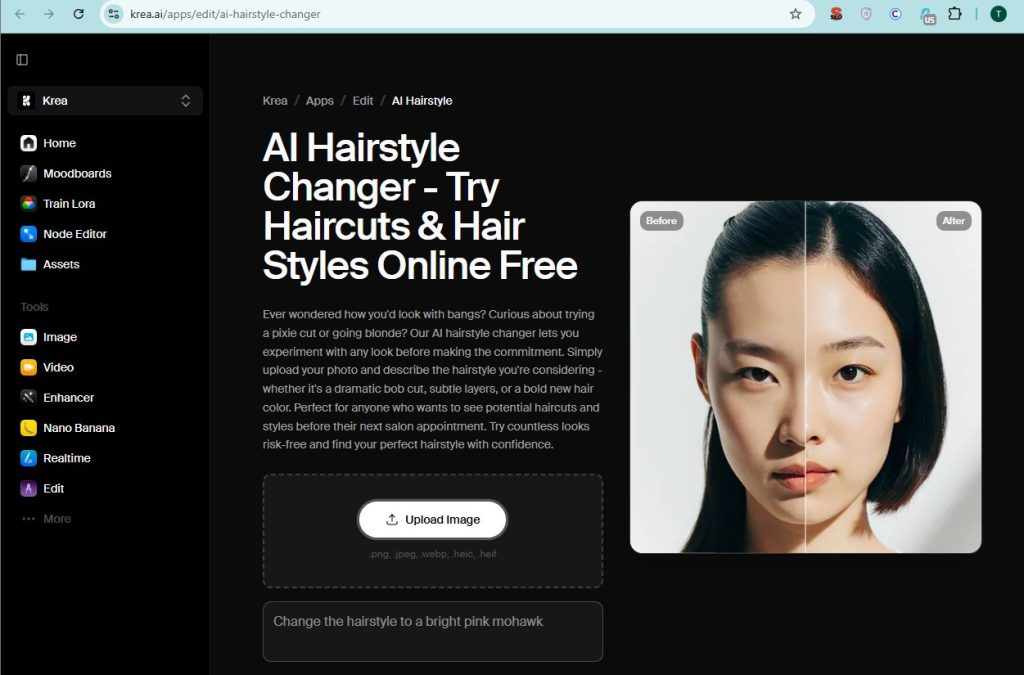
Krea AI is a creative AI platform designed primarily for image generation and editing with significant control over outputs. Its hairstyle changer uses a text-prompt approach: you upload a photo and describe the hairstyle you want — “dramatic bob cut,” “subtle layers,” “bold new hair color.” This theoretically gives more flexibility than preset-based tools, since you can specify exactly what you want in natural language.
The platform integrates with Krea’s broader creative tools including image generation, real-time canvas editing, and upscaling.
Test result
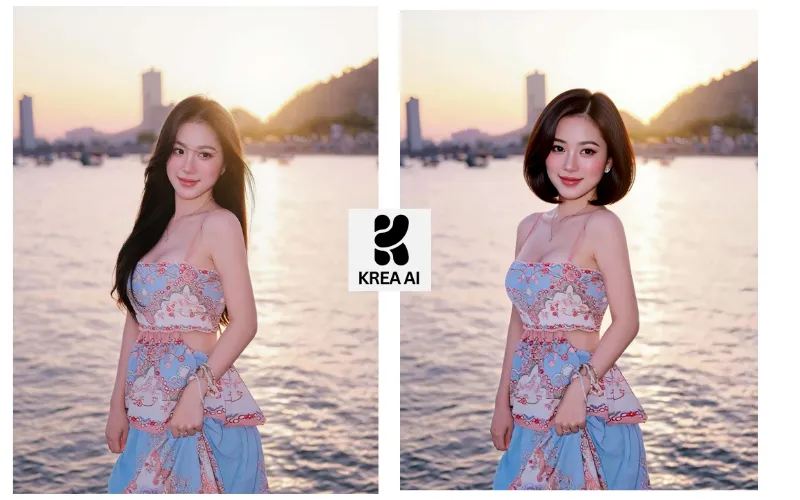
Processing took approximately 12 seconds — the slowest in the test. The result was the furthest from a virtual try-on: the AI regenerated the entire face from the prompt description, producing a different AI-generated person with similar features rather than the original subject with a new hairstyle. Facial likeness was not preserved in any meaningful way.
This isn’t a flaw in Krea’s design — it’s a text-to-image tool optimized for creative generation, not for preserving a specific person’s likeness. But for the core question “how would I look with this hairstyle?”, it doesn’t deliver the right type of output.
- ✅ Flexible: describe any style in text
- ✅ Part of a full creative AI suite
- ❌ Face preservation: poor for try-on use — regenerates face from prompt
- ⏱ Speed: ~12 seconds (slowest in test)
- ℹ️ Requires typing a text prompt — no visual preset gallery
Pricing: Limited free tier. Subscription required for full access.
Best for: Creative AI image generation. Not recommended as a virtual hairstyle try-on tool.
Quick Comparison: All 5 Best AI hair changers
| Tool | Styles | Face preserved | Body handling | Speed | Free? | No sign-up? |
|---|---|---|---|---|---|---|
| SnapEdit | 24 presets | ✅ Excellent | Original kept | ⚡ 5s | ✅ Daily credits | ✅ Yes |
| HairstyleAI | 79+ | ⚠️ ~90% | ✅ Excellent | Moderate | ✅ Limited | ✅ Yes |
| YouCam | 150+ | ✅ Good | ✅ Good | Moderate | ✅ 2cr/try | ⚠️ Account needed |
| Airbrush | Multiple | ✅ Good | ⚠️ Weaker | ~10s | ✅ Limited | ✅ Yes |
| Krea AI | Prompt-based | ❌ Regenerates face | N/A | ~12s | ⚠️ Limited | ⚠️ Account needed |
What to Do After Finding the Right Hairstyle
Most tools stop once the hair is done. If you want to take the photo further — see how a makeup aesthetic pairs with the new cut, or what a portrait shoot would look like with this hairstyle — only SnapEdit lets you continue without re-uploading anywhere.
After finding the right bobcut on SnapEdit, we tested the full workflow in one tab:
- Applied AI Looks to try Strawberry and Douyin makeup aesthetics alongside the new cut — visible in seconds whether the combination worked
- Used Light Match with the Golden preset to lift the lighting mood of the photo — matched the sunset in the original background
- Generated an AI Portrait to see what a studio headshot version would look like with the new hairstyle
Total time: approximately 3 minutes. No switching tools. No re-uploads. Everything from the hairstyle try-on through makeup, lighting, and portrait generation is part of the same SnapEdit AI photo editing suite.
Tips for Getting the Best Result
- Use a front-facing or near-front-facing photo. Side angles are the hardest case for every tool tested. The closer to front-facing, the more accurately any tool can place a new hairstyle.
- Even lighting over dramatic lighting. Strong backlight or mixed light sources made results less predictable across all five tools. Overcast, indoor diffuse, or front-lit golden hour work best.
- Crop to face and shoulders before uploading. Full-body shots give the model less to work with at the face. A tighter crop consistently improved results.
- Try more than one preset. The same style name (Bobcut, French Bob) renders differently depending on your face shape and photo angle. Previewing several before downloading saves time.
- Fix flyaways before switching styles. On SnapEdit, the Fix Stray Hair preset cleans up the original hair first — new style presets then apply to a cleaner base.
Verdict
If face accuracy and speed are the priority, SnapEdit AI Hair is the strongest option in this test — 5-second results, accurate face preservation, 24 named visual presets, no prompts, no account required, and the ability to keep editing the photo within the same platform.
If you want the most natural body reconstruction alongside the new hairstyle, HairstyleAI produces impressive full-figure results — just accept that the face may shift slightly on non-front-facing photos.
If raw style volume matters most, YouCam offers 150+ options and is well-suited to users already in that ecosystem.
Krea AI is a capable creative tool but is not designed for virtual hairstyle try-on. If accurate likeness matters, use one of the other tools.