Most AI image enhancement tool and API comparisons stop at specs. This one does not.
We ran SnapEdit, Picsart, Claid, Photoroom, Pixelcut, and PicWish through seven real-world image categories: portrait, baby, celebrity, e-commerce product, food, real estate, and text graphics. Every result comes from actual web tools, not vendor demos. Where free-tier limits applied, we say so explicitly.
The goal is simple: find which image enhance API gives you the best output for your actual use case, and whether the price justifies it.
Here is what the results showed: SnapEdit delivers 90 to 95% of the output quality you get from top-tier tools like Picsart and Claid, outperforms Photoroom in most categories, and does it at $0.0034 to $0.032 per image with 1 to 2 second processing times. For most production workflows, that gap is not worth paying 3 to 10 times more to close.
What this benchmark covers:
- Processing speed across all six tools
- Output quality per image category with visual comparisons
- Cost per image at production volumes
- Which tool wins for which workflow
A Note on Methodology
We tested all tools through their web interfaces rather than direct API calls. In practice, most providers run the same underlying model across both surfaces. What you see in the web tool is what the API returns. The quality comparisons in this benchmark are a reliable proxy for API output. Where we have confirmed this is not the case for a specific tool, we note it. The pricing section references each tool's published API rates directly.
SnapEdit was tested at 2x, 4x, and 8x upscale. For other tools, we used the maximum resolution available under standard access. Where a tool was capped at 2x or 4x, we note this and do not make direct comparisons against 8x outputs. Topaz Labs was excluded from quality testing because no free or trial API access was available.
This benchmark reflects real testing conditions, not controlled lab comparisons. That is intentional. Production pipelines deal with real images, real limits, and real constraints.
1. Speed: Who Processes Fastest at Scale
Speed matters more than most benchmarks admit. A tool that takes two minutes per image is not viable for a pipeline processing 10,000 images a month.
| Tool | Average Speed | Notes |
|---|---|---|
| SnapEdit | 1-2 seconds | Consistent across all image types |
| Picsart | 1-2 seconds | Matches SnapEdit |
| Photoroom | 1-2 seconds | Consistent |
| Pixelcut | 1-2 seconds | Consistent |
| PicWish | 3-5 seconds | Slower across the board |
| Claid | 3-5 seconds | One test (Messi portrait) took over 2 minutes |
SnapEdit, Picsart, Photoroom, and Pixelcut are in the same tier for speed. PicWish and Claid are noticeably slower, and Claid showed significant variance depending on image complexity.
For any pipeline processing high volumes, the 3-5 second gap compounds quickly. At 10,000 images per month, a 3-second average delay adds roughly 8 hours of total processing time compared to a 1-second tool.
2. Quality: Real Results Across 7 Image Categories
Quality is where the tools genuinely separate. Here is what we found, category by category.
Remember to open each image in a new tab to view the full size. You'll see the difference in results more clearly.
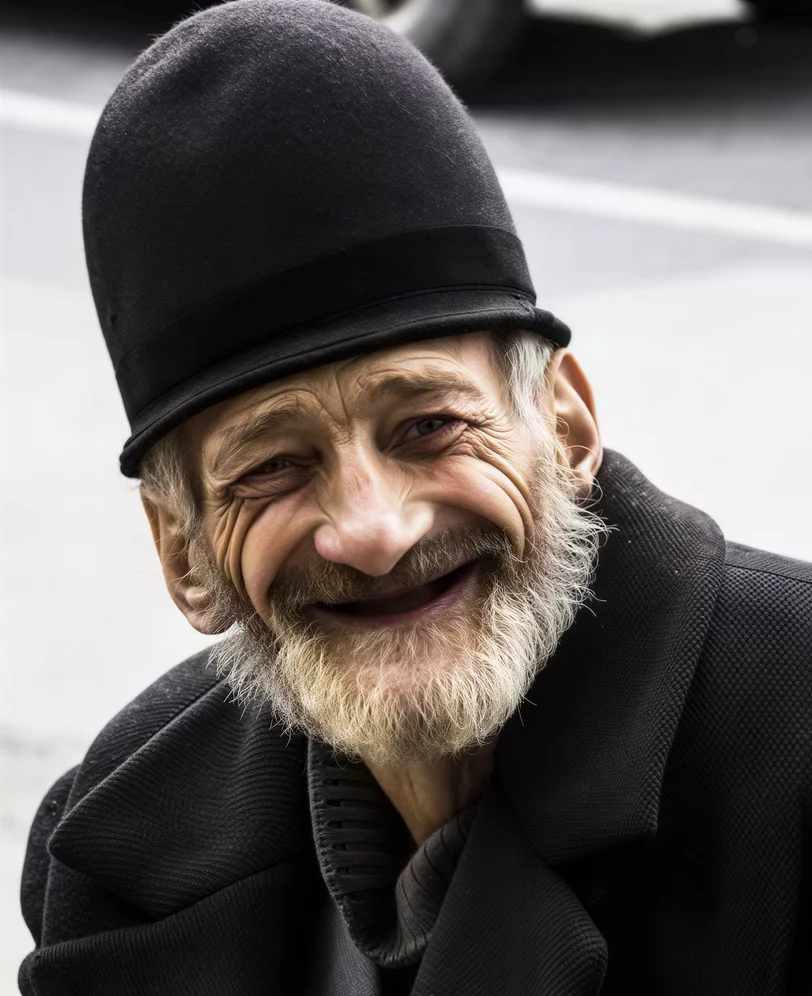
Portrait: Western Old Man
| Original | SnapEdit 8x | Picsart 8x | Photoroom 4x | Claid AI 4x | Pixelcut 2x | PicWish 4x |
|---|---|---|---|---|---|---|
 |
 |
 |
 |
 |
 |
 |
Winner: Picsart
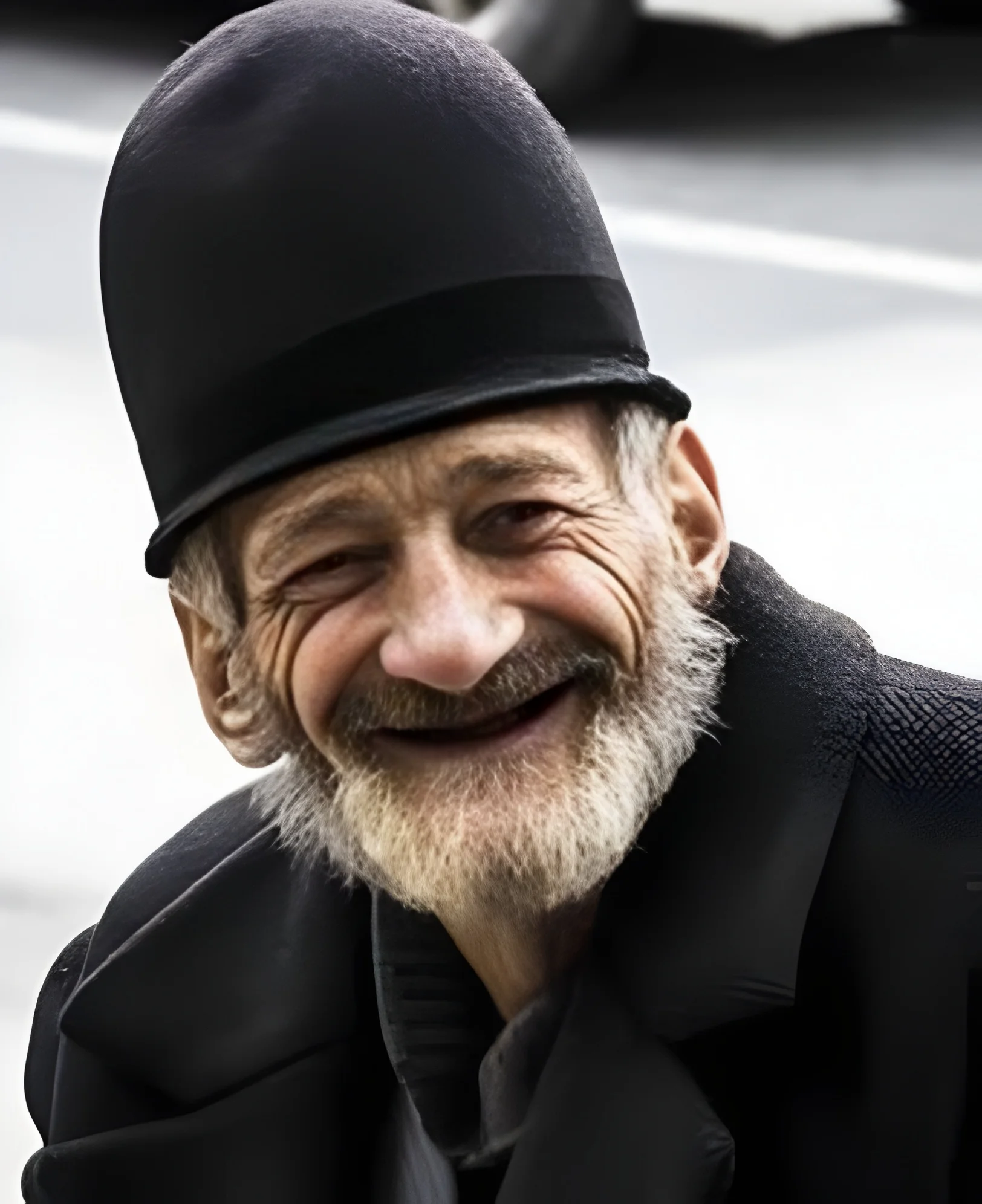
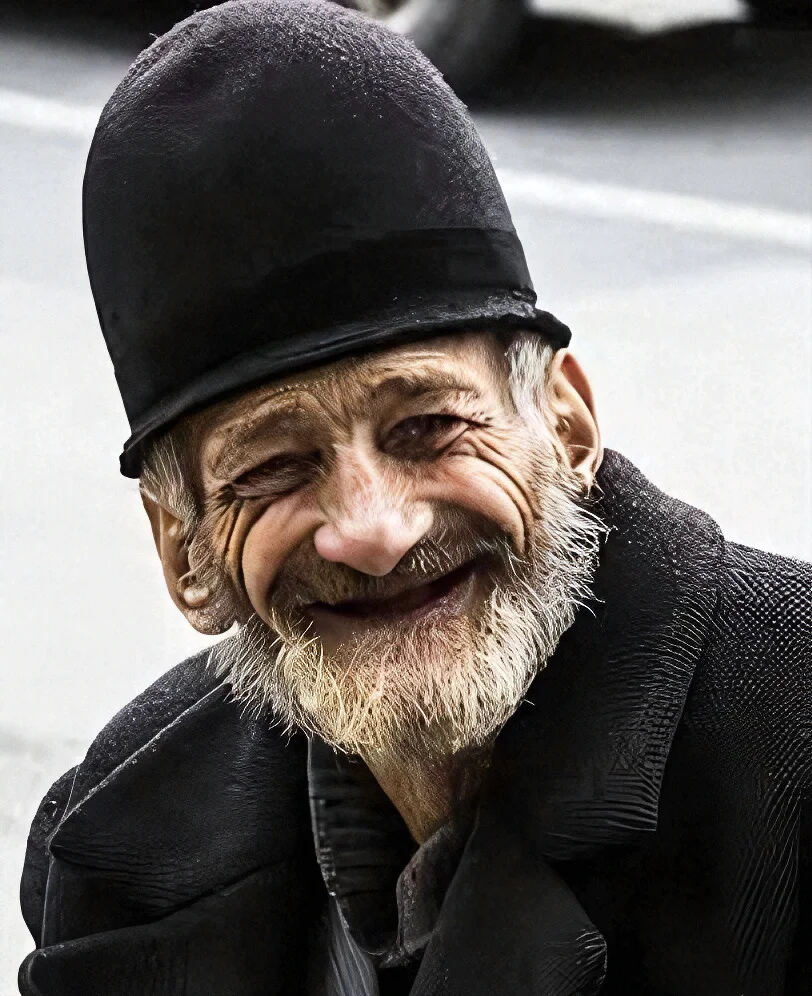
Picsart produced the most natural-looking result at 8x. Skin texture reads as genuine rather than processed. SnapEdit at 8x is sharp, noticeably sharp. But some people might feel the pixel density creates a slightly artificial quality, particularly around wrinkles and pores. Claid performed similarly to SnapEdit in texture quality but took 3-5x longer. Photoroom was the weakest here: the image is larger but fine detail remains soft. Pixelcut at 2x shows the resolution limitation clearly.
The honest takeaway: for complex adult portraits where natural skin texture matters, Picsart or Claid are stronger choices. SnapEdit's face enhancement is technically precise but leans toward over-sharpening at 8x.
Portrait: Baby
| Original | SnapEdit 2x | SnapEdit 4x | SnapEdit 8x | Picsart 8x | Photoroom 4x | Claid 4x | Pixelcut 2x | PicWish 4x |
|---|---|---|---|---|---|---|---|---|
 |
 |
 |
 |
 |
 |
 |
 |
 |
Winner: SnapEdit 4x
Baby portraits have soft, even skin, no complex texture to recover. SnapEdit 4x produces the most natural result because the enhancement is light enough to preserve that softness. At 8x, some artificiality creeps in. Picsart at 8x also matches SnapEdit 4x quality. Claid performed well here but the wait time was notably longer. Photoroom and Pixelcut showed color inconsistencies in some areas.
This category shows something important: more upscaling is not always better. For images with naturally soft detail, 4x is the right choice regardless of which tool you use.
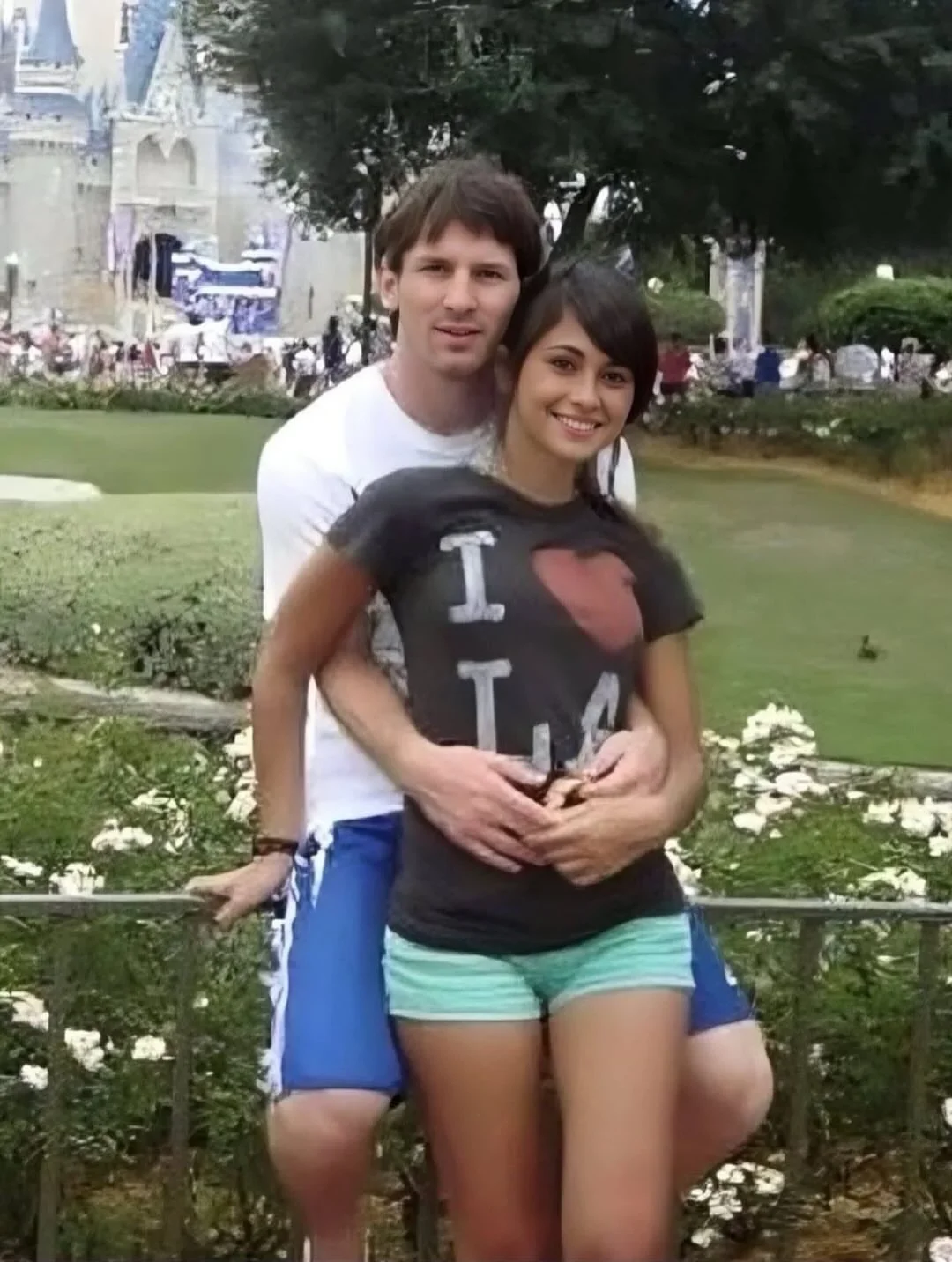
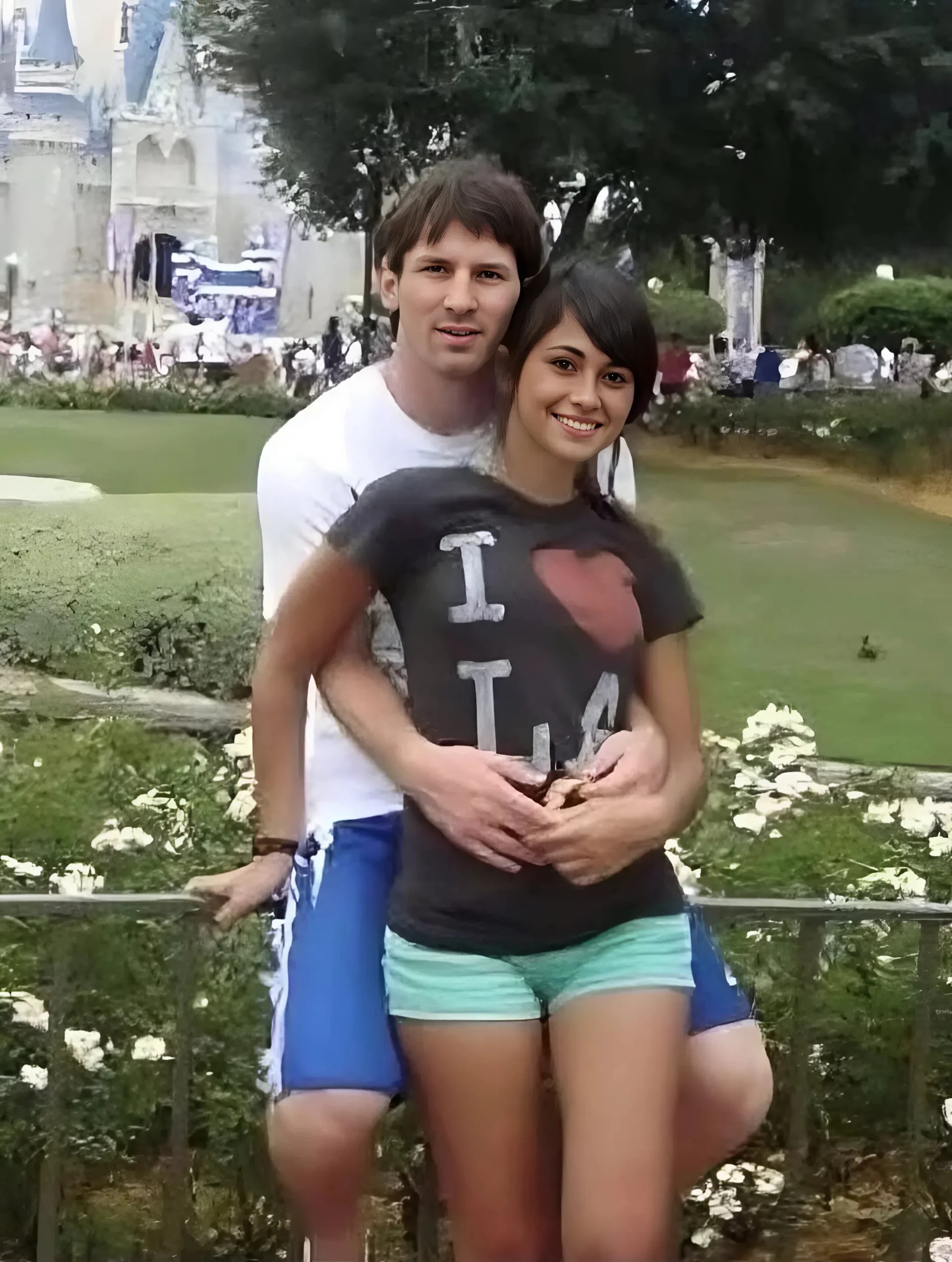
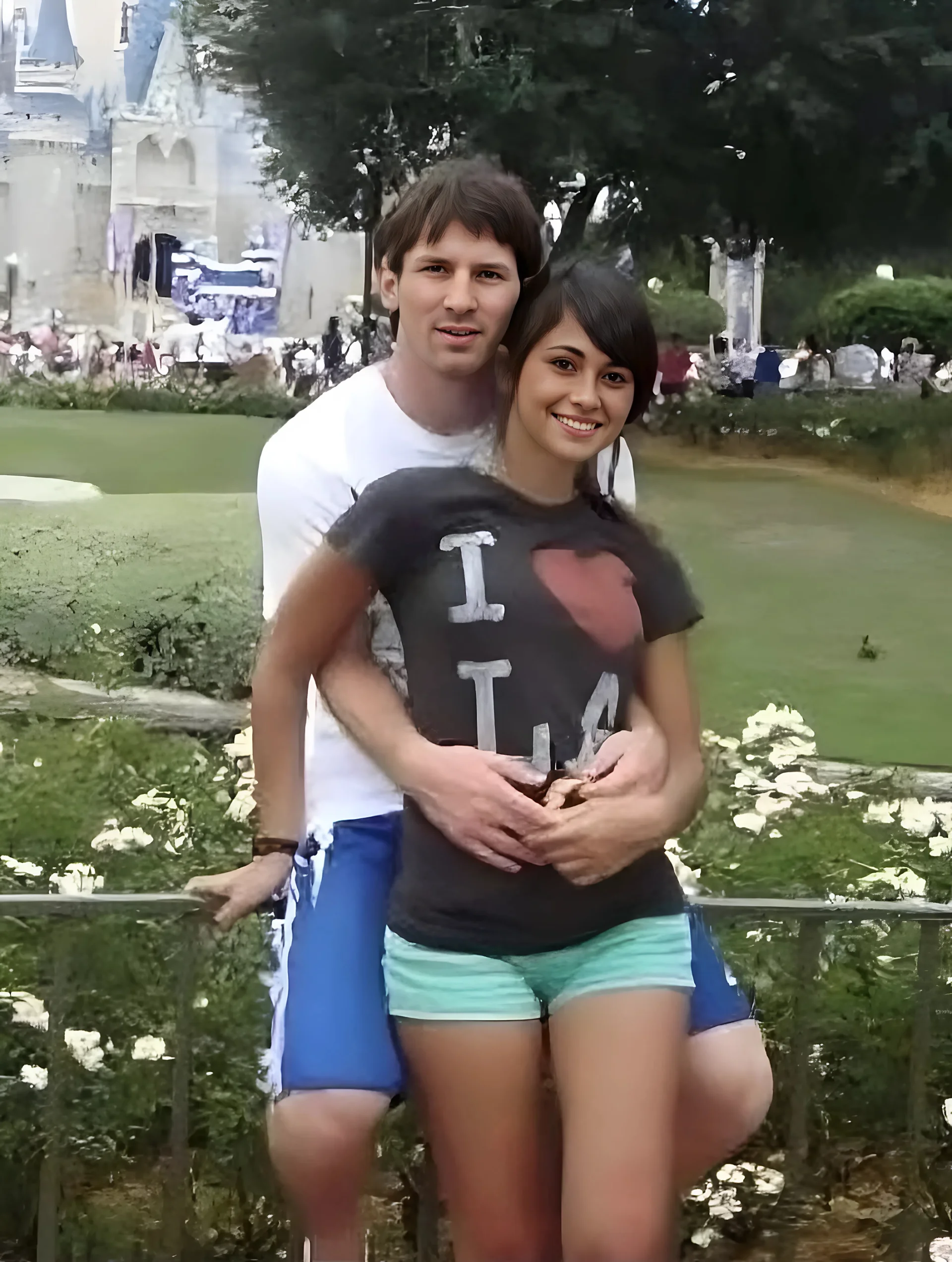
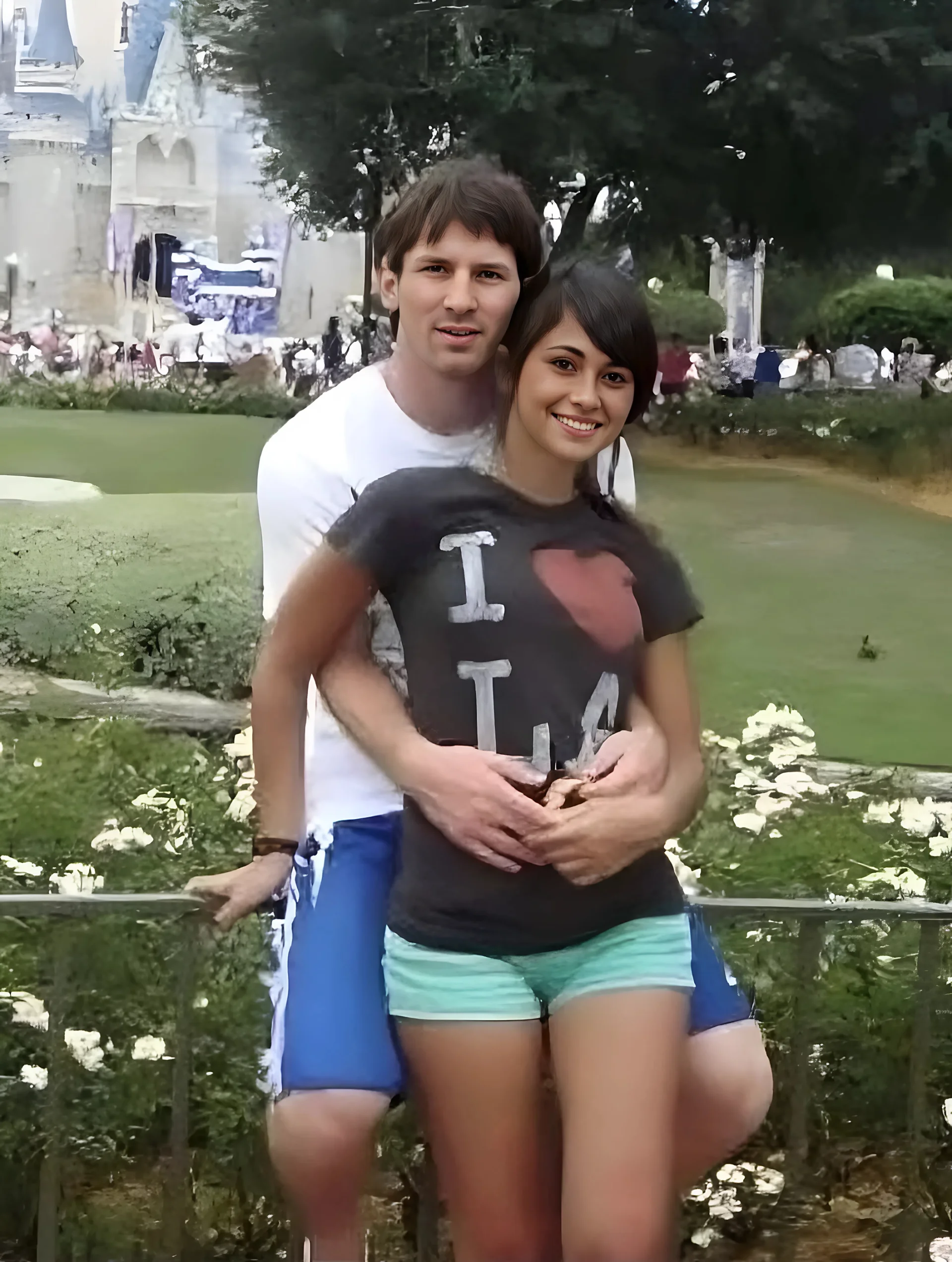
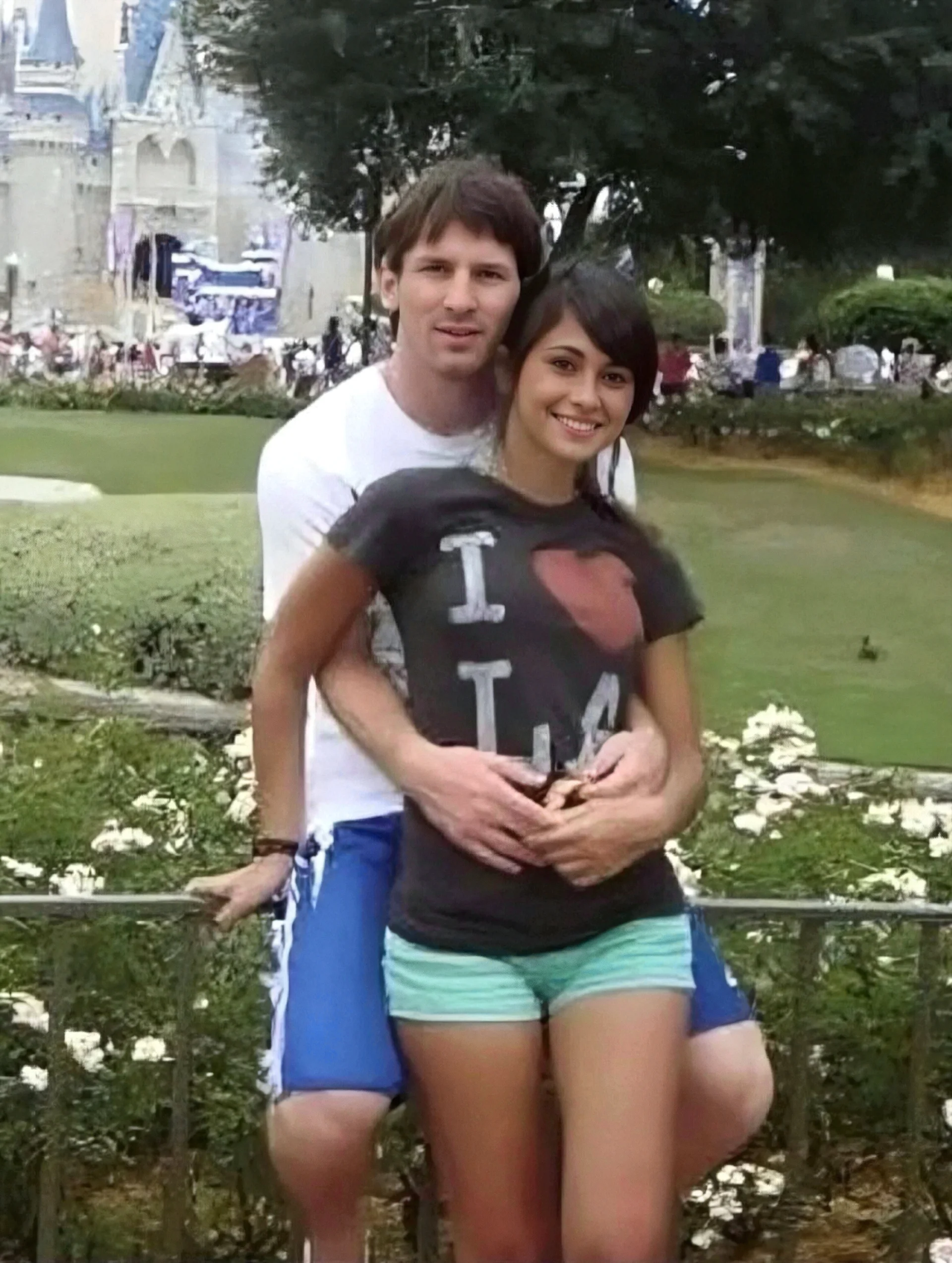
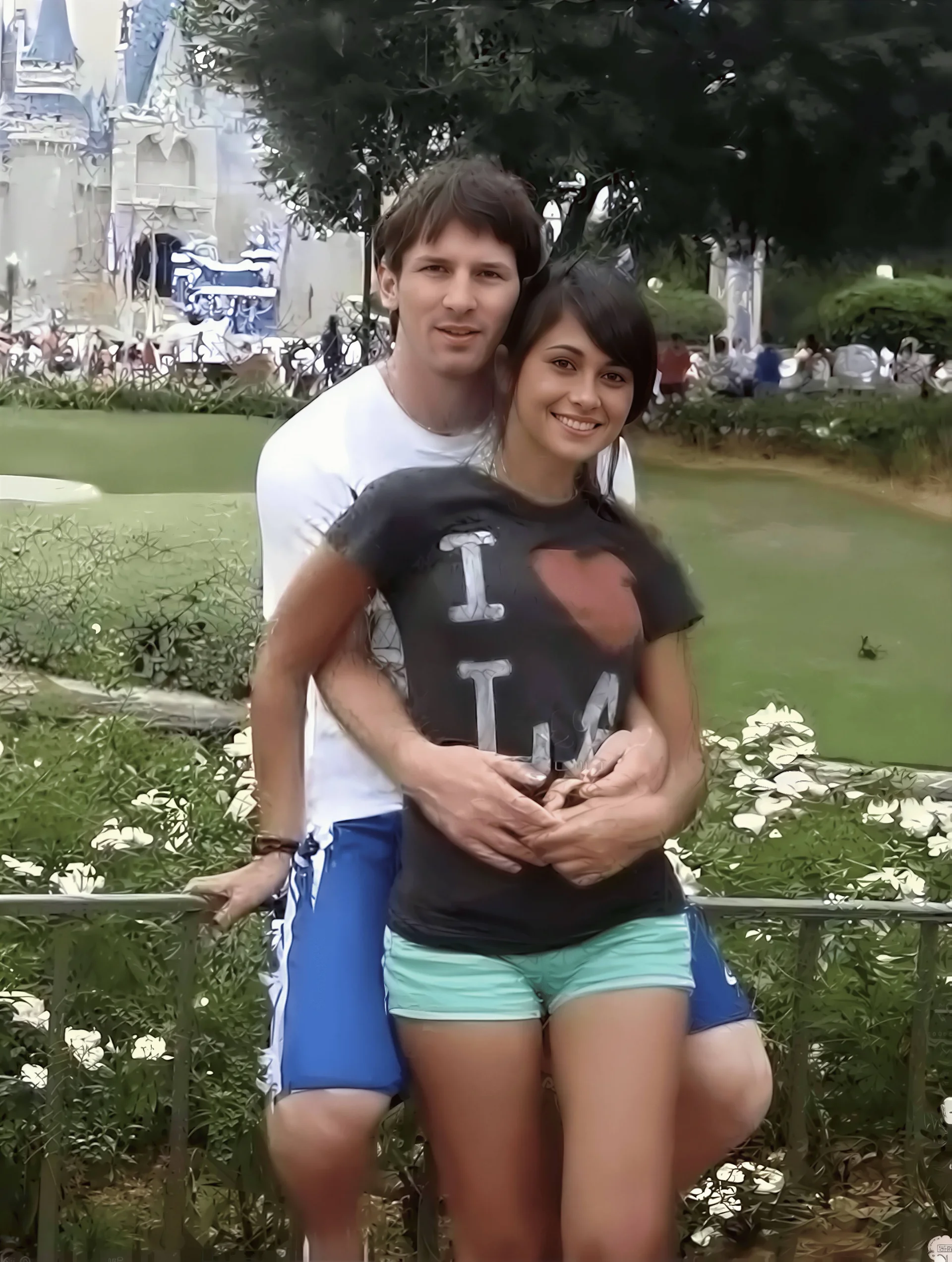
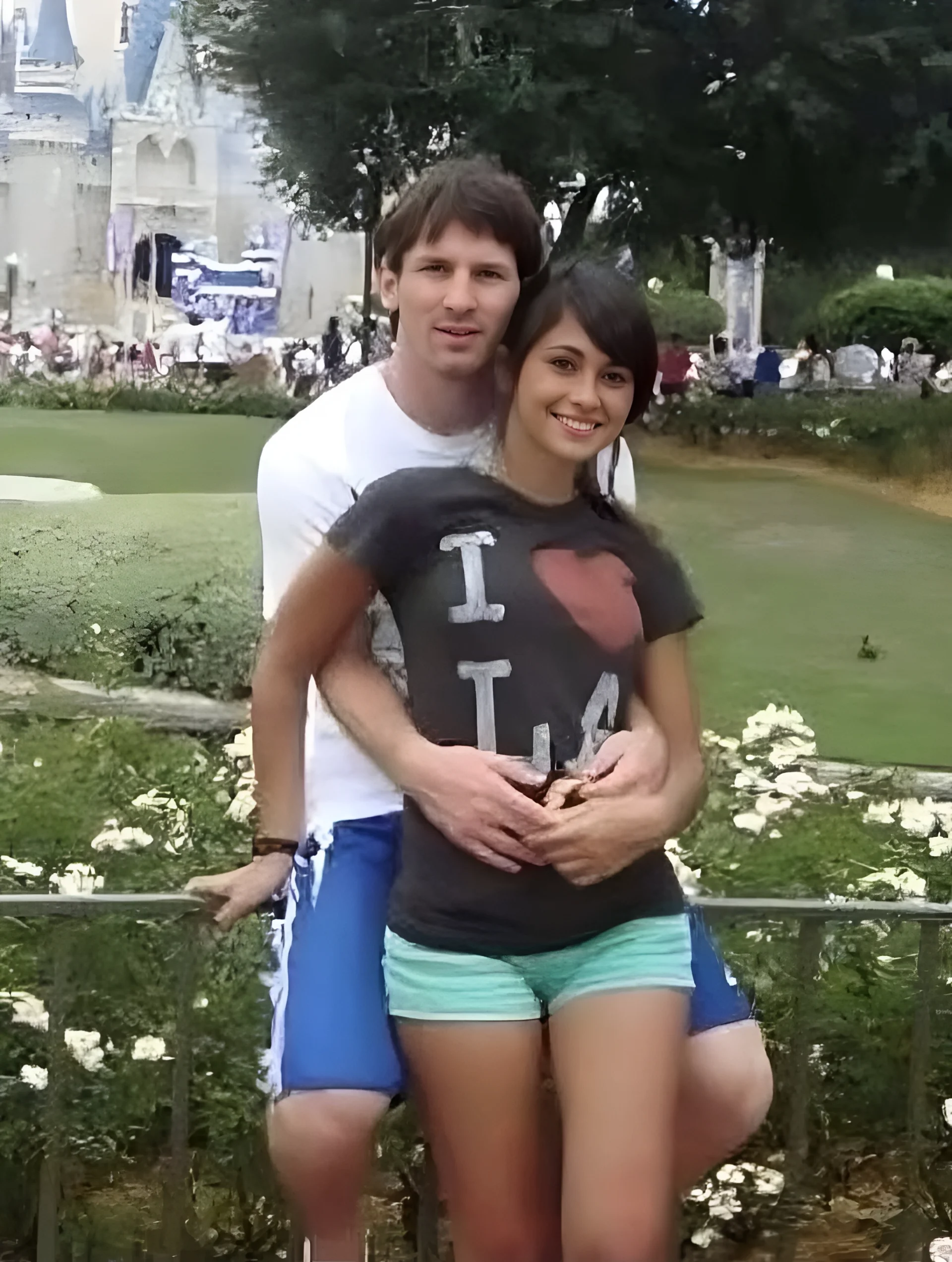
Sports and Celebrity: Messi's daily photo
| Original | SnapEdit 2x | SnapEdit 4x | SnapEdit 8x | Photoroom 4x | Claid 4x | Pixelcut 2x | PicWish 4x |
|---|---|---|---|---|---|---|---|
 |
 |
 |
 |
 |
 |
 |
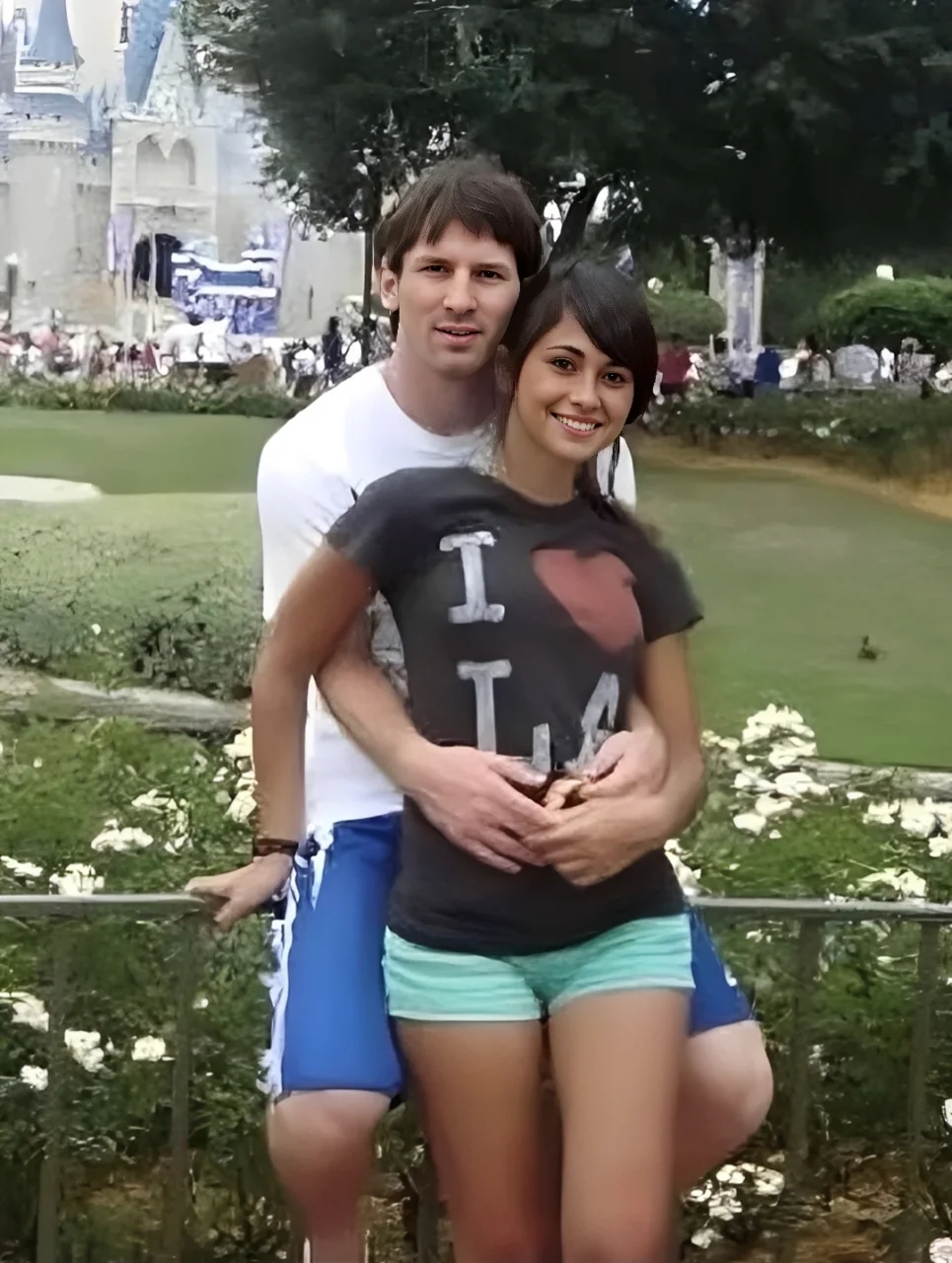 |
Winner: Claid
Claid produced the most natural face reconstruction here: good edge definition without the over-processed look. Photoroom also performed well, with a natural feel around the face and frame. SnapEdit at all three resolutions consistently sharpened facial features more aggressively than necessary, which works for product photography but creates an artificial look on real faces in motion contexts. PicWish was acceptable. Pixelcut at 2x showed limited face detail improvement.
Note:
Picsart was not tested on this image.
One practical note from our testing: the source Messi image was already a reasonably large file despite being visually blur. After Claid processed it at 4x, the output ballooned to several dozen MB. For a pipeline that serves images directly to web, that file size is a problem. If you plan to serve that image directly to web without resizing first, it will hurt your page load time. Factor that compression step into your pipeline before comparing prices.
E-Commerce Product: Black T-Shirt
| Original | SnapEdit 2x | SnapEdit 4x | SnapEdit 8x | Picsart 4x | Photoroom 4x | Claid 4x | Pixelcut 2x | PicWish 2x |
|---|---|---|---|---|---|---|---|---|
 |
 |
 |
 |
 |
 |
 |
 |
 |
Winner: Tie - pricing decides
All tools produced comparable results on this image type. The black fabric texture was enhanced similarly across SnapEdit, Photoroom, and Claid. SnapEdit and Picsart showed slightly denser pixel density on the fabric texture. Photoroom and Claid produced results that felt closer to a natural photograph, slightly less processed-looking on solid dark colors. Pixelcut and PicWish matched the others on time and quality.
When results are this close, cost per image is the deciding factor. See the pricing section.
Food
| Original | SnapEdit 2x | SnapEdit 4x | SnapEdit 8x | Picsart 4x | Photoroom 4x | Claid 2x | Pixelcut 2x | PicWish 2x |
|---|---|---|---|---|---|---|---|---|
 |
 |
 |
 |
 |
 |
 |
 |
 |
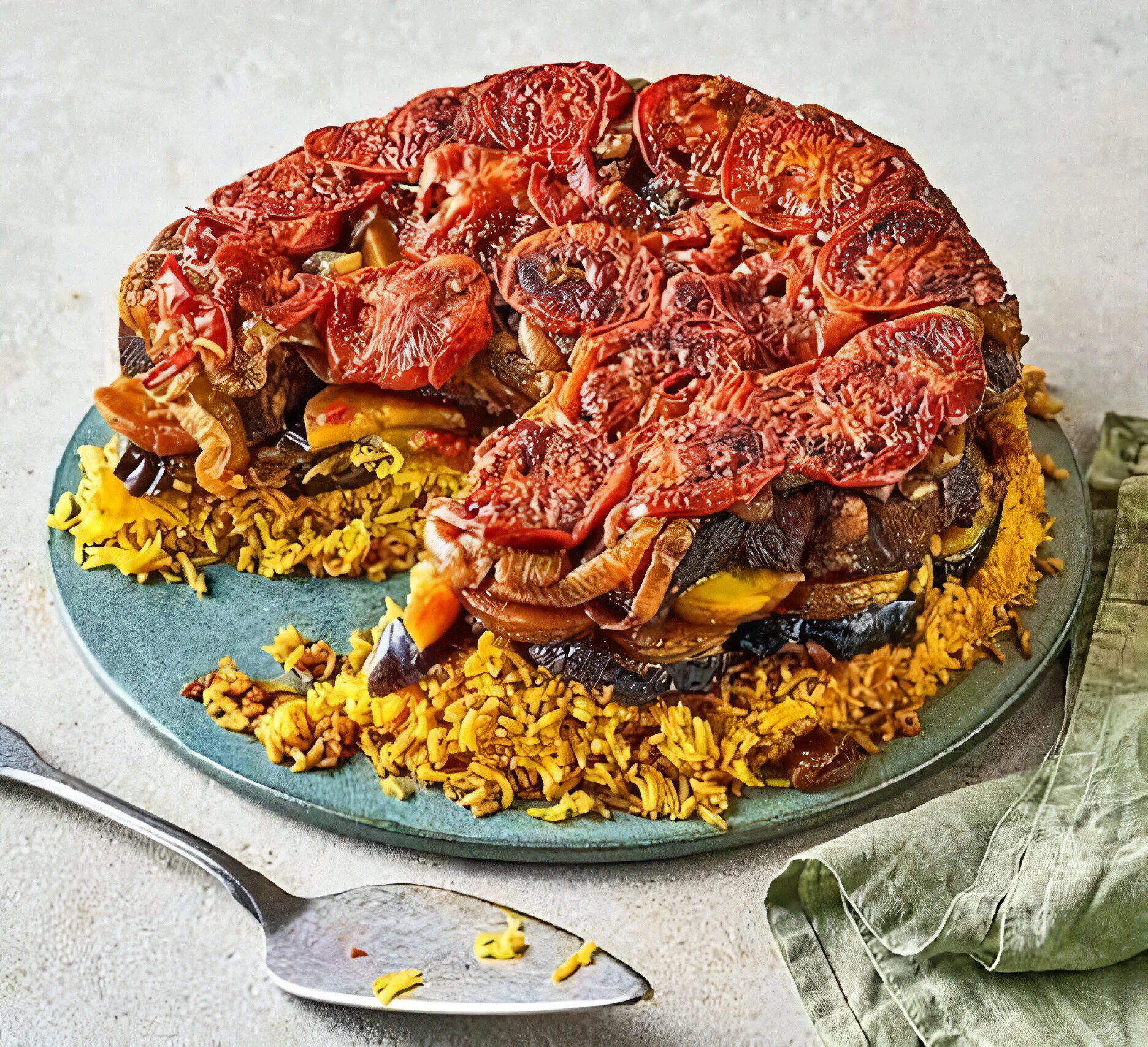
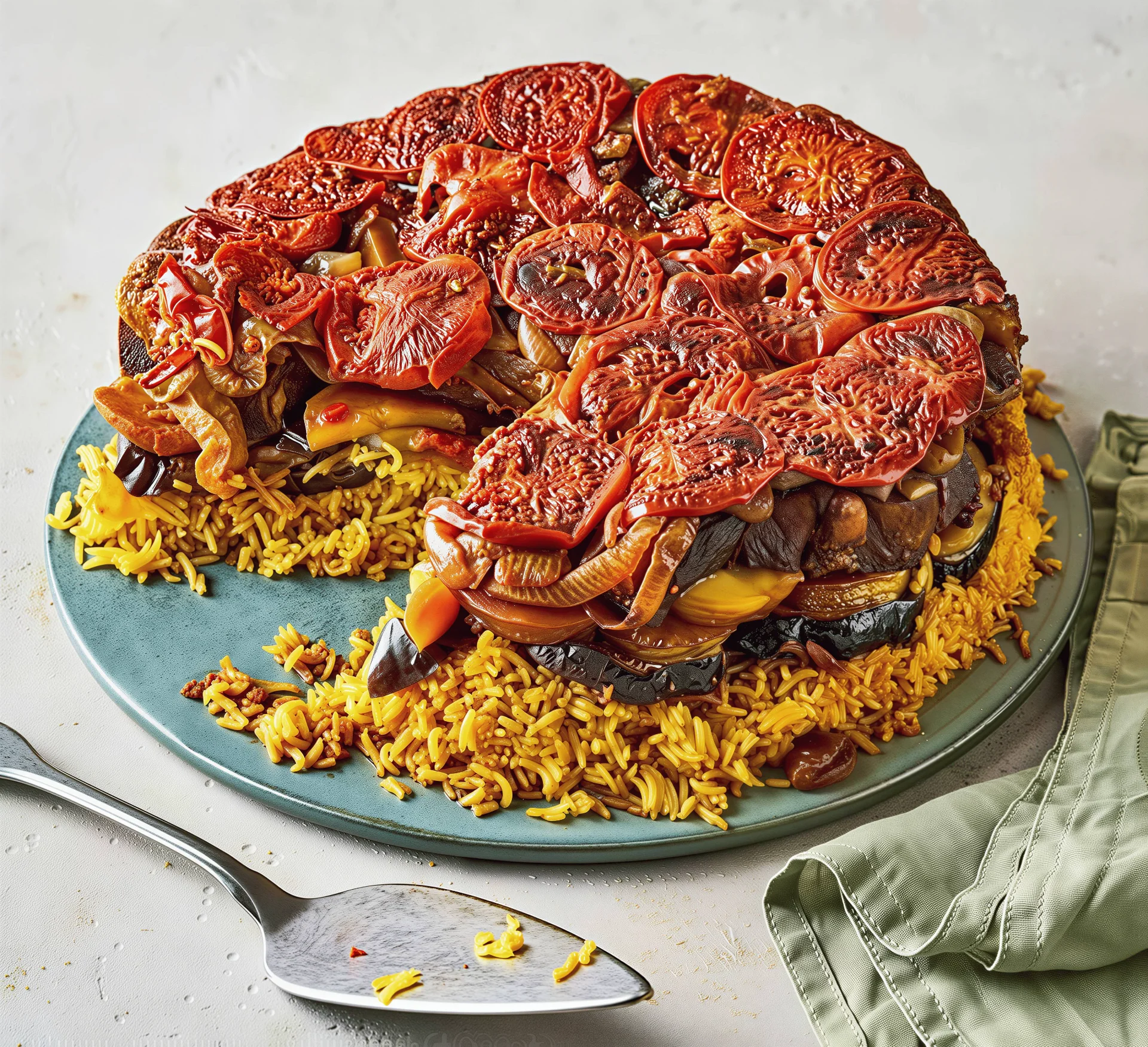
Winner: Tie — pricing decides
Food photography is complex: varied colors, textures, and lighting within a single frame. All tools produced similar outcomes larger images with increased pixel count, but a slightly synthetic texture on fine food details like grains, herbs, or sauces. No tool had a meaningful edge here. This is another category where the real competition is price, not output.
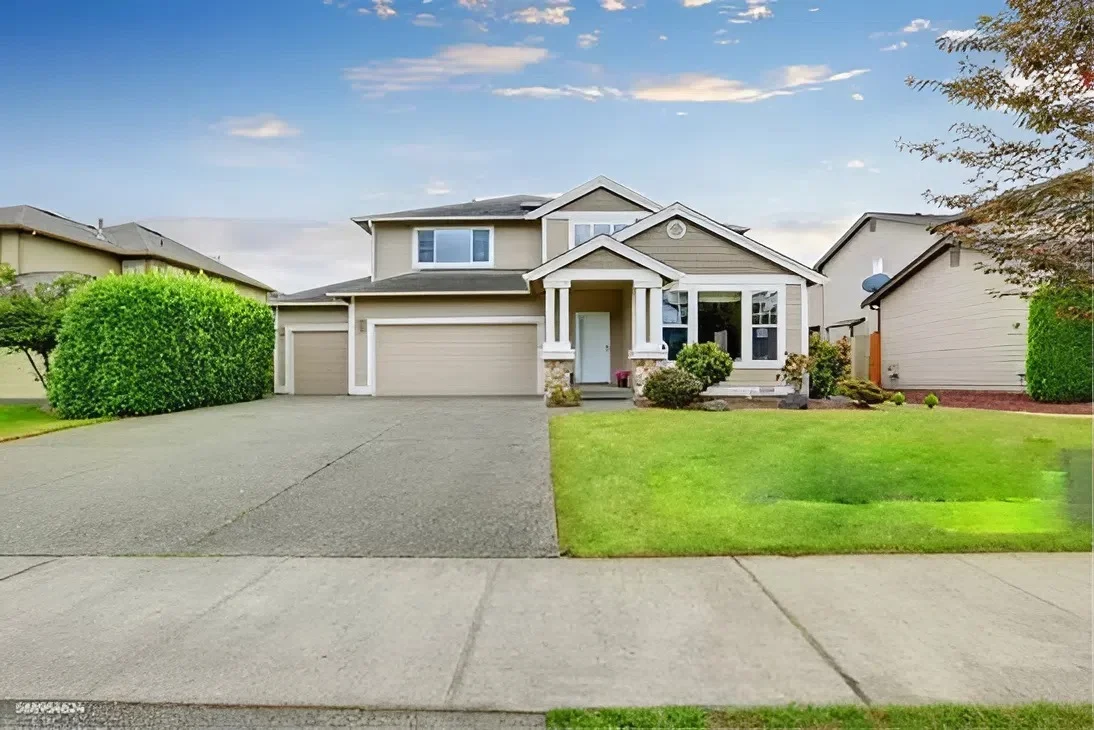
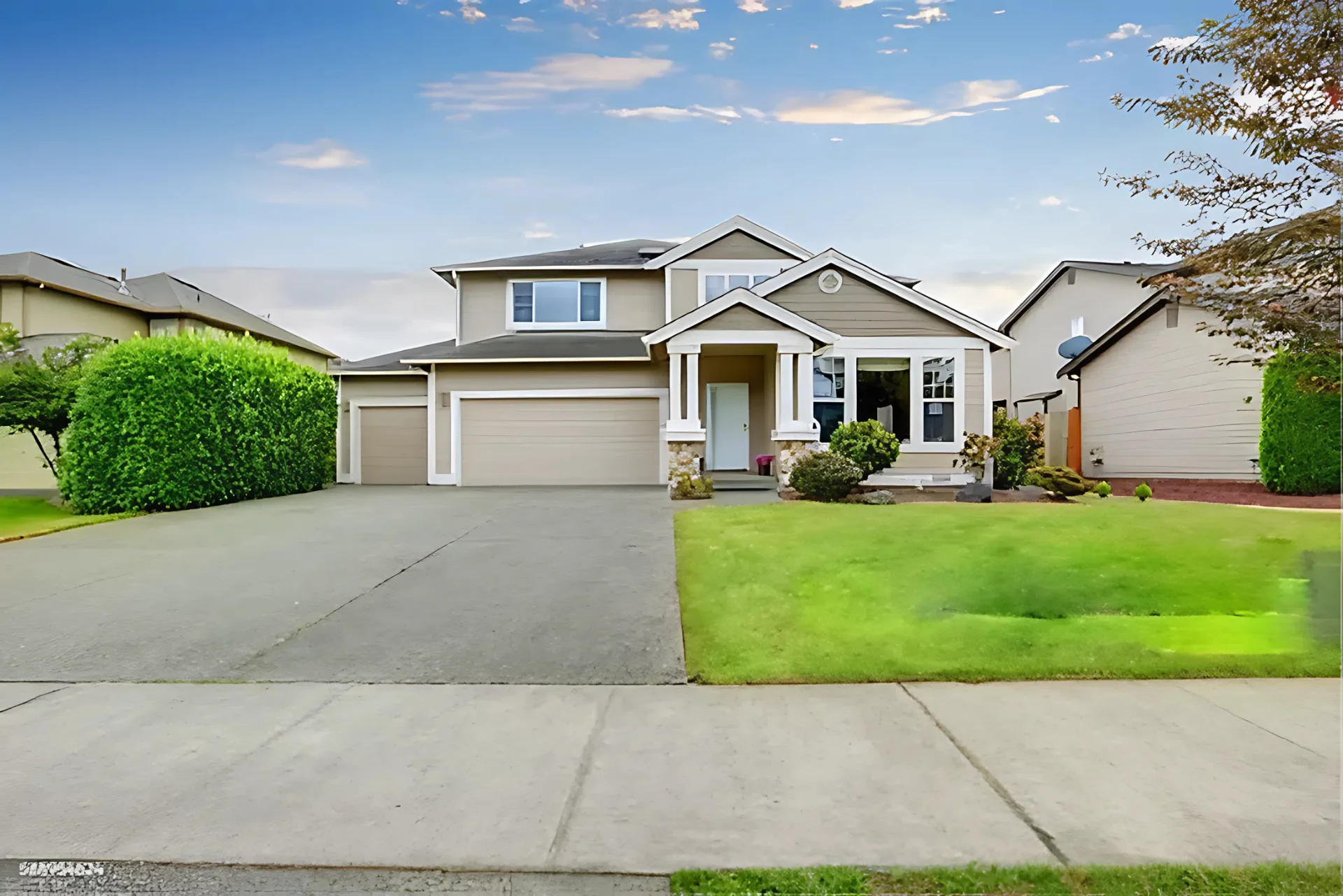
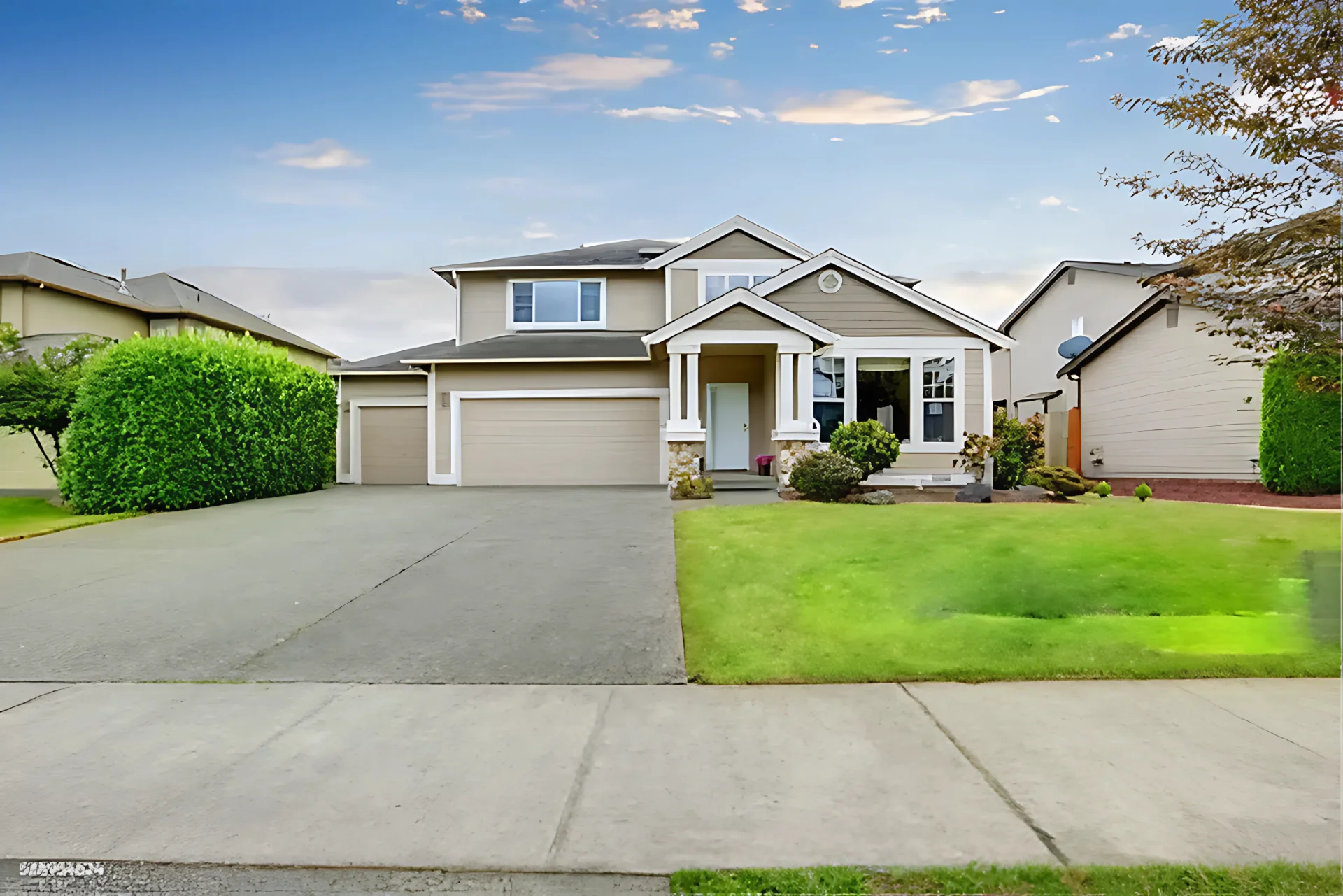
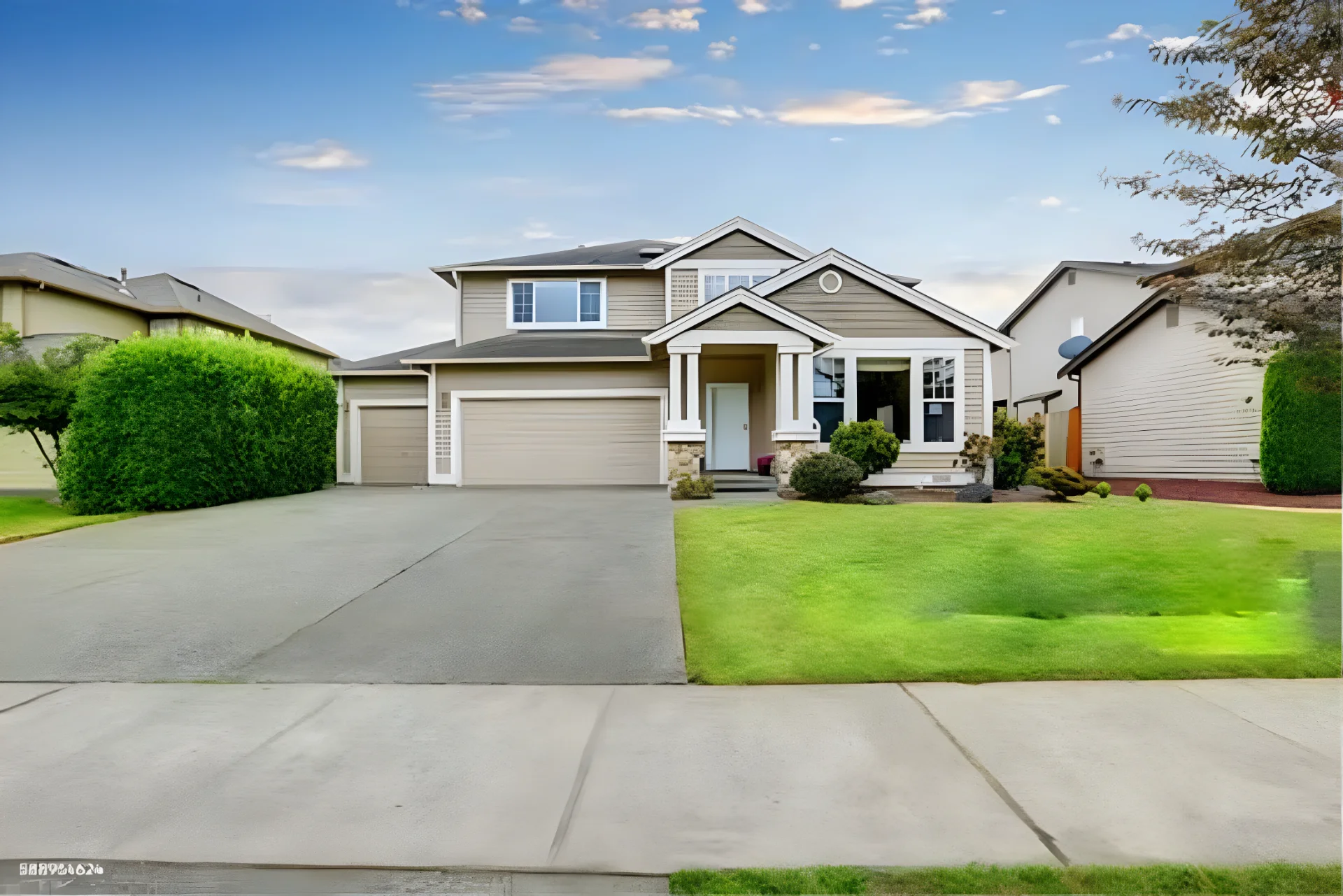
Real Estate: Listing Photo
| Original | SnapEdit 2x | SnapEdit 4x | SnapEdit 8x | Picsart 8x | Photoroom 4x | Claid 2x | Pixelcut 2x | PicWish 2x |
|---|---|---|---|---|---|---|---|---|
 |
 |
 |
 |
 |
 |
 |
 |
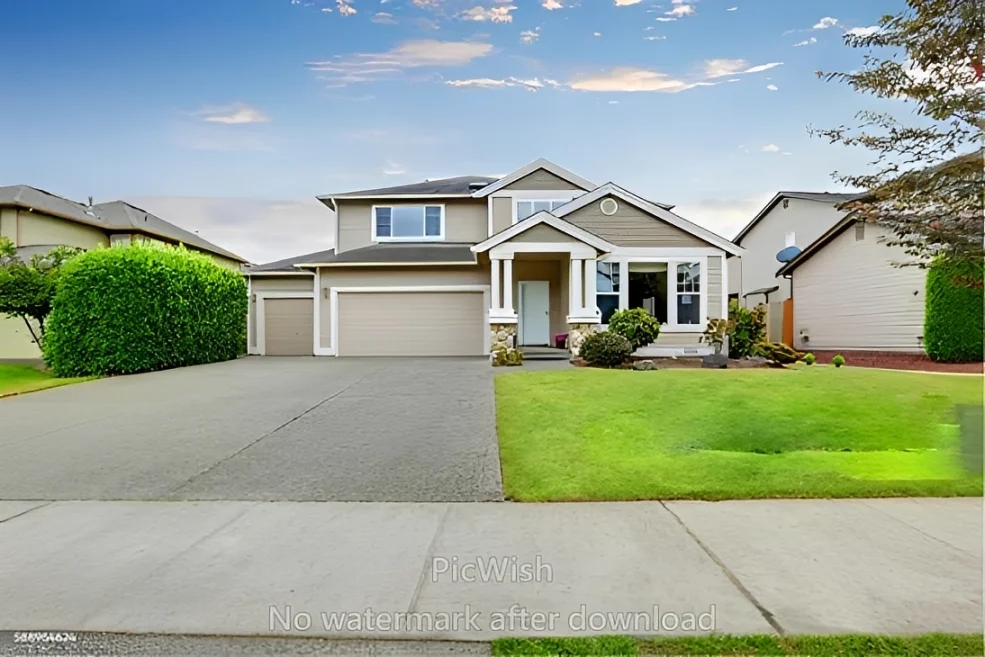 |
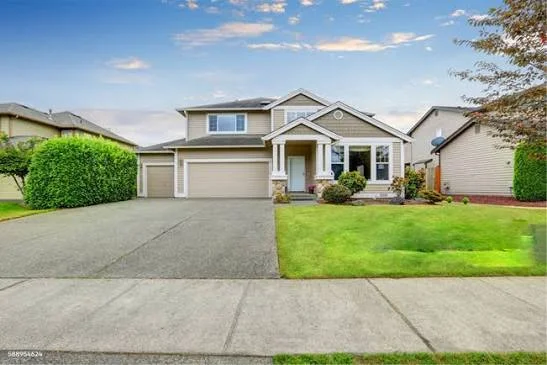
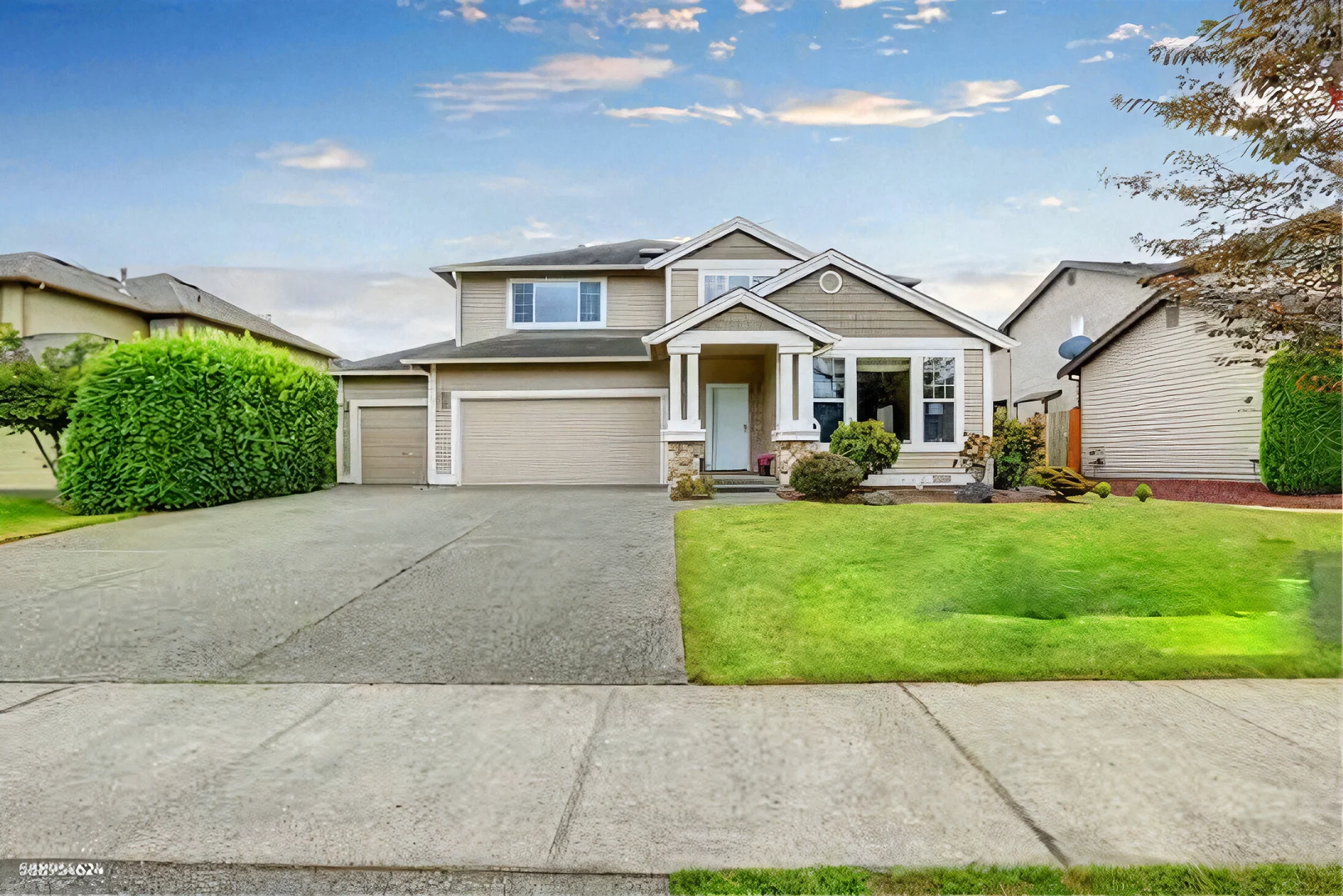
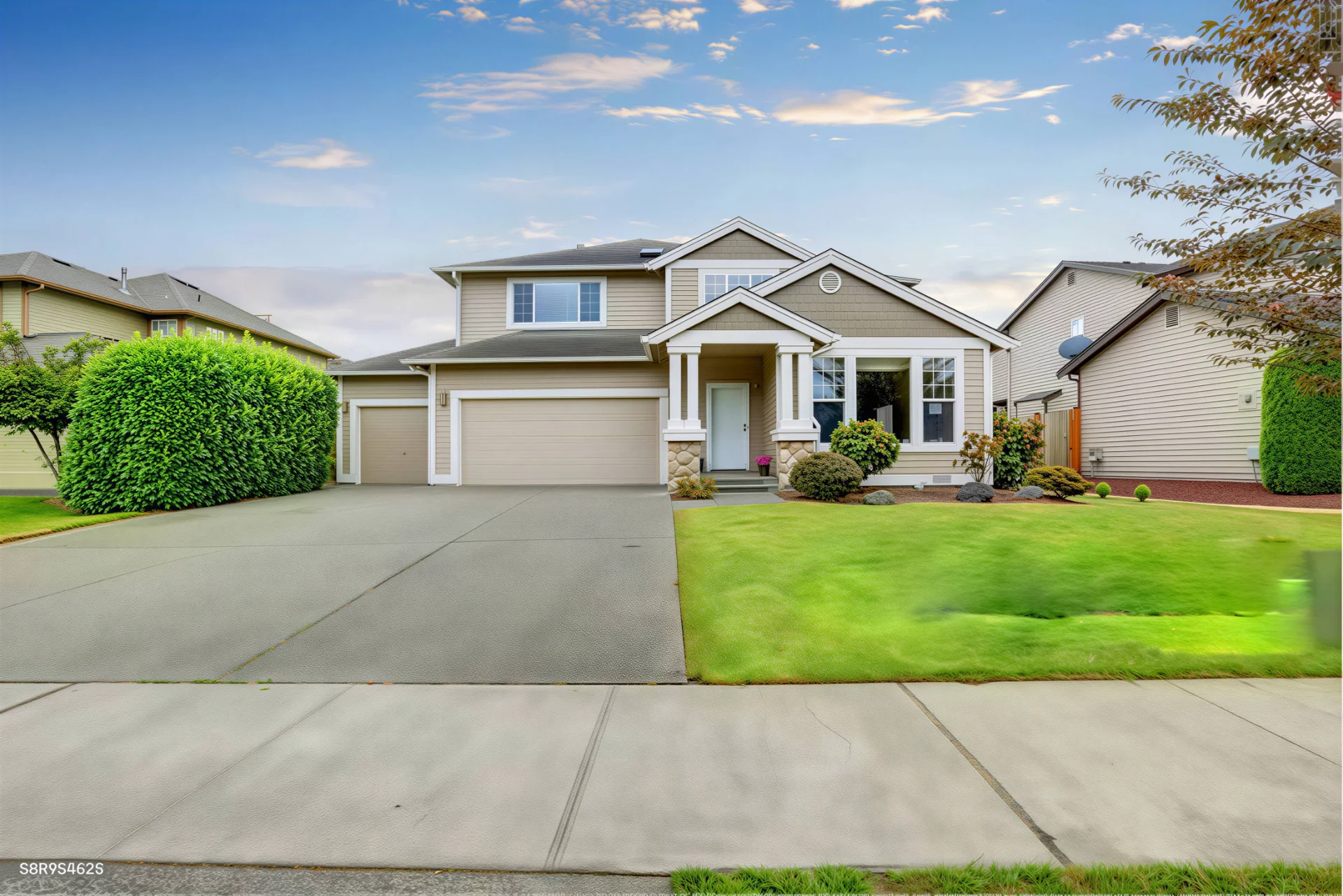
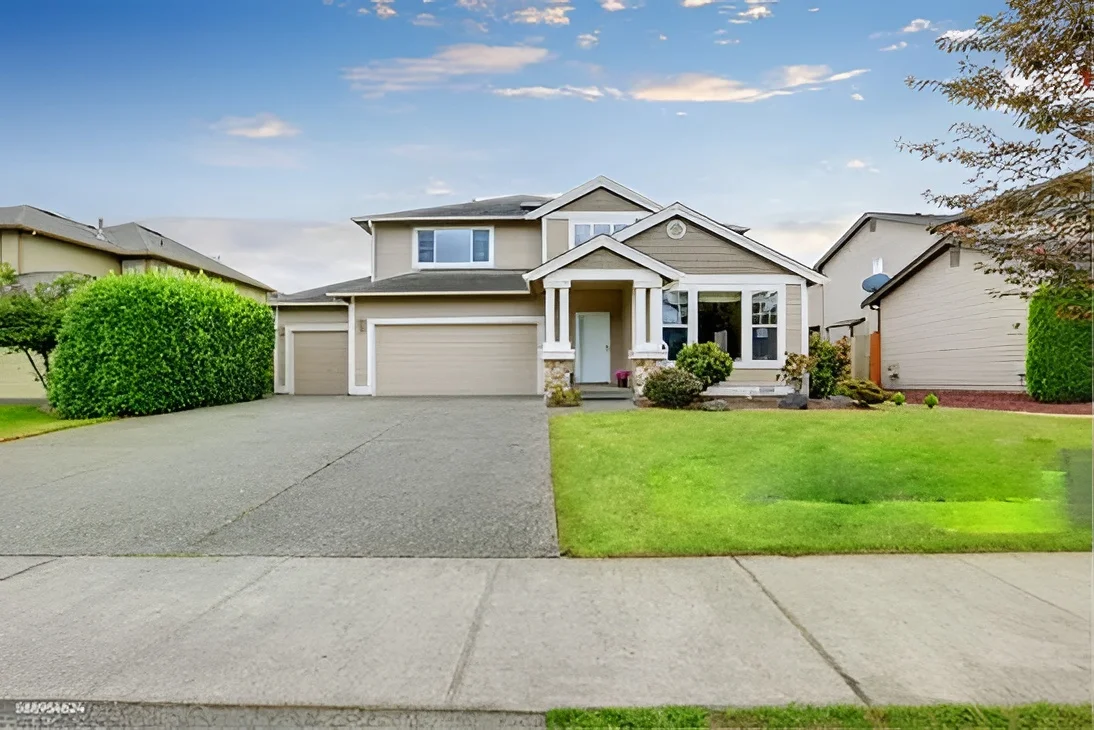
Winner: Photoroom for naturalness, SnapEdit for balance
Photoroom produced the most natural-looking real estate output, particularly on grass and outdoor textures. SnapEdit 2x was close behind, natural and fast. At 4x and 8x, SnapEdit began over-sharpening architectural edges, which looks clean on the building itself but artificial on organic textures like lawns. Claid was sharp on the building facade but similarly struggled with the grass. Pixelcut and PicWish at 2x showed some artificial texture on natural surfaces.
Recommendation for real estate workflows: use SnapEdit at 2x for interior shots, 4x only when large print format is required.
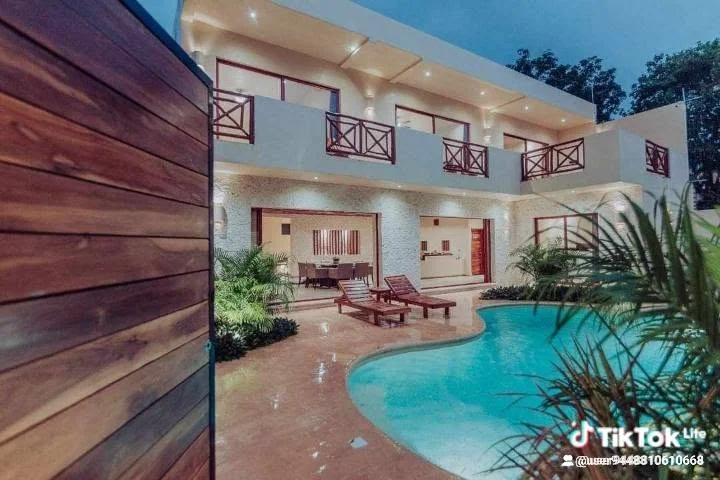
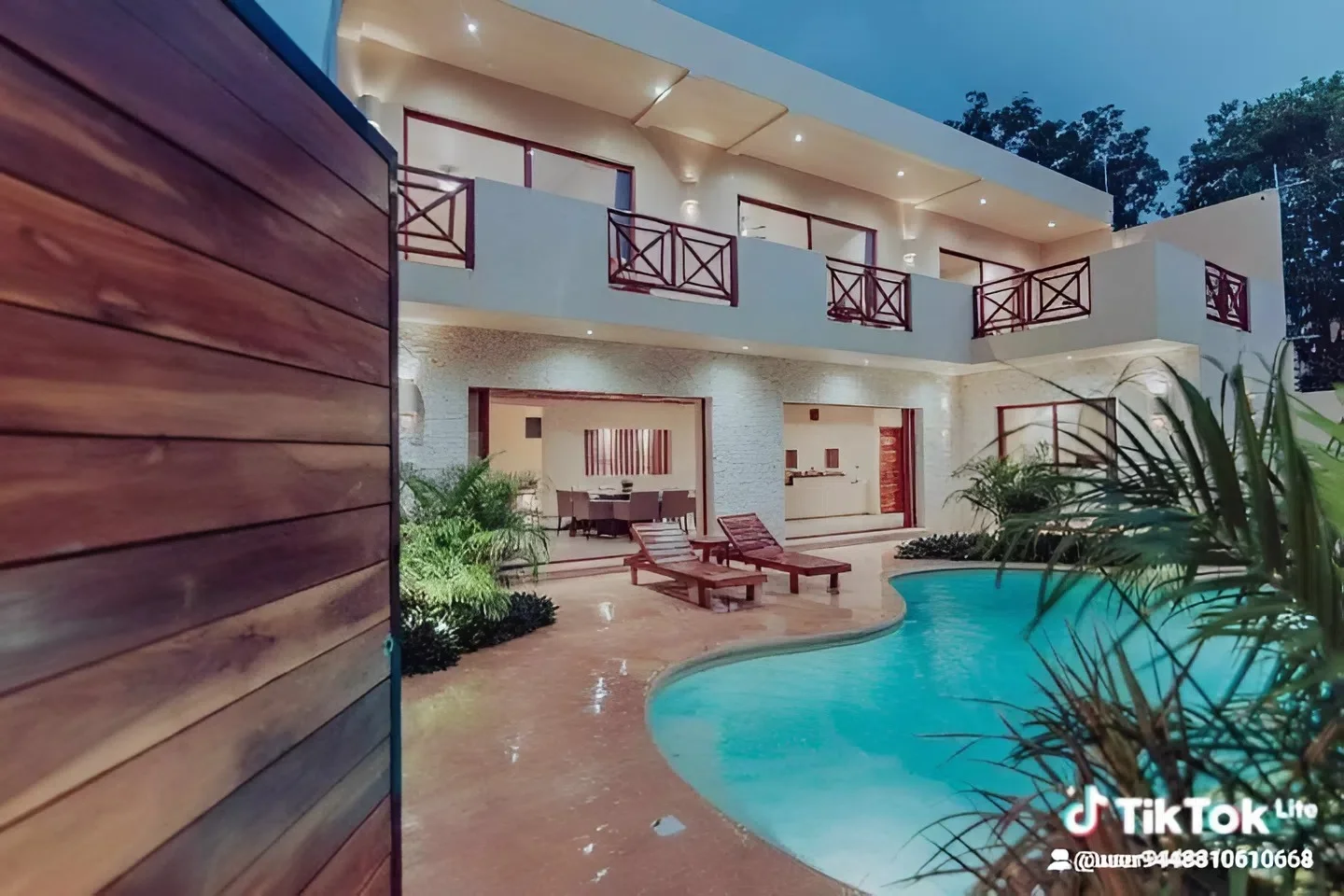
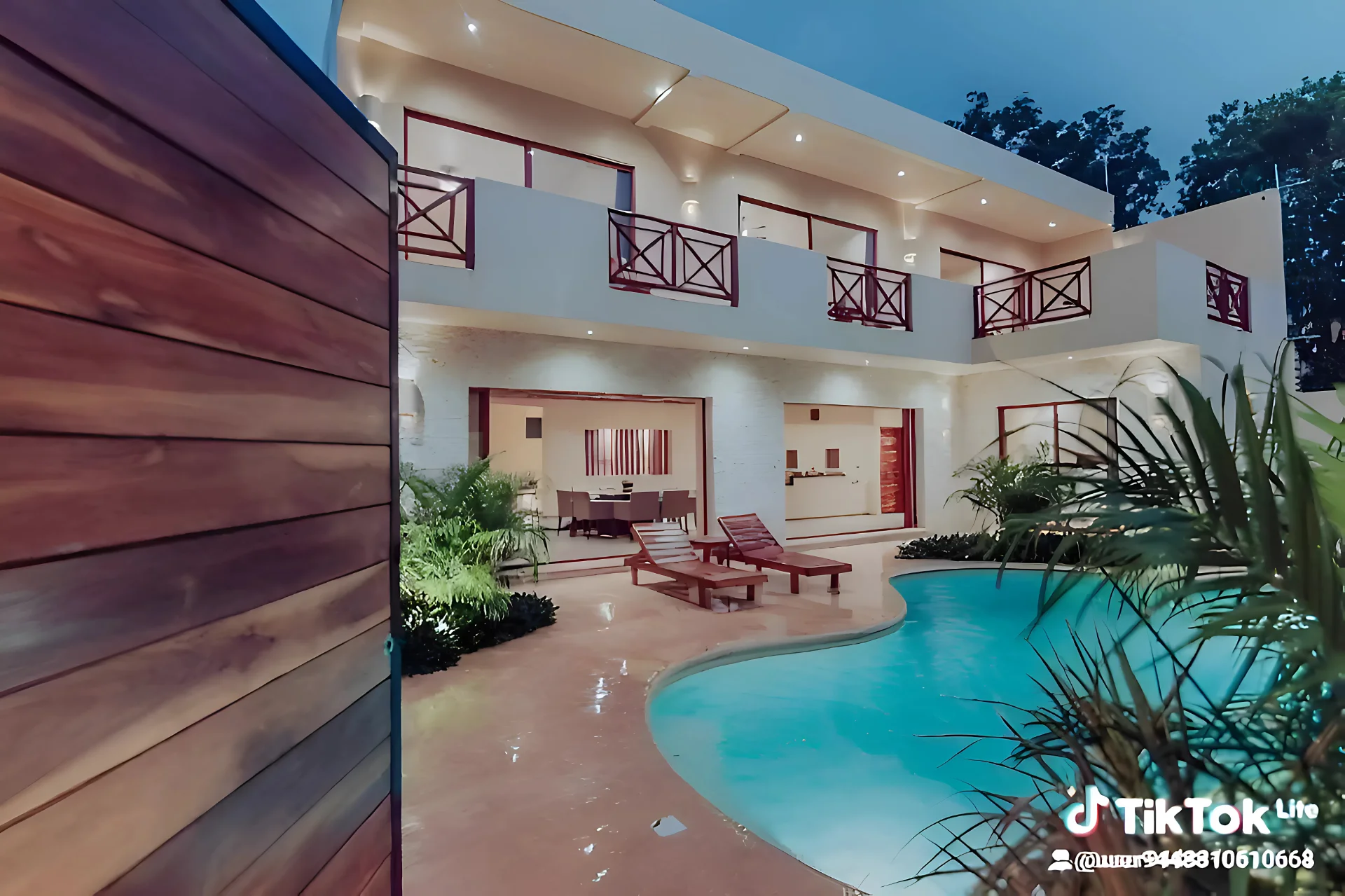
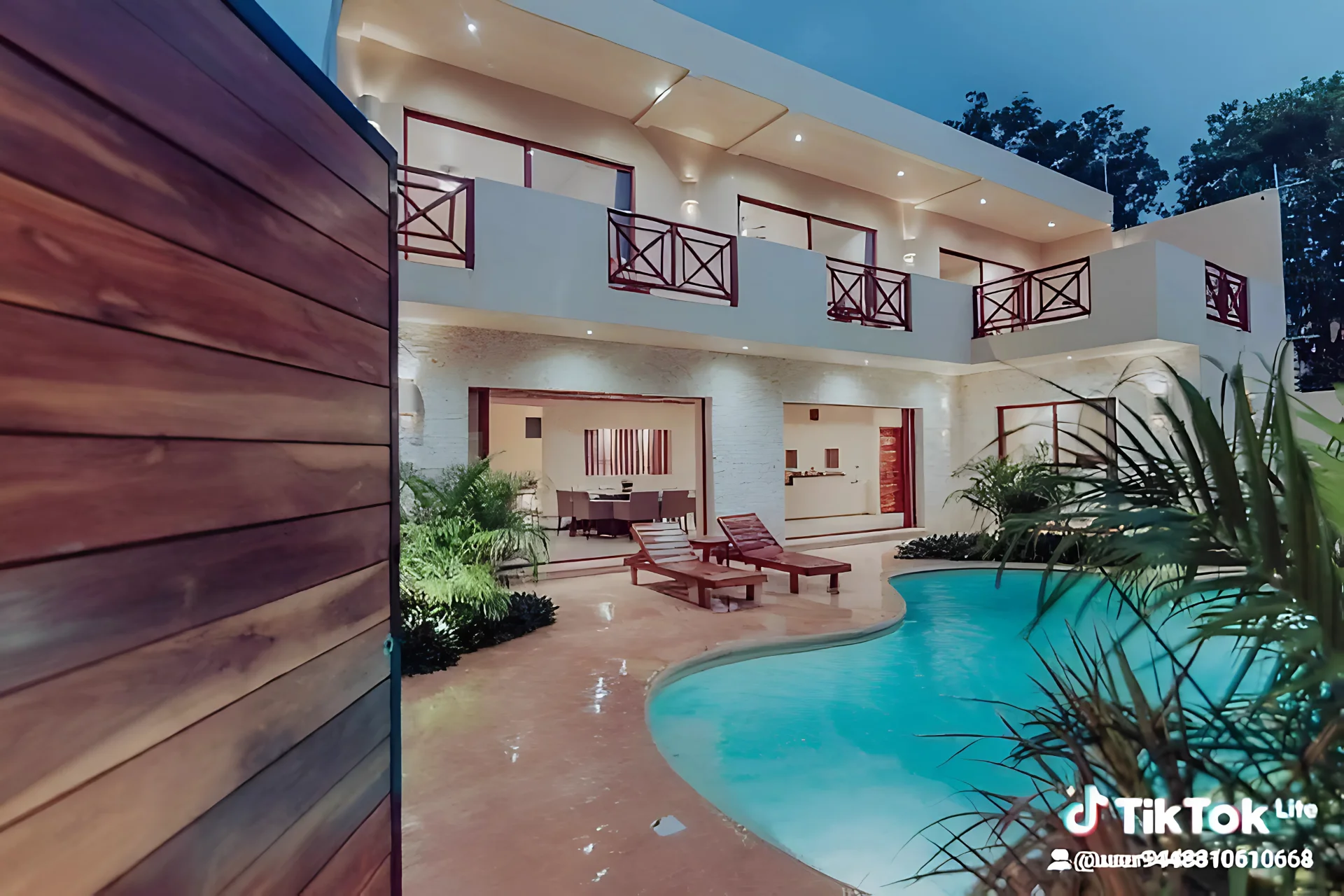
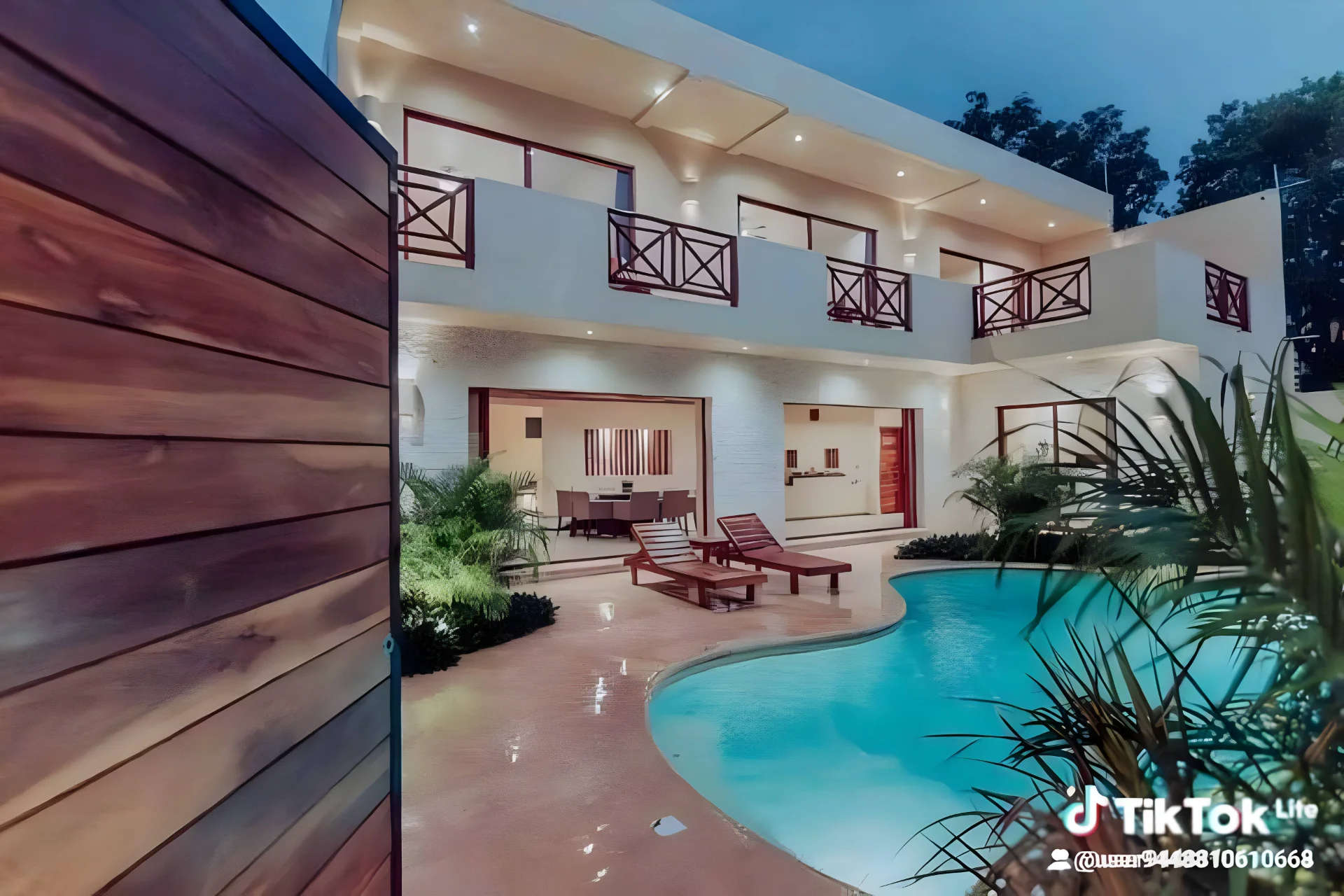
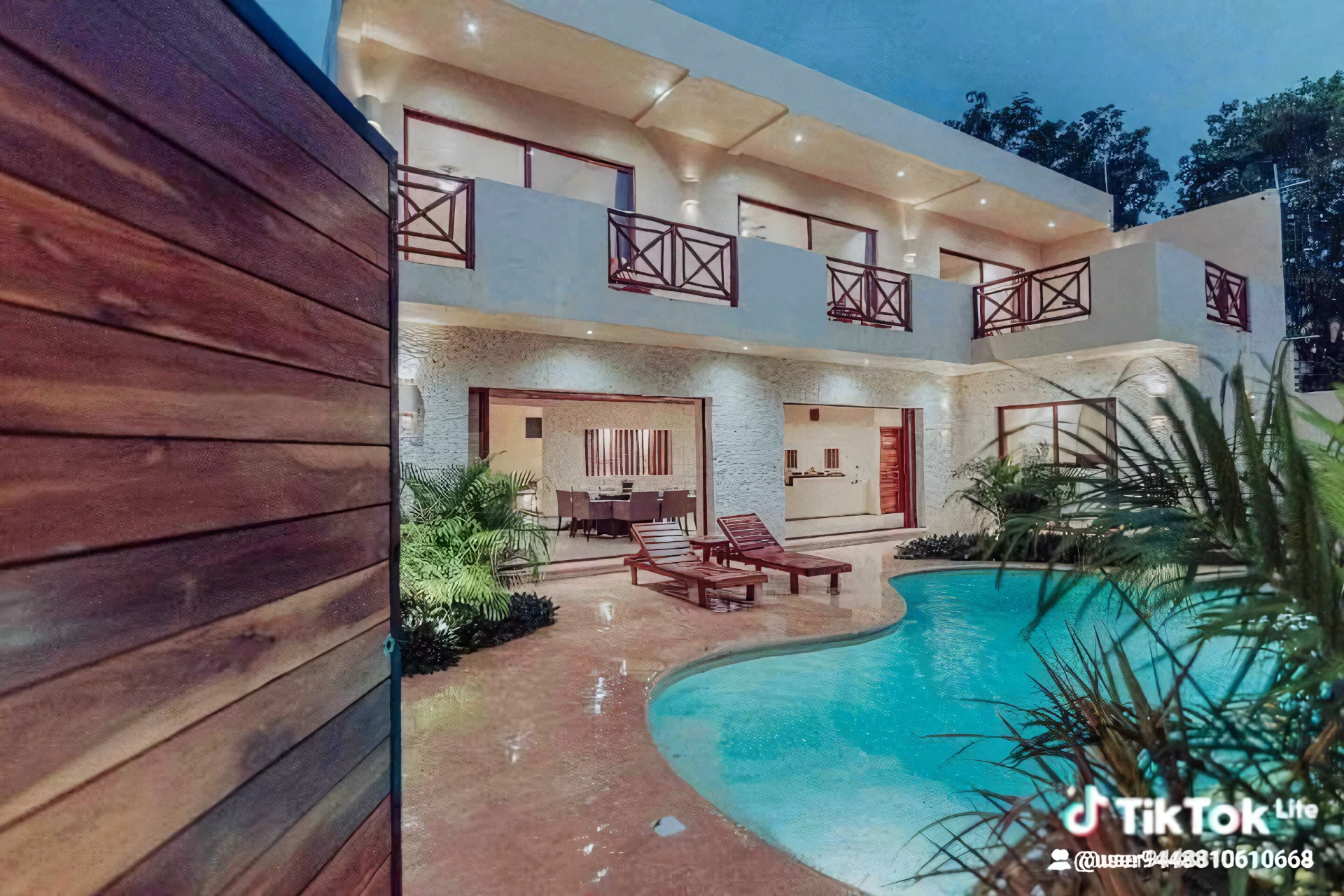
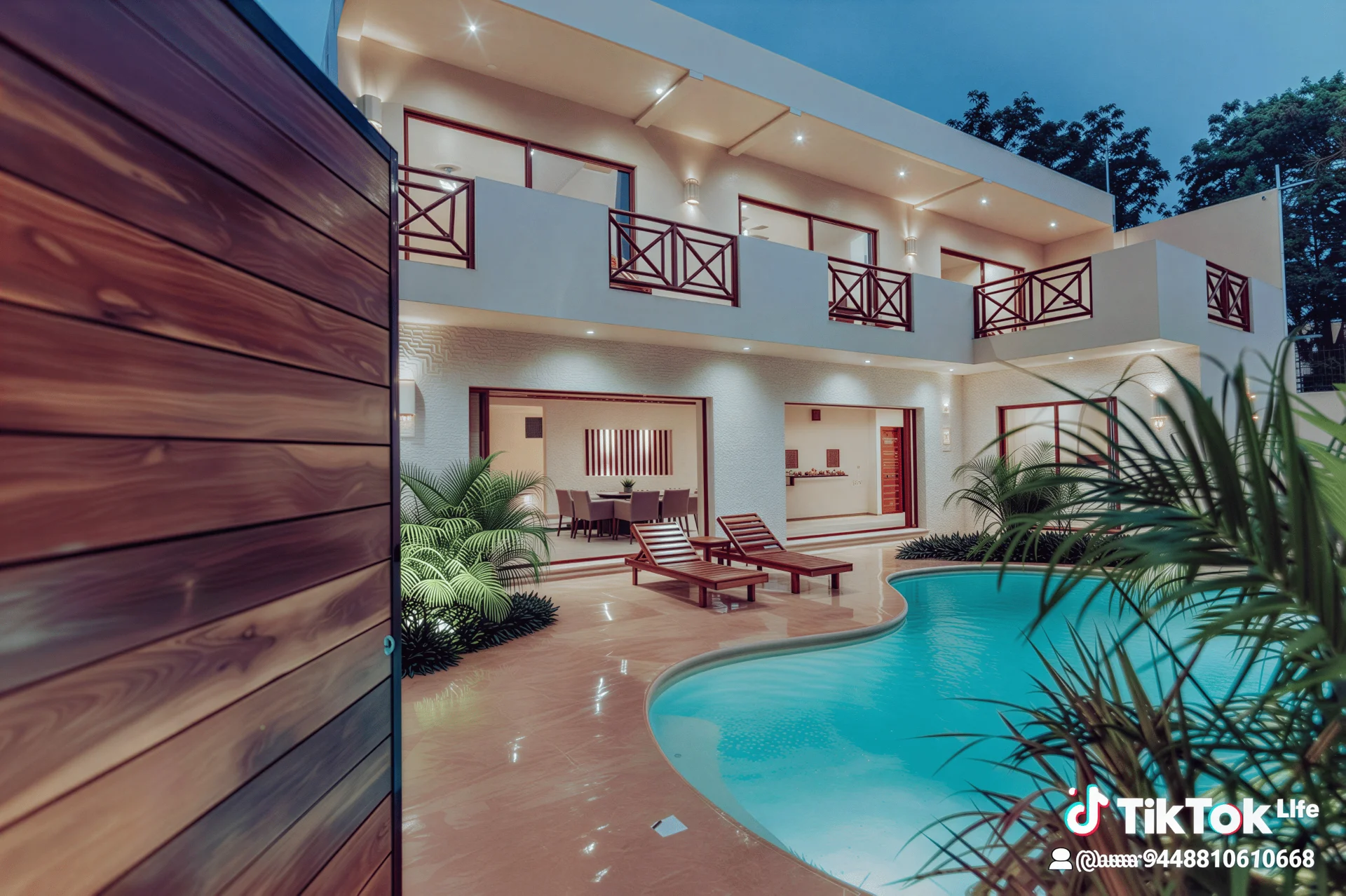
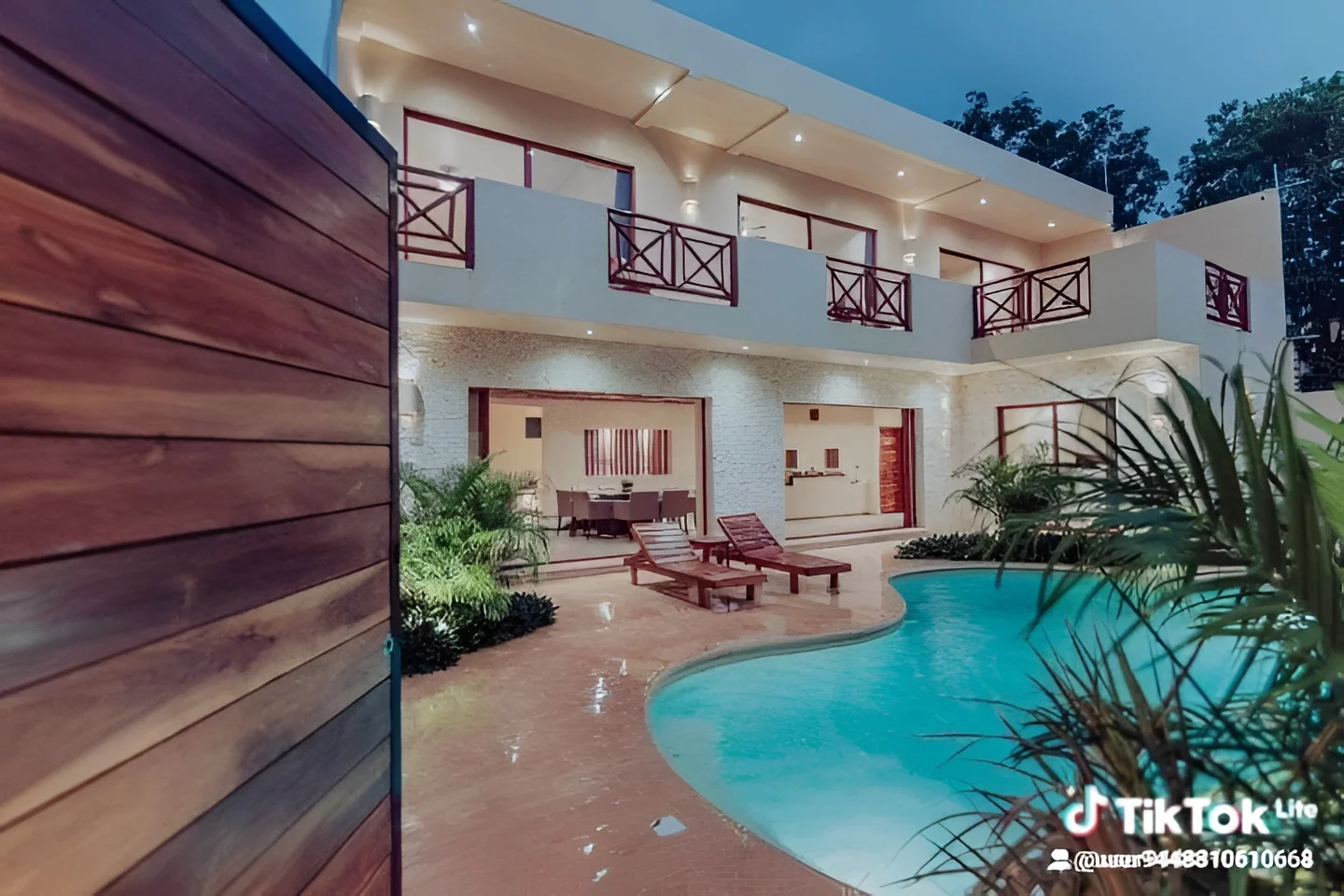
Real Estate: Social Media (TikTok Screenshot)
| Original | SnapEdit 2x | SnapEdit 4x | SnapEdit 8x | Picsart 8x | Photoroom 4x | Claid 2x | Pixelcut 2x | PicWish 2x |
|---|---|---|---|---|---|---|---|---|
 |
 |
 |
 |
 |
 |
 |
 |
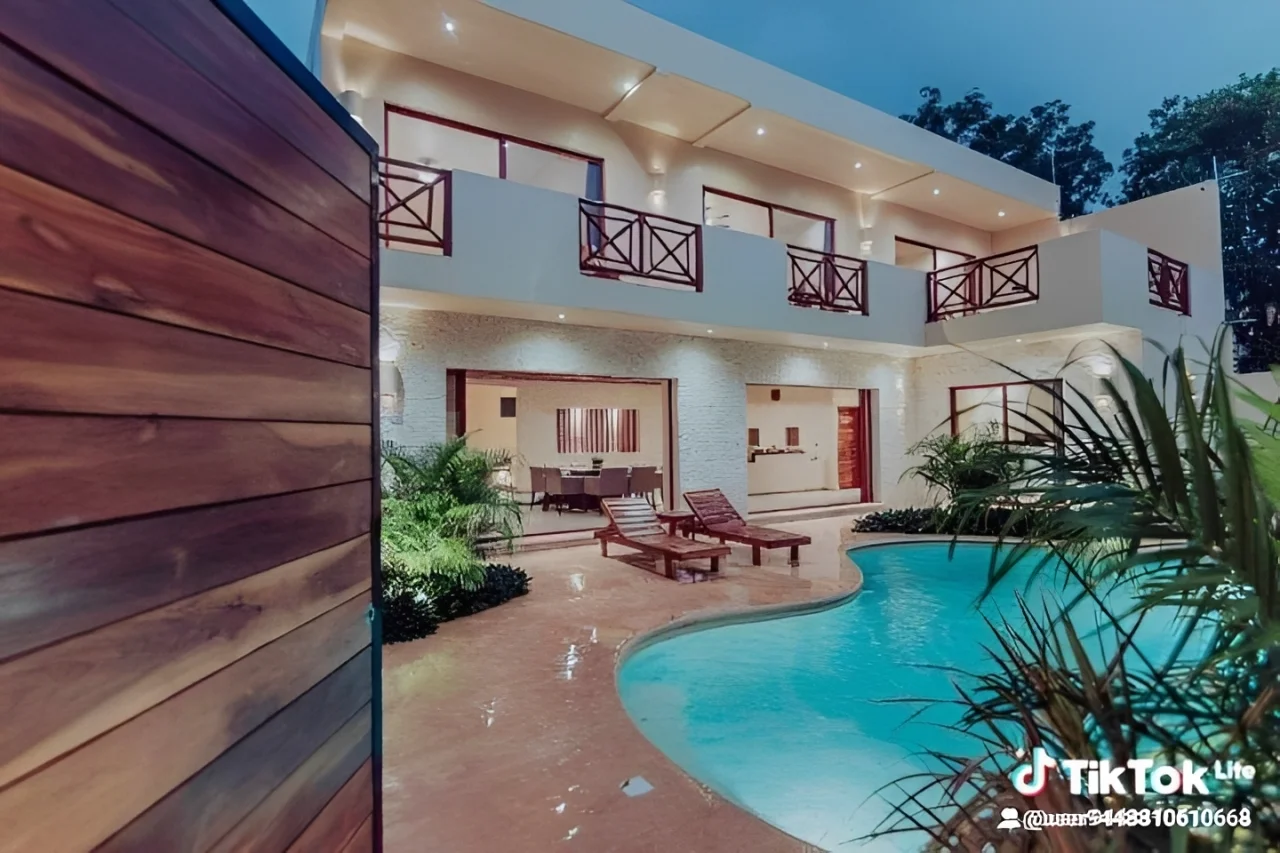 |
Winner: SnapEdit
For social-first real estate content: vertical video thumbnails, TikTok frames, Instagram stories, SnapEdit produced the best balance of sharpness and natural look. Claid's text rendering was excellent but the processing time reached one minute on this image, which is impractical for social content workflows. Photoroom matched SnapEdit at 2x naturalness but scored no better despite the similar price point.
Text Graphics
| Original | SnapEdit 2x | SnapEdit 4x | Picsart 4x | Photoroom 4x | Claid 2x | Pixelcut 2x | PicWish 2x |
|---|---|---|---|---|---|---|---|
 |
 |
 |
 |
 |
 |
 |
 |
Winner: SnapEdit
SnapEdit uses a dedicated art enhance endpoint for text and graphic content. The difference is visible: clean, sharp text edges without the color bleeding that appears in other tools. Claid produced similar quality to SnapEdit but with a longer response time of 3-5 seconds. Pixelcut showed pixel-level gray bleed into the background on some letterforms, noticeably worse than SnapEdit for this specific type of content. PicWish matched SnapEdit in quality but not in speed for art enhancement.
For any pipeline handling print-on-demand artwork, poster designs, or branded text graphics, SnapEdit's dedicated art endpoint is a genuine technical advantage.
3. Pricing: Cost Per Image at Real Production Volumes
Quality benchmark done, now the part that actually determines what teams use in production.
SnapEdit AI Upscale & Enhance API Pricing
| Operation | Credits Used | Cost at $8/mo (1,000 cr) | Cost at $23/mo (5,000 cr) |
|---|---|---|---|
| Enhance 2x | 4 credits | $0.032/image | $0.018/image |
| Enhance 4x | 7 credits | $0.056/image | $0.032/image |
| Art Enhance | 2 credits | $0.016/image | $0.009/image |
| Enhance Pro 2x | 12 credits | $0.096/image | $0.055/image |
| Enhance Pro 4x | 19 credits | $0.152/image | $0.087/image |
Competitor Pricing: Cost Per Image
| Tool | Cost/image | Max resolution | Speed |
|---|---|---|---|
| SnapEdit Enhance 2x | $0.018-0.032 | 2x | 1-2s |
| SnapEdit Enhance 4x | $0.032-0.056 | 4x | 1-2s |
| Claid | $0.045-0.059 | 4x | 3-5s |
| PicWish | $0.030-0.060 | 4x | 3-5s |
| Photoroom Plus | $0.100 | 4x | 1-2s |
| Pixelcut Upscaler | $0.100 | 4x | 1-2s |
| Picart Ultra Enhance | $0.600 | 8x | 1-2s |
Key pricing observations:
Picsart produces the best portrait quality at 8x but costs $0.60 per image. At 10,000 images per month, that is $6,000 versus SnapEdit's $180-560 depending on operation type. Picsart is a premium creative tool, not a production API for high-volume pipelines.
Claid is the closest quality competitor to SnapEdit for portrait and face enhancement. The price gap is narrow at low volume (Claid $0.059 vs SnapEdit $0.056 at 4x for 1,000 images), but Claid is consistently slower and shows high processing variance on complex images.
Photoroom and Pixelcut both charge $0.10 per image flat, two to three times more than SnapEdit for equivalent or lower quality output in most categories.
From 5,000 images per month, SnapEdit is the most cost-efficient option on the market across all tested tools.
Pricing above reflects the $8/mo and $23/mo tiers. At higher volumes, the cost drops significantly - bulk credit purchases bring the effective rate down to $0.0034 per image. Full pricing breakdown at. Check Snapedit's API pricing
4. Where SnapEdit Enhance API Stands Right Now
Overall position: Top 2-3 in quality, Top 1 in speed, Top 1 in price-to-quality ratio
This is not a claim that SnapEdit is the best image enhancement API for every use case. It is not. But it is the most practical choice for the majority of production workflows when all three factors:quality, speed, and price - are weighted together.
What SnapEdit Enhance API Does Well
E-commerce and product images. Results are consistent, fast, and priced for volume. When all tools produce similar output, SnapEdit's speed and pricing make it the logical default.
Text graphics and art enhancement. The dedicated art endpoint is a real technical differentiator. No other tested tool matched SnapEdit on clean text edge rendering.
Social-first real estate content. Fast turnaround at 1-2 seconds, natural results at 2x, and pricing that works for agencies producing high volumes of listing content.
Baby and soft-texture portraits. SnapEdit 2x outperformed most tools here because it enhances without over-processing.
High-volume pipelines. At 5,000 or more images per month, no tested tool matches SnapEdit's combination of speed and cost. E-commerce platforms, marketplaces, and print-on-demand services processing at scale will see a material cost difference.
When to Use 2x, 4x, and 8x
Enhance 2x is the right default for most production use cases: product photos, food, real estate, and portraits where natural texture needs to be preserved. The enhancement is sufficient for web and marketplace display without introducing artificial sharpness.
Enhance 4x makes sense when the output needs to be large format like for print materials, high-resolution banners, or any display where the image will be significantly enlarged. Expect a slightly more processed look in exchange for the resolution increase.
Enhance 8x should be used selectively. It works well for text graphics, illustrations, and very low-resolution source images that need a significant resolution jump. For portraits and real estate, 8x consistently over-processes and the result reads as artificial. The quality gain over 4x rarely justifies the additional credit cost on photographic images.
You can test images on your own at: https://snapedit.app/enhance ( Up to 25 free credits to explore for normal users and free 100 credits per month for users registered for API)
Where Other Tools Are a Better Fit
Complex adult portrait work requiring maximum natural quality: Claid or Picsart produce more natural face reconstruction. If portrait quality is the primary requirement and volume is low enough to absorb the cost, Claid is the better choice despite the slower processing.
High-end real estate photography requiring outdoor texture accuracy: Photoroom handles grass and organic outdoor textures more naturally than SnapEdit at higher upscale factors. For luxury listing photography, that difference is visible.
Use Cases: Industry Applications
E-Commerce Platforms and Marketplaces
The core problem for any marketplace is inconsistent seller-uploaded images. SnapEdit's API processes images at 1-2 seconds, which means automatic enhancement can be applied at upload without perceptible delay. At $0.018-0.032 per image at volume, the cost per SKU is low enough to apply across entire catalogs.
→ Recommended: Enhance 2x for standard product images, Art Enhance for any graphic or text-based product artwork.
Print-On-Demand
POD products require high-resolution artwork that prints cleanly. SnapEdit's art enhancement endpoint preserves text edges and graphic elements without the color bleeding that general-purpose upscalers introduce. For designs uploaded by sellers at web resolution that need to be print-ready, this is the most reliable path.
→ Recommended: Art Enhance for graphic designs, Enhance 4x or 8x for photographic elements.
Real Estate Agencies and Listing Platforms
Listing platforms processing thousands of property photos monthly need speed, consistency, and low cost per image. SnapEdit at 2x handles interior and exterior shots naturally enough for web display and social distribution. For TikTok and Instagram-format content specifically, the fast turnaround makes real-time processing viable.
→ Recommended: Enhance 2x for web listings, Enhance 4x for print materials.
Social Media Content Pipelines
Social content moves fast. A two-minute processing time per image is not compatible with reactive content workflows. SnapEdit's 1-2 second processing means enhancement can be applied in batch before posting without disrupting the content calendar.
→ Recommended: Enhance 2x as default, Art Enhance for branded graphic content.
Frequently Asked Questions
What is an image enhancement API?
An image enhancement API is an HTTP endpoint that accepts an image as input and returns a higher-resolution or higher-quality version as output. The AI model analyzes the image, recovers missing detail, and reconstructs texture at the target resolution. You send the image, specify the enhancement level, and receive the processed output: typically in seconds.
Which image enhance API has the best quality?
It depends on image type. Picart produces the most natural results for complex adult portraits. Claid performs well on sports and celebrity images with detailed faces. SnapEdit leads for text graphics, baby portraits, and social-format real estate content. For e-commerce products and food, most tools produce comparable output and pricing becomes the deciding factor.
What is the cheapest image upscale API?
At 1,000 images per month, SnapEdit Enhance 2x costs $0.032 per image lower than Claid ($0.059), PicWish ($0.060), Photoroom ($0.100), and Pixelcut ($0.100). Picsart Ultra Enhance costs $0.60 per image. From 5,000 images per month, SnapEdit is the lowest-cost option across all tested tools.
When should I use 2x versus 4x versus 8x upscaling?
Use 2x for web display, marketplace listings, and any image where natural texture is a priority. Use 4x when you need larger output for print or high-resolution displays and can accept a slightly processed look. Use 8x only for text graphics, illustrations, or source images that are very low resolution — avoid 8x for portraits and real estate photography.
How fast is the SnapEdit image enhancement API?
SnapEdit processes most images in 1-2 seconds. This is on par with Picsart, Photoroom, and Pixelcut, and consistently faster than PicWish (3-5 seconds) and Claid (3-5 seconds with significant variance on complex images).
Is there a free image upscale API?
SnapEdit includes 100 free credits on signup. Claid offers 50 free credits. Pixelcut gives 100 free credits. Picsart includes 200 free credits. PicWish offers limited free access. Free tiers are sufficient for testing but not for production volumes.
Testing conducted by Thuy Vu. All results reflect actual API outputs under standard and free-tier access conditions. Pricing accurate as of mid-2026 - verify current plans directly with each provider before making purchasing decisions.