A photo editing workflow is a repeatable sequence of edits, background removal, background generation, enhancement, cropping, applied to every photo you upload, not just one. You build the sequence once. Then you run it on ten photos, or ten thousand.
Search "AI image editing workflow" right now and you'll land in one of two very different worlds.
One world belongs to wedding photographers. Lightroom, culling software, AI trained on your personal color grade. The other belongs to developers. n8n, webhooks, API keys, JSON responses.
Neither one is talking to the person who just wants their Etsy product photos to look consistent without hiring anyone. This guide is for that third person.
What Is a Photo Editing Workflow?
A photo editing workflow, digital or AI-powered, is a defined chain of edits applied to images in sequence. Input: a photo. Output: a finished, ready-to-use image. Steps in between: whatever the job needs.
A classic digital photo editing workflow might look like this. Import. Cull. Color correct. Retouch. Export. A photographer builds that sequence once, by hand, then repeats it for every shoot.
An AI image editing workflow does the same job, minus the manual labor. AI models handle each step: remove the background, generate a new one, sharpen the image, crop it to size. You set the sequence once. The AI runs it on every photo you feed it, in order, without you touching each file.
One distinction matters here. A single background removal is a task. Ten photos run through background removal, then background generation, then export, automatically, in that order: that's a workflow.
What Are the 3 Ways People Build an AI Image Editing Workflow?
There isn't one way to build a photo editing workflow. There are three, and they serve three completely different people.
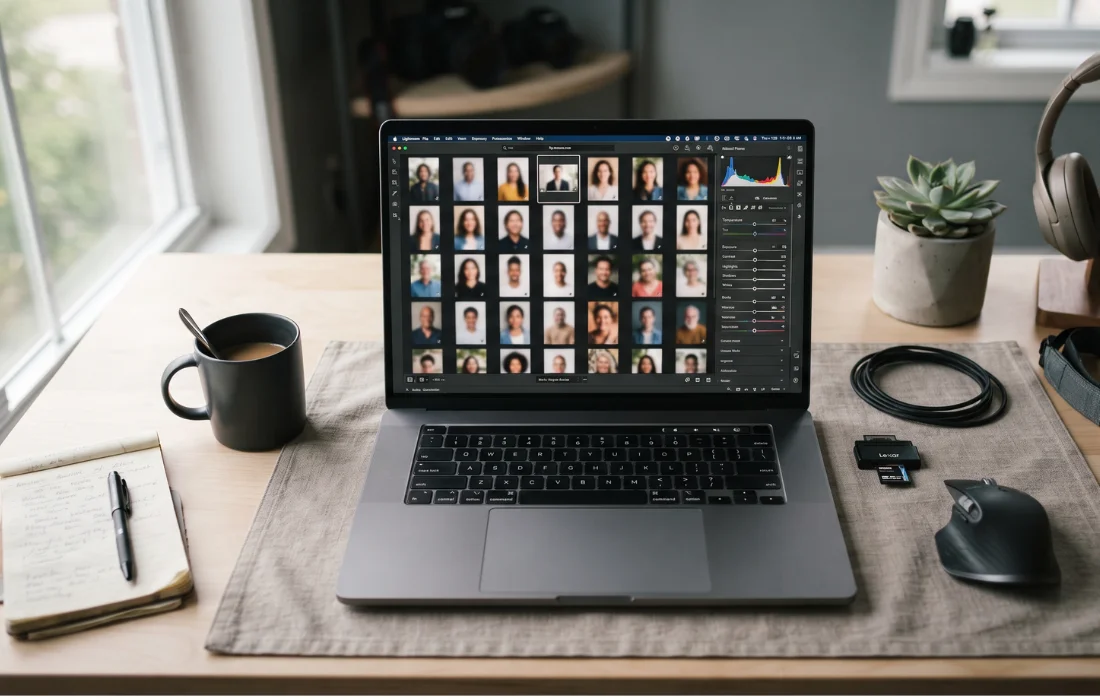
The Photography Post-Production Stack
Tools: Imagen AI, Aftershoot, Lightroom Classic. Built for: wedding and portrait photographers.
You feed the AI a catalog of your own past edits, often thousands of photos. It learns your specific style: your white balance habits, your crop preferences, your color grade. From then on, it culls and edits new shoots to match.
Aftershoot can sort a 3,000-photo wedding shoot down to the best 500 in under 30 minutes. That same job usually eats four to five hours by hand.
This route works well for a solo photographer with a consistent personal style. It's the wrong tool for an online store trying to make 200 product photos look identical for a catalog. It was never built for that job.
The Developer Pipeline (n8n Plus APIs)
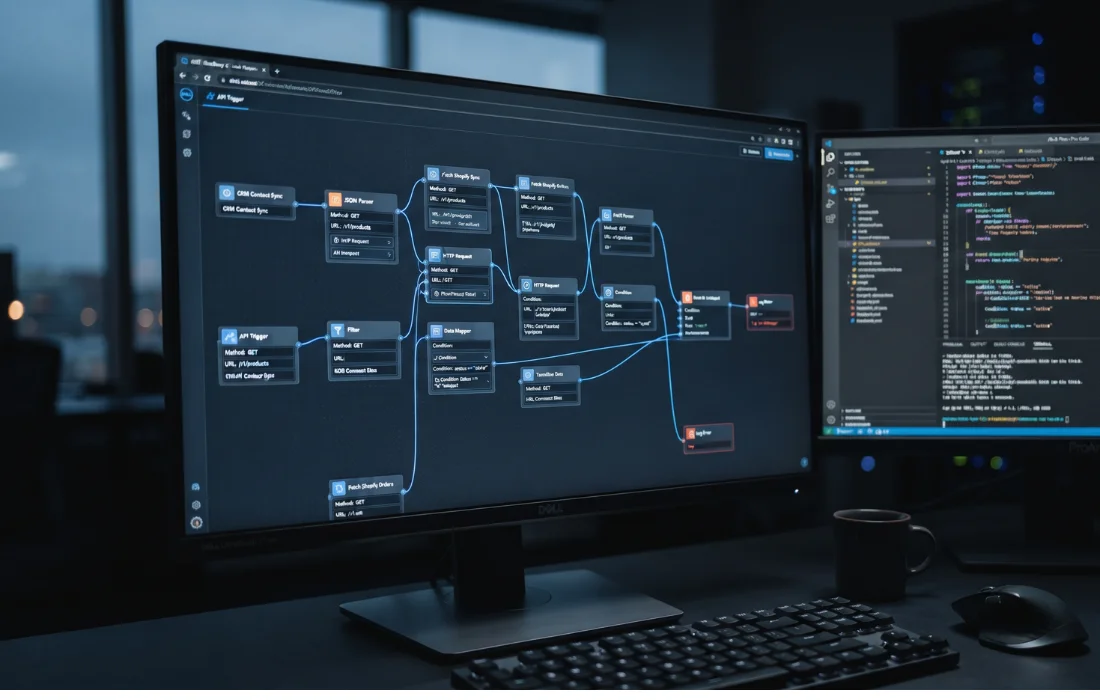
Tools: n8n, Zapier, raw API calls to image models. Built for: developers and technical marketing teams.
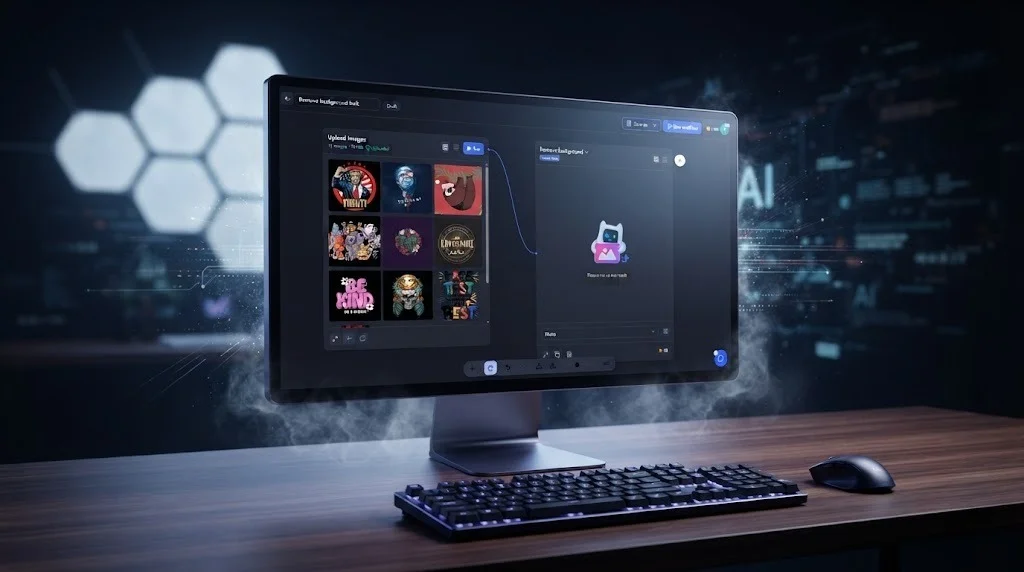
You wire nodes together on a visual canvas. A webhook triggers the flow. An HTTP Request node sends the photo to an image API. Another node passes the result to storage or a CMS.
Every connection needs configuring. API keys. Authentication. Error handling for when a request times out.
This route is genuinely flexible. You can chain almost anything to anything. That's also where it gets fragile: browse n8n's own community forum and you'll find threads like "How to Automate AI Image Editing in an n8n Workflow," posted by people who are, by their own account, still working it out. That's not a knock on n8n. It's proof this route has a real learning curve attached.
The No-Code Visual Workflow Builder
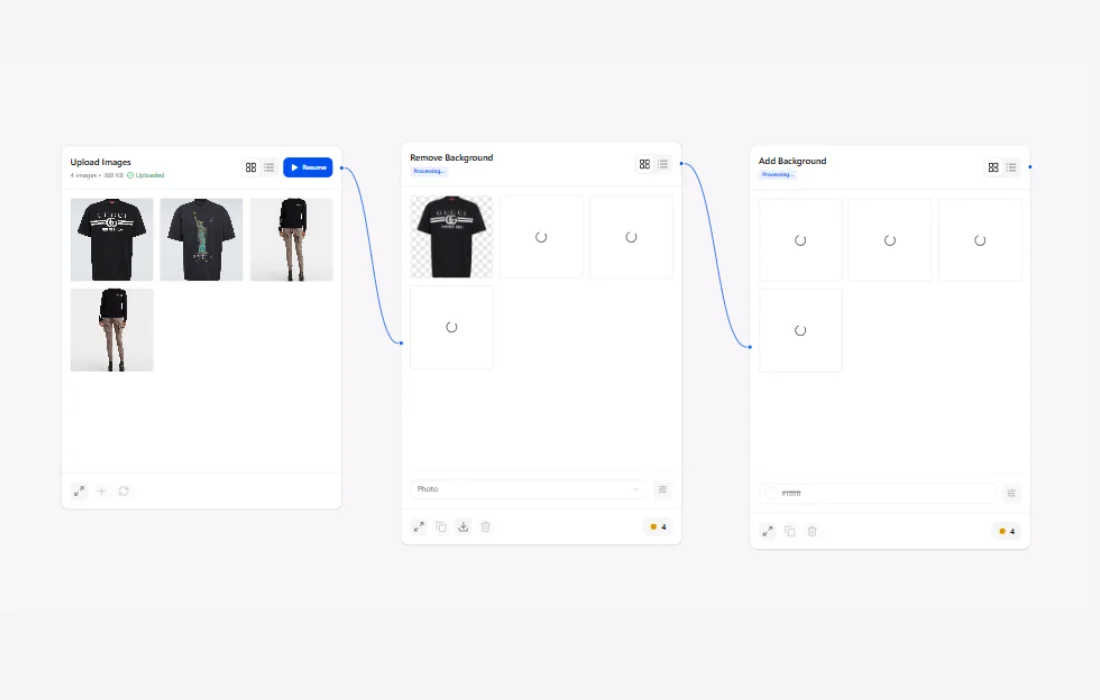
Tools: SnapEdit Workflow. Built for: e-commerce sellers, marketing teams, agencies, anyone who needs a repeatable image pipeline without a developer on staff.
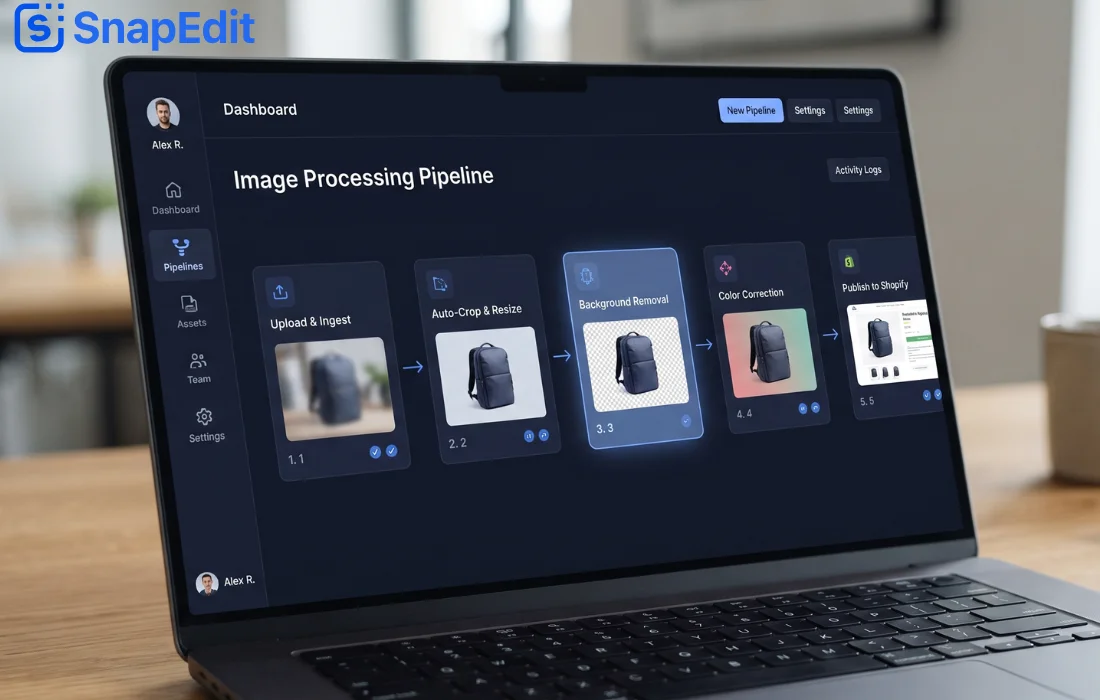
You drag editing steps onto a canvas instead. Remove background. Generate a new background. Enhance. Crop to a set ratio. Export. No API key to generate. No webhook to configure. No node documentation to read at midnight.
This option barely shows up in most "AI image editing workflow" content, because most of that content was written by photographers, for photographers, or by developers, for developers. It sits in the middle: real automation, zero code required.
Who Actually Needs a Photo Editing Workflow?
Not everyone does. Edit three photos a month, and a manual tool works just fine.
A workflow earns its keep once repetition enters the picture. A few examples.
E-commerce and POD sellers. Same background, same crop ratio, same enhancement settings, applied to every new product photo, every single week.
Marketing and content teams. A campaign with 40 product shots that all need the identical treatment before launch day.
Agencies managing client catalogs. Different clients, different brand rules, the same underlying process repeated per client.
The common thread across all three: volume, plus consistency. One-off edits don't need a workflow. Anything you'll repeat more than a handful of times does.
What Does a Typical AI Image Editing Workflow Look Like?
Strip away the branding, and most workflows follow the same basic shape.
- Input. Upload a photo, or a batch of them.
- Background step. Remove the existing background, generate a new one, or both.
- Enhance step. Upscale, sharpen, correct the lighting.
- Format step. Crop or resize to whatever ratio the platform needs.
- Output. Export, download, or push straight to storage.
In SnapEdit Workflow, each of those steps sits on the canvas as its own node. Remove Background runs at 1 credit per photo. Generate Background works from a text prompt, so you type "marble counter" once and every photo in the batch lands on that same new scene.
You build the sequence, save it, and reuse it the next time a fresh batch of photos hits your folder. That's the entire value proposition in one sentence: build once, run forever.
Do You Need to Code to Build a Photo Editing Workflow?
Short answer: only if you pick Route 2.
Choose n8n, or call an API directly, and yes, you'll touch some code, or at minimum some JSON and authentication headers. That's the trade for maximum flexibility.
Choose a no-code visual builder , and the trade flips. You're dragging steps, not writing requests. You give up some flexibility for edge cases, in exchange for real speed on the 90% of image tasks that are genuinely repetitive.
Still, most people typing "what is an AI image editing workflow" into Google aren't trying to become developers. They're trying to stop editing the same kind of photo by hand, over and over, forever. For that job, no-code is usually enough.
Frequently Asked Questions
Is an AI image editing workflow the same thing as an AI photo editor?
No. A photo editor changes one image at a time. A workflow chains multiple edit steps together and applies them to a whole batch, automatically, in a single run.
Do I need to know how to code to build a photo editing workflow?
Only on the API or n8n route. No-code visual builders, SnapEdit Workflow included, skip that requirement entirely.
Can a photo editing workflow handle large batches of photos?
Yes, and that's really the whole point of building one. A workflow that only processes single photos isn't saving you any time over manual editing.
How is an AI workflow different from Photoshop batch actions?
Batch actions apply the exact same fixed adjustment to every photo, regardless of what's actually in the frame. AI-powered steps, like background removal or background generation, read each photo individually and adapt the edit to what's really there.
Does a digital photo editing workflow always require expensive software?
No. Manual workflows in Lightroom or Photoshop can cost a monthly subscription plus hours of your time. No-code AI workflow builders usually run on a pay-per-credit model instead, so the cost tracks directly with how many photos you actually process.
The Bottom Line
A photo editing workflow isn't one single thing. It's photographer software for photographers. Developer pipelines for developers. And now, finally, a no-code builder for everyone else who just needs their product photos to look consistent, without learning to code or hiring someone who already knows how.
If that last group sounds like you, SnapEdit Workflow was built for exactly this job. Drag in the steps you need, save the sequence, and run it on your next batch.