The SnapEdit API is a Photoroom API alternative that charges per model instead of per plan. Background removal costs $0.002 per image, compared with $0.02 on Photoroom's Basic plan. AI backgrounds cost $0.014 per image, compared with $0.10 on the Plus plan. Credits roll over, and there is no monthly image quota to lose.
This guide compares the two APIs on price, features, and quality, shows the code changes needed to switch, and explains when staying with Photoroom is the better choice.
Disclosure: SnapEdit publishes this article. Prices were checked on each provider's official pages in October 2026. Check the live pricing pages before you commit, because API prices change.
Why do teams look for a Photoroom API alternative?
Most teams start looking for a Photoroom API alternative for one of three reasons: cost at volume, the plan structure, or a missing feature.
Cost grows fast at volume. Photoroom charges $0.02 for a background removal on the Basic plan. That is cheap for a few hundred images. At 20,000 images a month, the same call costs $400 a month.
One AI feature moves you to a 5x price. AI Backgrounds, AI Shadows, AI Expand, and the other generative features sit on the Plus plan, at $0.10 per image. A team that only needs AI backgrounds pays the same rate as a team that uses every feature.
Unused images expire. Photoroom plans are monthly. Images you paid for but didn't process in a month don't roll over to the next one. Seasonal catalogs, with a big upload in one month and a quiet one after, lose money on this.
Upscaling isn't on the list. Photoroom's API plans don't list an upscaler. Teams that need higher-resolution output add a second provider anyway.
Photoroom is a strong API, and its quality on hard images is a real advantage. The question for most teams is not "is it good" but "do we pay for more than we use."
What does the Photoroom API actually cost per image?
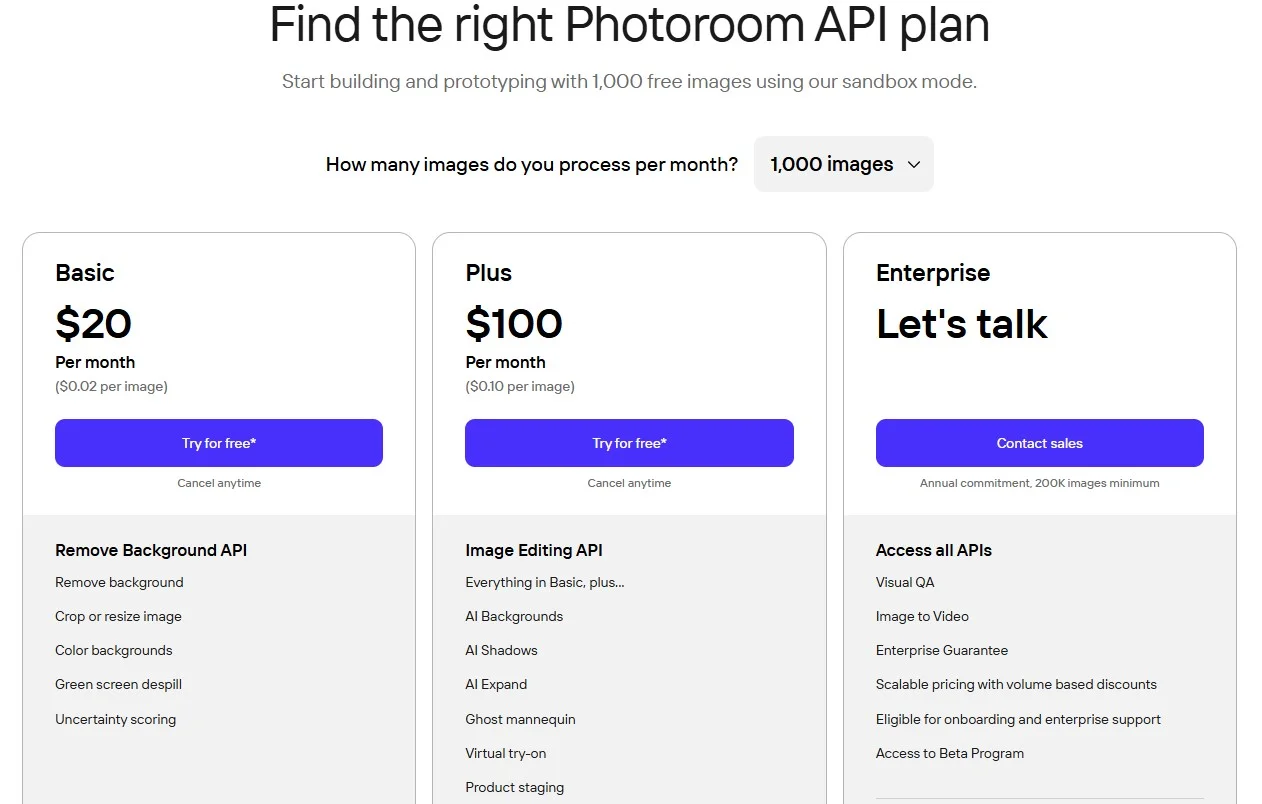
The Photoroom API costs $0.02 per image on the Basic plan and $0.10 per image on the Plus plan. Basic starts at $20 a month, Plus starts at $100 a month, and Enterprise requires an annual commitment with a 200,000-image minimum.
| Plan | Monthly price | Per image | What it includes |
|---|---|---|---|
| Basic | From $20 | $0.02 | Remove background, crop and resize, color backgrounds, green screen despill, uncertainty scoring |
| Plus | From $100 | $0.10 | Everything in Basic, plus AI Backgrounds, AI Shadows, AI Expand, Relighting, Text Removal, Ghost Mannequin, Virtual Try-On, Virtual Model, Flat Lay, Product Staging, and more |
| Enterprise | Annual contract | Custom | Volume pricing from 200,000 images |
Three details matter when you calculate your real cost:
- The Plus rate covers the whole edit. One call that combines a cutout, an AI background, and a shadow counts as one image at $0.10.
- Calls are billed at the called API's rate. A Basic-plan account that calls a Plus feature pays the Plus rate for that call.
- The sandbox is for testing only. It gives 1,000 calls a month with a watermark on the output, plus 10 free production calls.
How do Photoroom API features map to SnapEdit API models?
SnapEdit covers Photoroom's most used features as separate API models, each with its own price. One credit costs $0.002, and every model is billed by the credits it uses.
| Photoroom feature | Photoroom price | SnapEdit API model | SnapEdit price |
|---|---|---|---|
| Remove Background | $0.02 | Remove Background | $0.002 (1 credit) |
| AI Backgrounds | $0.10 | Generate Background | $0.014 (7 credits) |
| AI Expand / Uncrop | $0.10 | Expand (Outpaint) | $0.016 (8 credits) |
| Text Removal | $0.10 | Remove Text | From $0.004 |
| Virtual Try-On | $0.10 | Virtual Try-On | From $0.046 |
| Not listed | None | Remove Object | From $0.004 |
| Not listed | None | Enhance (Upscale), up to 12K | From $0.008 |
| Relighting | $0.10 | Not available as an equivalent | See note below |
| AI Shadows, Smart Cropping | $0.10 / Basic | Workflow builder only, not the API | Web credits |
| Ghost Mannequin, Virtual Model, Flat Lay, Product Staging, Ironing, Beautifier | $0.10 | Not available | None |
Three notes keep this table honest.
Relighting is not the same as Light Restoration. SnapEdit's Light Restoration model, at $0.024 per image, fixes photos taken in poor light: it brightens dark areas, softens overexposed ones, and removes grain. It doesn't restage a product under new studio lighting. If you use Photoroom's Relighting to match a product to a new scene, there is no direct SnapEdit replacement.
Shadows and cropping live in the Workflow builder. SnapEdit's no-code Workflow builder has Easy Shadow, Crop Image, and Resize Image steps. These are not separate API models, so an API integration has to handle shadows and cropping on its own side. See Workflow builder vs API for which one fits your team.
Apparel-specific features have no match. Ghost Mannequin, Virtual Model, and Flat Lay are fashion tools that SnapEdit doesn't offer. Fashion catalogs that depend on them should keep Photoroom for those calls.
How much would you save by switching?
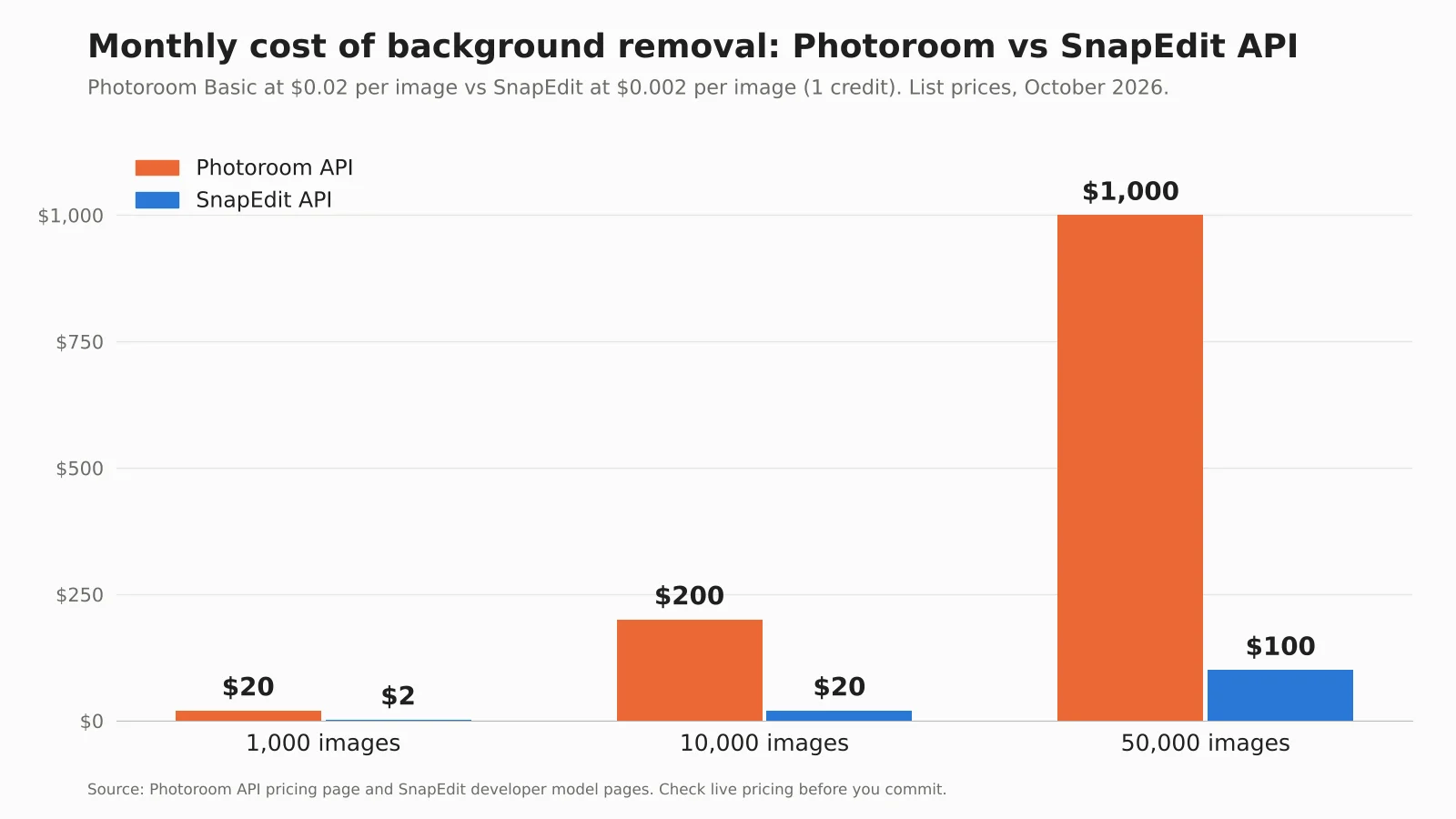
Switching saves about 90% on background removal and about 84% on cutouts with AI backgrounds. The exact saving depends on which features your pipeline calls, so compare by workload, not by plan.
The table shows the cost of processing 1,000 images at each provider's list price.
| Workload per image | Photoroom | SnapEdit | Saving |
|---|---|---|---|
| Background removal only | $20 (Basic) | $2 (1 credit) | 90% |
| Cutout + AI background | $100 (Plus) | $16 (1 + 7 credits) | 84% |
| Cutout + AI background + 2x upscale | Upscale not available | $24 (1 + 7 + 4 credits) | Not comparable |
SnapEdit's Generate Background model takes a transparent cutout and a text prompt as input. That's why the second row counts a Remove Background call plus a Generate Background call.
At catalog scale, the gap widens. A team that removes backgrounds from 20,000 images a month pays $400 on Photoroom Basic and $40 on SnapEdit. Over a year, that is $4,800 against $480.
Billing structure matters too. SnapEdit sells credits as pay-as-you-go packs that never expire, or as a subscription from $10 a month where unused credits roll over while you stay subscribed. A quiet month doesn't waste the budget you already paid for. Teams with very high volume can ask for an Enterprise plan at [email protected]. See the developer pricing page for current packs.
Moving a business workload from another provider? SnapEdit runs a business promo for teams that switch. Email [email protected] with your monthly image volume, the features you call today, and your current provider. The team replies with 1000 free credits to claim. Teams with very high volume can ask about an Enterprise plan in the same email.
Is the quality good enough to switch?
For most product photos, the quality difference between the two APIs is small. Photoroom is stronger on the hardest categories, such as glass, transparent bottles, and fine hair.
In our background removal API comparison, both APIs produced clean cutouts on standard products with clear edges. Photoroom kept more detail on transparent and reflective objects. SnapEdit returned results faster, averaging about 0.43 seconds per request.
You don't need to trust a benchmark, including ours. Test on your own images:
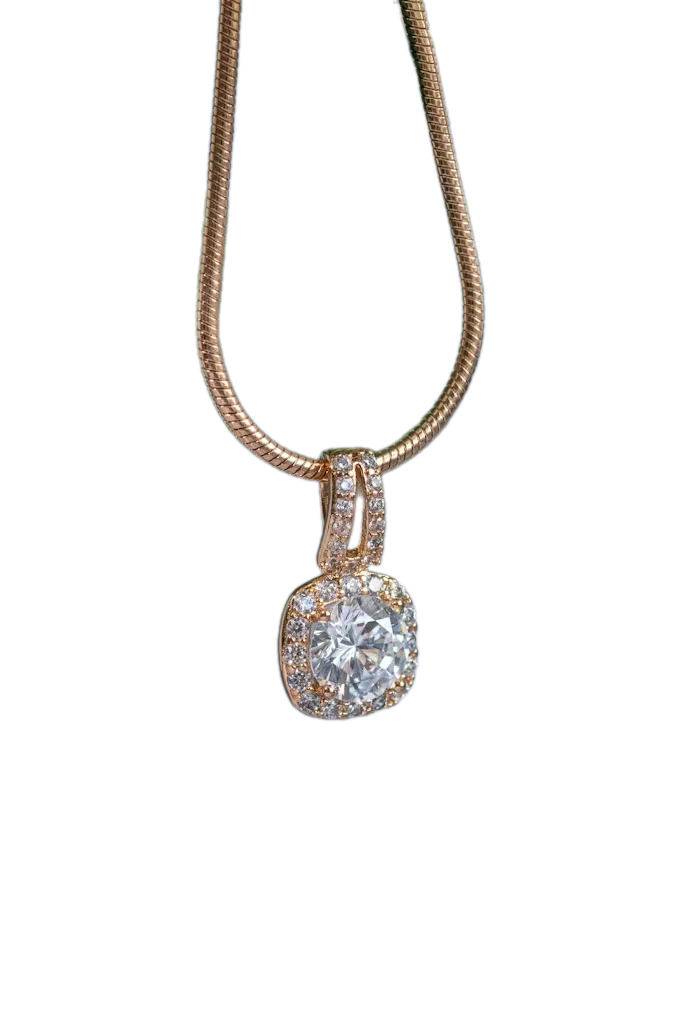
- Pick 30 to 50 photos from your real catalog. Include your hardest cases on purpose: glass, jewelry, hair, white products on white backgrounds.
- Run them through both APIs. SnapEdit gives 100 free credits on signup with no credit card required, which covers the test.
- Compare edges at 100% zoom. Look at hair, transparent areas, and thin parts such as straps and handles.
- Sort the results by category. Note which product types pass on both APIs and which only pass on Photoroom.
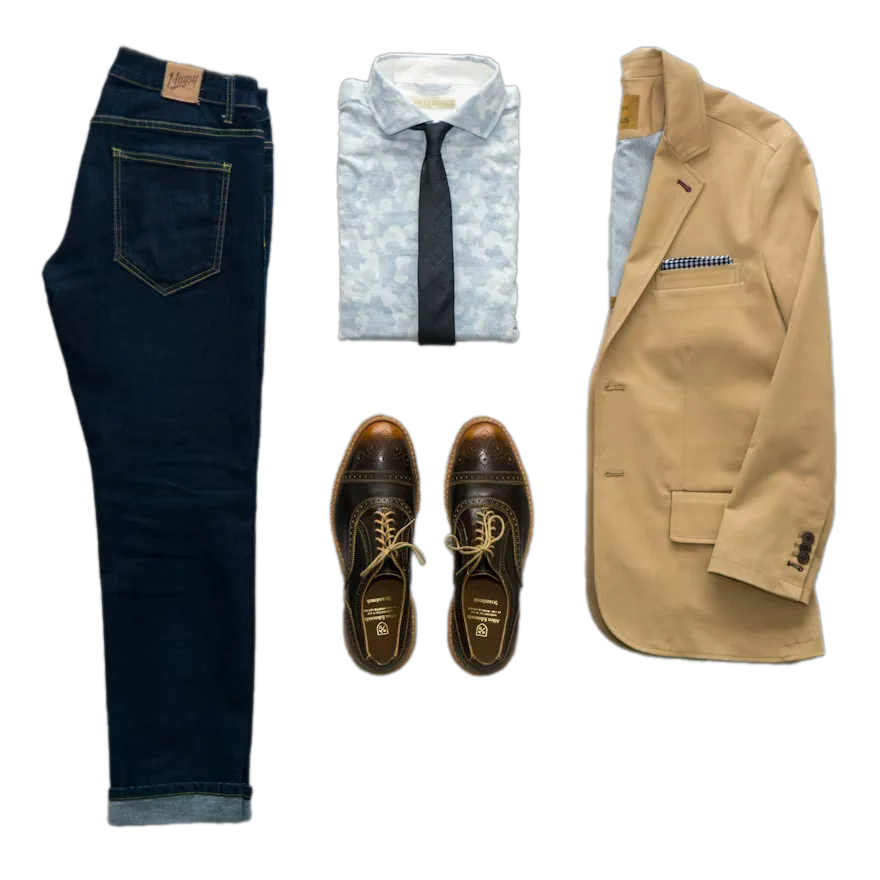
| Test case | Original | SnapEdit | Photoroom | What we saw |
|---|---|---|---|---|
| Jewelry |  |
 |
 |
Both clean |
| Footwear | 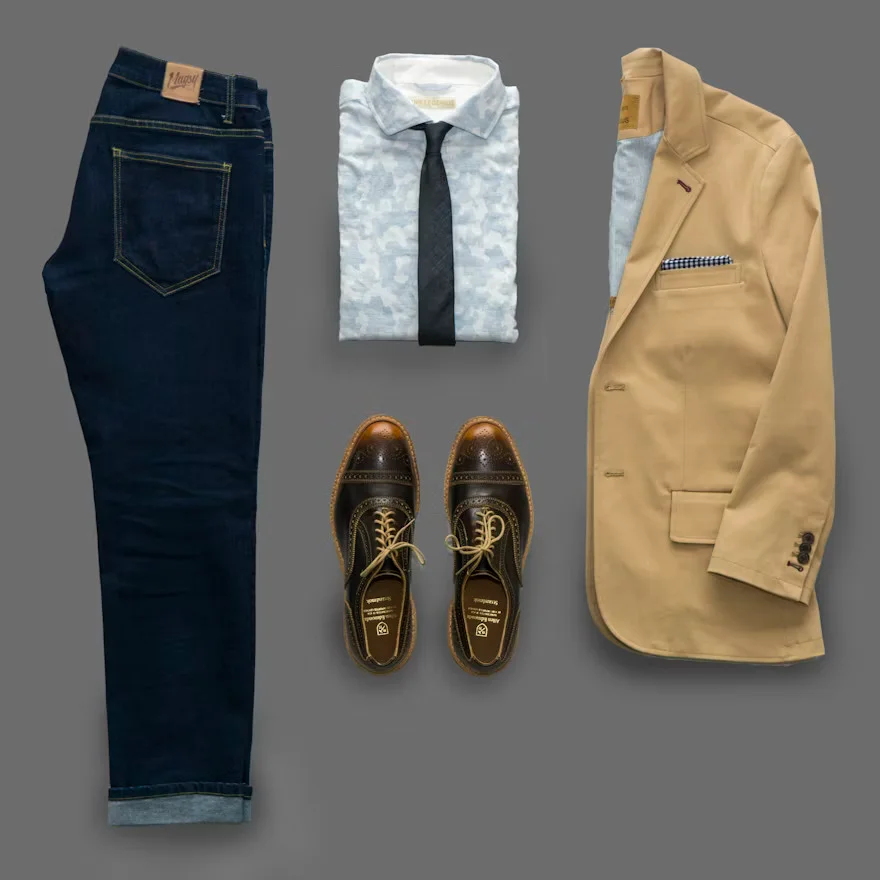 |
 |
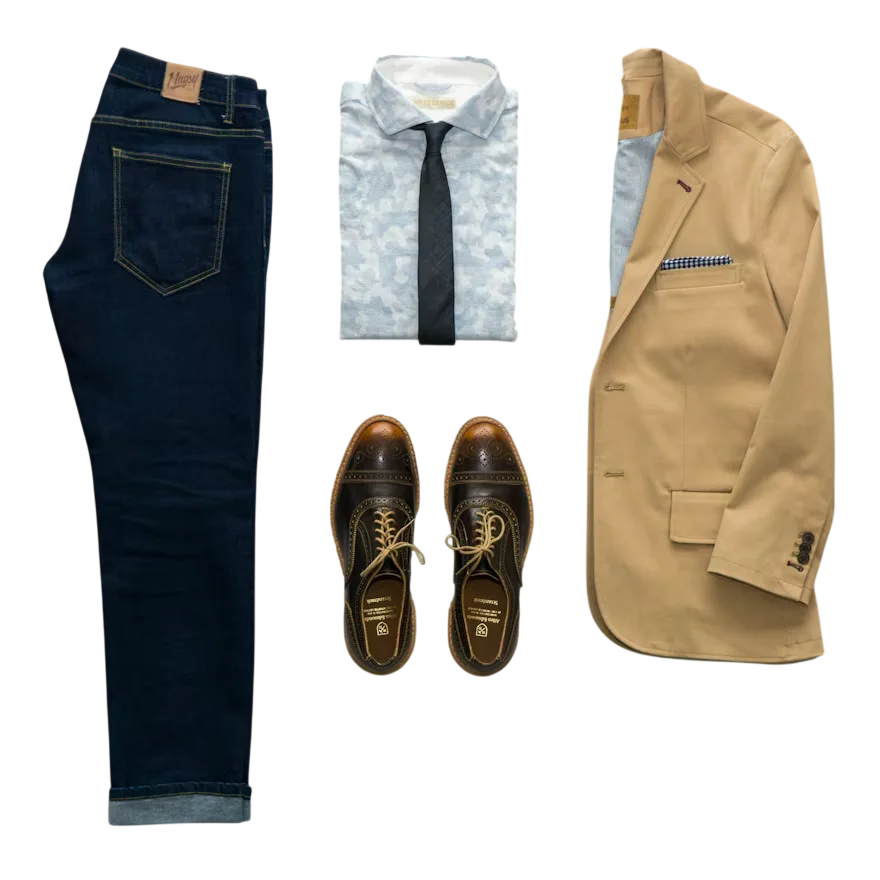 |
Both clean |
| Car | 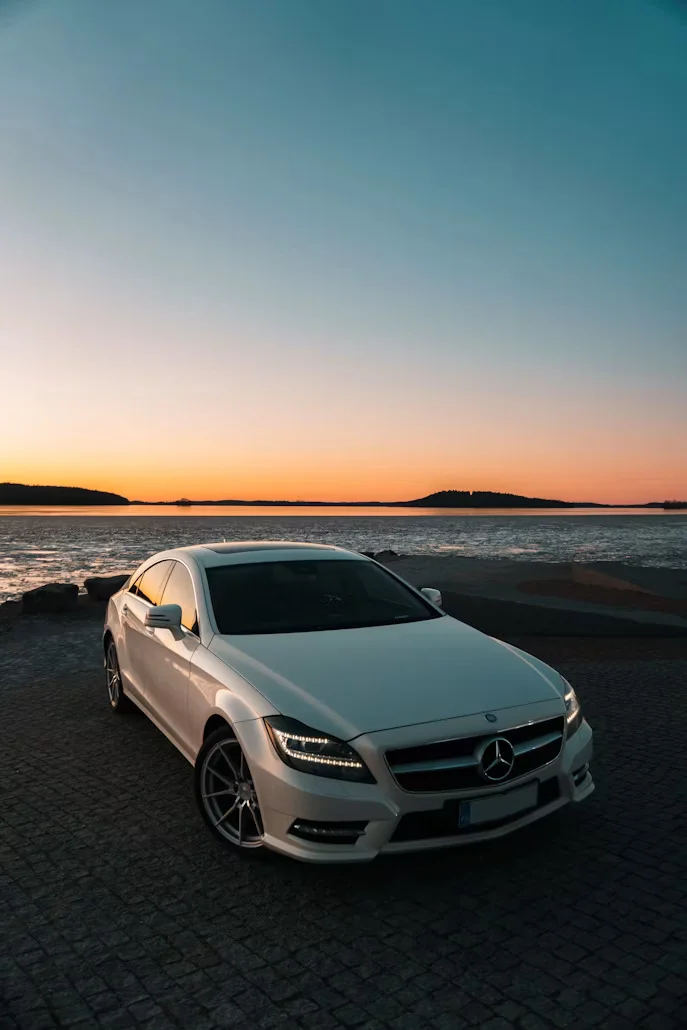 |
 |
 |
Both clean, both remove the natural shadow |
| Hair on a colored background |  |
 |
 |
Photoroom ahead: less yellow spill in the hair |
| Transparent glass |  |
 |
 |
Photoroom ahead: less pink tint on the glass |
| Logo and text | 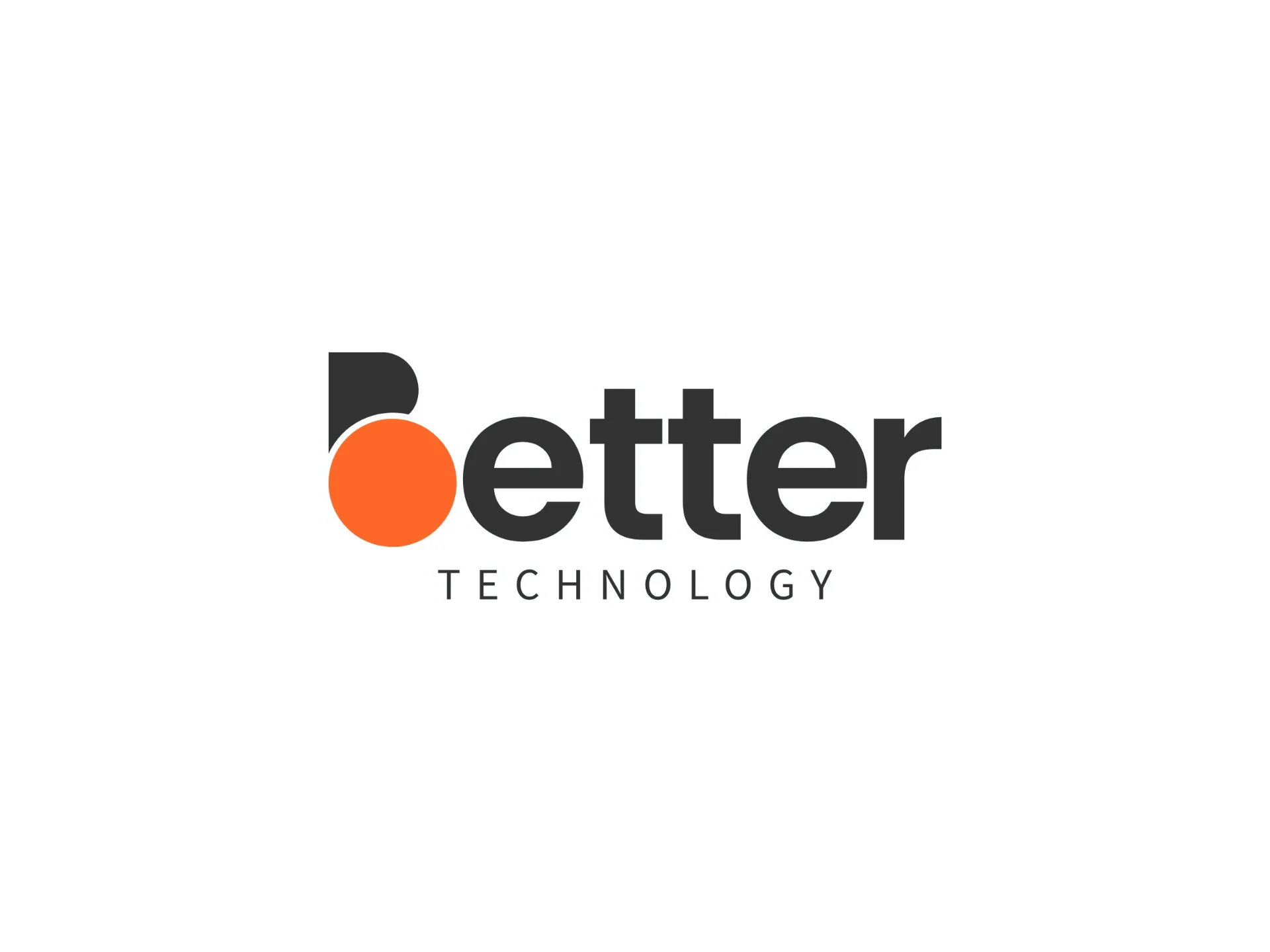 |
 |
 |
Photoroom ahead: sharper subtext. SnapEdit keeps every letter, with softer edges |
The test usually leads to one of two answers. Either SnapEdit passes on your whole catalog, or it passes on most of it and a few categories need Photoroom. The second answer still saves money, as the routing section below shows.
How do you switch from the Photoroom API to SnapEdit?
Switching takes three code changes: the endpoint, the authentication header, and how you read the response. The request is still a multipart upload, so most integrations change in under an hour.
| Photoroom | SnapEdit | |
|---|---|---|
| Endpoint | https://sdk.photoroom.com/v1/segment |
https://api.snapedit.app/v1/images/remove-background |
| Auth header | x-api-key |
api-key |
| Image field | image_file (file) |
input_image (file or URL) |
| Response | Binary PNG | JSON with an output URL and a bounding box |
| Mask output | Via channels parameter |
output_type=mask |
| Input limits | See Photoroom docs | JPEG, PNG, WEBP, up to 3000 × 3000 px |
Before, with Photoroom:
curl -X POST https://sdk.photoroom.com/v1/segment \
  -H "x-api-key: $PHOTOROOM_API_KEY" \
  -F "[email protected]" \
  -o product-cutout.png
After, with SnapEdit:
curl -X POST https://api.snapedit.app/v1/images/remove-background \
  -H "api-key: $SNAPEDIT_API_KEY" \
  -F "[email protected]"
SnapEdit returns JSON instead of an image file:
{
  "data": [
    {
      "url": "https://outputs.snapedit.app/outputs/abc123.png",
      "box": [10, 20, 300, 400]
    }
  ]
}
Your code downloads the PNG from data[0].url. The box field gives the subject's bounding box, which helps if you crop or center the product afterward.
Four points to check during the migration:
- Resize large inputs. SnapEdit accepts images up to 3000 × 3000 pixels. Downscale larger originals before the call.
- Pass URLs when you have them.
input_imageaccepts an image URL, so you can skip downloading and re-uploading files already in cloud storage. - Handle 429 responses. A 429 means you hit the rate limit or ran out of credits. Retry with backoff, and alert your team when credits run low.
- Run both APIs in parallel first. Send a share of real traffic to SnapEdit for a week, compare outputs, then switch the rest.
When should you stay with Photoroom?
Stay with Photoroom when its quality or its fashion features matter more to your business than the price gap. Three situations make that the right call.
Your catalog is mostly transparent or reflective products. Glassware, perfume, and cosmetics in clear packaging are where Photoroom's cutouts hold up best. If most of your images fall here, the quality gain can be worth the price.
You rely on apparel features. Ghost Mannequin, Virtual Model, and Flat Lay have no SnapEdit equivalent.
You need one call that returns a finished, relit scene. Photoroom's Plus plan combines background, shadow, and relighting in one request. SnapEdit's API gives you the background, and your pipeline handles the rest.
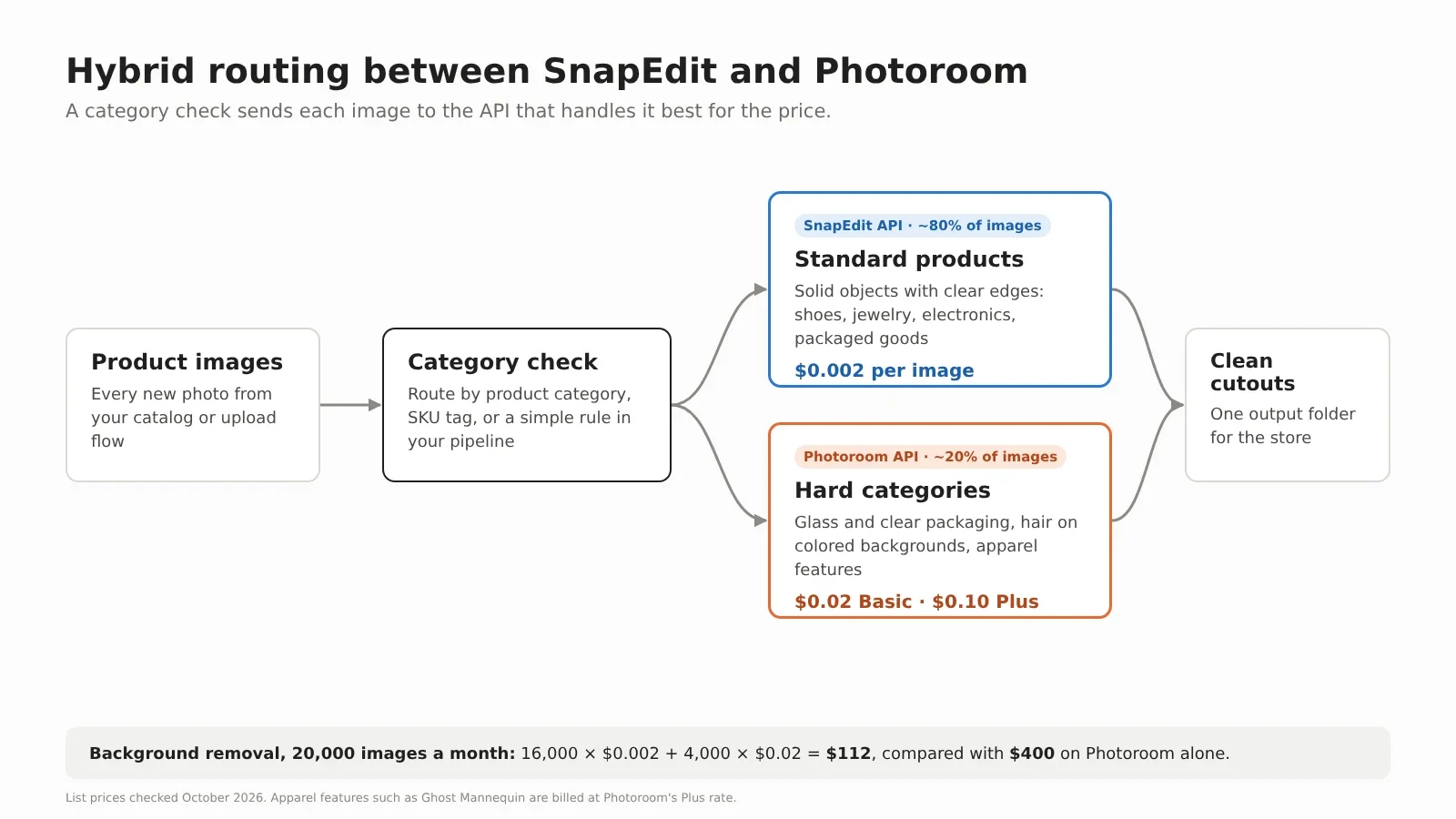
For many teams, the best answer is both. Route standard products to SnapEdit and send only the hard categories to Photoroom. A catalog where 80% of images are standard products pays $0.002 on most calls and $0.02 on the rest. On 20,000 images a month, that is about $112 instead of $400.
What other Photoroom API alternatives are there?
Several other APIs compete with Photoroom. Each one fits a different need, so compare them on the features you actually call.
| API | Best for | What to know |
|---|---|---|
| SnapEdit API | Per-model pricing across background, object, text, expand, and upscale | Credits from $0.002, no expiry on pay-as-you-go packs |
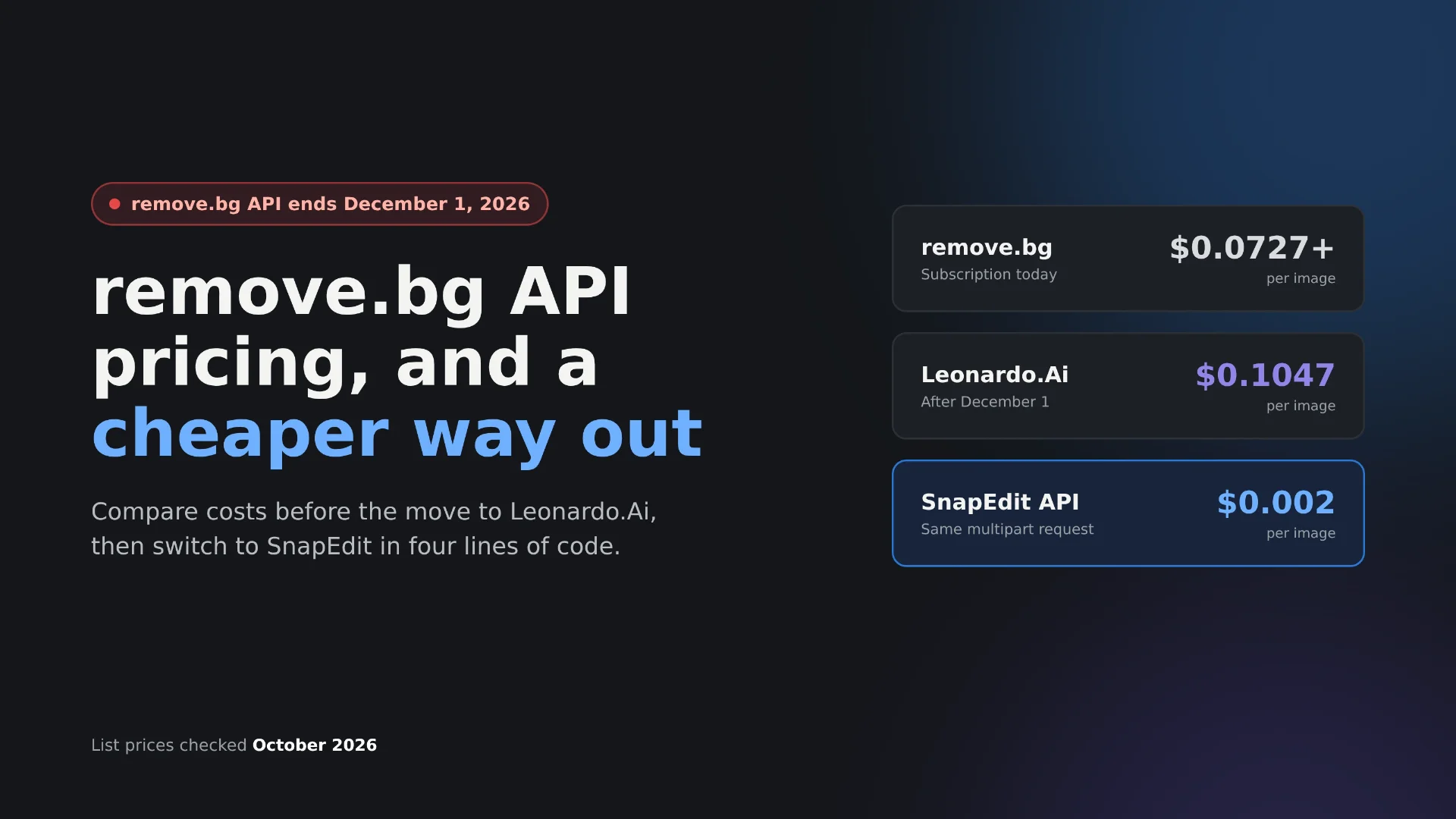
| remove.bg | Background removal only | Priced in credits, 1 per full-size image. The remove.bg site announces that its standalone website moves to Canva from December 1, 2026 |
| PicWish API | Background removal plus basic enhancement | Credit packs, check the official page for current rates |
| Claid.ai | E-commerce image pipelines with resizing and enhancement | Usage-based plans aimed at marketplaces |
| Self-hosted open-source models | Teams with GPU infrastructure and ML staff | No per-image fee, but you pay for hosting, maintenance, and quality tuning |
If background removal is your only call, the background removal API comparison goes deeper on speed and edge quality across providers.
Frequently asked questions
Is there a cheaper alternative to the Photoroom API?
Yes. The SnapEdit API charges $0.002 per background removal, compared with $0.02 on Photoroom's Basic plan. AI backgrounds cost $0.014 per image on SnapEdit, compared with $0.10 on Photoroom's Plus plan.
Can I try the SnapEdit API for free?
Yes. New developer accounts get 100 free credits with no credit card required. That covers 100 background removals, enough to test the API on a sample of your own catalog.
Do SnapEdit API credits expire?
Pay-as-you-go credits never expire. Subscription credits roll over from month to month while the subscription stays active.
Does the SnapEdit API add AI shadows like Photoroom?
Not as a separate API model. Shadows are available as the Easy Shadow step in the SnapEdit Workflow builder, which runs in the browser without code.
How long does it take to migrate from Photoroom?
Most integrations change three things: the endpoint, the auth header from x-api-key to api-key, and the response handling from a binary PNG to a JSON URL. A simple integration can switch in under an hour. Plan a week of parallel testing before you move all traffic.
How do I get 1,000 free credits to test the SnapEdit API?
Email [email protected] with your company name, monthly image volume, and the features you plan to use. SnapEdit's business promo gives businesses 1,000 free credits to test the API. That is ten times the 100 credits every new developer account receives.
Ready to compare on your own images? Get a SnapEdit API key and run your first 100 images free. Testing for a business? Email [email protected] to get 1,000 free credits through the business promo.