Baymard Institute's research found that 56% of desktop shoppers start exploring a product's images before they even read its title, before the description, before the price. For a fashion brand, the photo isn't supporting the sale, it largely is the sale.
That's exactly why this decision matters more than it looks: should you generate a new background with AI, or book another studio shoot? And if you already have professional photos with a real model in them, will an AI-generated background actually work with those, or is this only built for flat product shots?
This guide answers both.
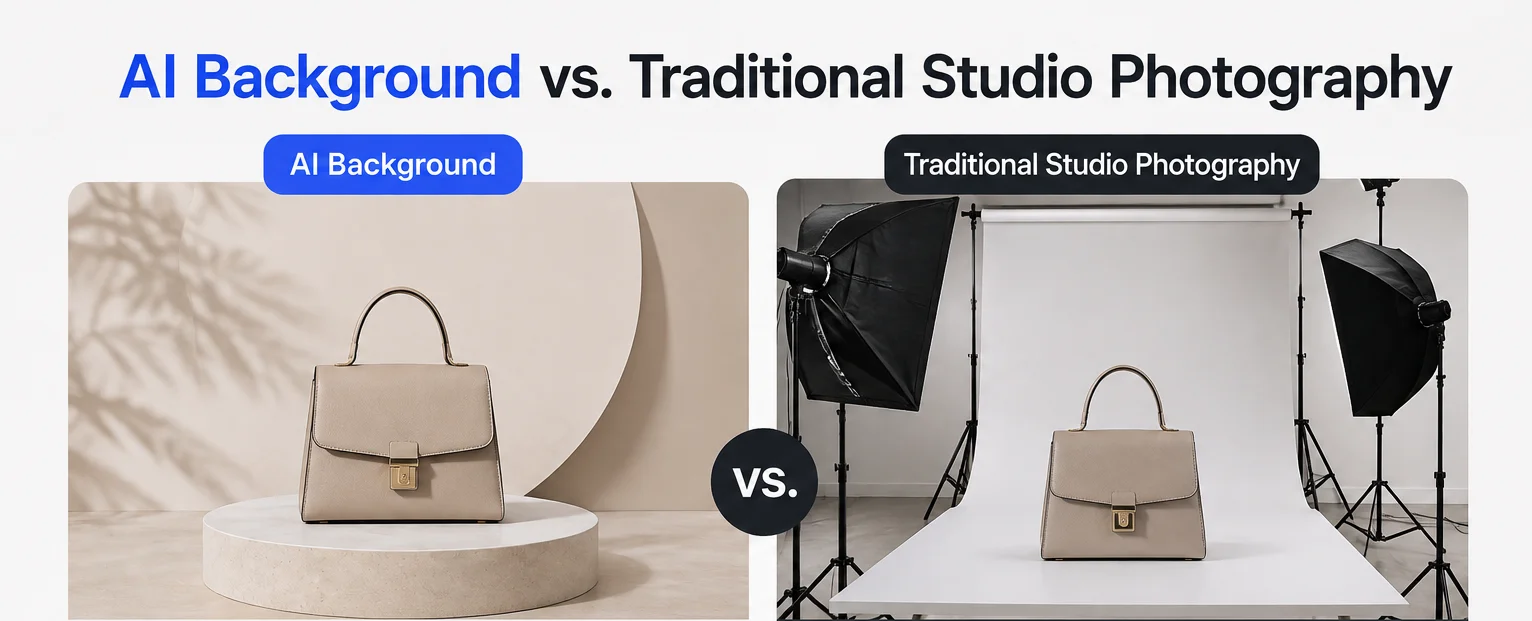
AI background vs. a real studio shoot
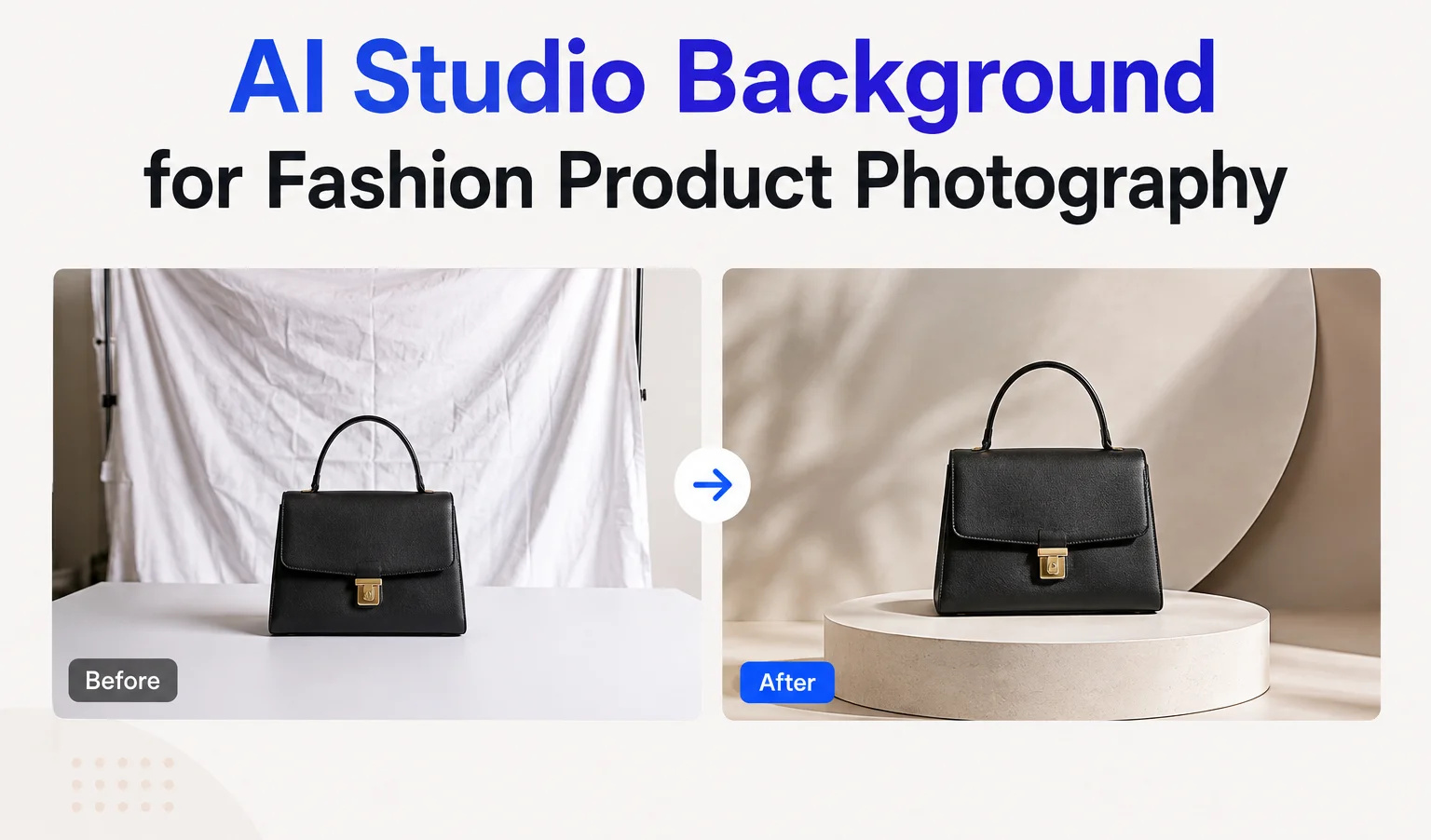
An AI studio background uses generative AI to create a new setting around an existing fashion photo. Instead of physically building a set, lighting, and backdrop, you describe the scene and generate it. The product (or the model wearing it) stays exactly as photographed; only the environment around it changes.
A professional shoot carries costs beyond the photographer's day rate: studio rental, lighting equipment, backdrops, props, styling, sometimes a model and makeup artist, plus post-production. Multiply that by every new location or backdrop you want, and the cost of "just try a different background" adds up fast. AI removes most of that: if you already have a good photo, you can generate several background variations from it without booking anything new.
| AI Background | Professional Studio | |
|---|---|---|
| Setup time | Minutes | Days to weeks |
| Cost per variation | Low, no new shoot required | High, often a new booking |
| Background variety | Very high, limited only by prompts | Limited to what you physically build |
| Physical realism | Good, occasionally imperfect on edge cases | Excellent, fully controlled |
| Product/model accuracy | Depends on the source photo and AI output | Excellent |
| Best for | E-commerce variations, social content, testing multiple looks | Hero campaign images, controlled brand shoots |
Use AI when you need volume: several background variations from one shoot, quick seasonal refreshes, or testing which setting performs best before committing budget to a full campaign around it.
Book a real studio when the image is a hero shot that needs to be physically perfect, involves complex styling or movement a still photo can't fake, or is central enough to your campaign that any AI imperfection is a real risk.
Most fashion brands end up using both: a studio shoot for the images that matter most, and AI variations to stretch that same shoot across more listings, channels, and seasons than the original budget covered.
Working with photos that already have a model in them
This is the part that trips people up, because it works differently depending on what your source photo actually is.
If your source photo is a flat garment shot with no one in it, the kind common in print-on-demand mockups, an AI background generator can't add a realistic model into the scene. Asking it to "show this worn by a model" on a flat-lay photo tends to produce an inconsistent, obviously AI-generated person. If that's your starting point, our POD-specific background prompts guide covers how to prompt around that limitation.
Fashion photography is usually the opposite case: your source photo already has a real model wearing the garment, from an actual shoot. Here, the tool is doing exactly what it's built for, generating a new environment behind a subject that's already there. You're not asking AI to invent a person, you're asking it to replace the studio backdrop or location behind one that already exists in the photo. This is a meaningfully more reliable use of the tool than the flat-lay case.
The preservation instructions matter just as much here, they just protect different things. Instead of only preserving the garment's color and texture, also tell the AI to preserve the model's pose, proportions, and the way the garment fits and drapes on them. A prompt that only says "keep the garment unchanged" leaves room for the AI to subtly reinterpret the model too.
A few ready-to-use prompts
These two are built specifically for editorial fashion work; for a wider range of studio and lifestyle styles, our 50+ AI background generator prompts guide has more to pick from.
High-contrast editorial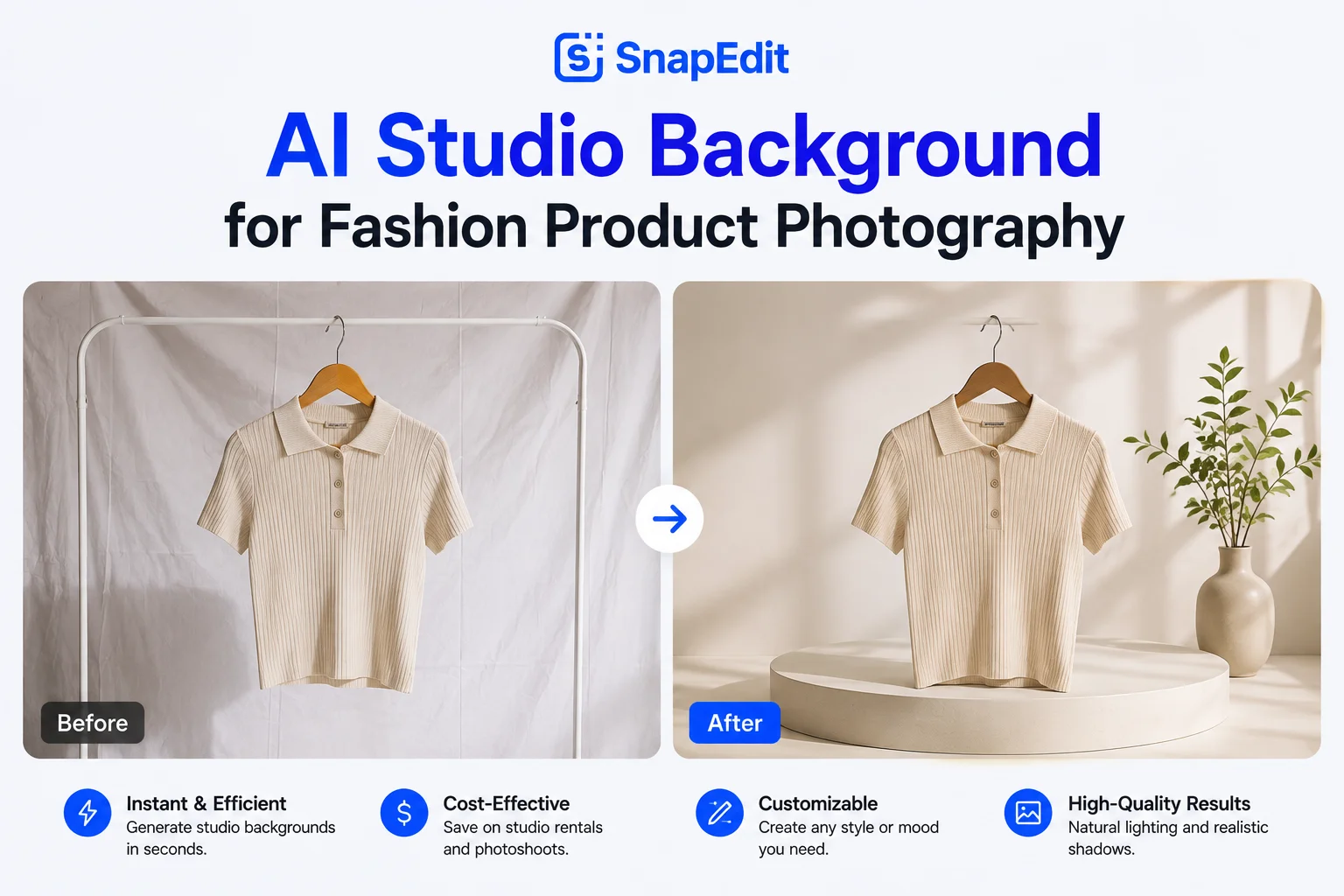
Create a seamless dramatic fashion studio background with deep neutral tones, controlled directional lighting, defined but natural shadows, and a premium editorial photography aesthetic. Keep the clothing item, the model's pose, and proportions completely unchanged, and preserve the garment's original colors, texture, and fit.
Autumn street
Create a sophisticated autumn city setting with warm brown and muted orange tones, subtle fallen leaves, natural afternoon light, and an editorial fashion photography aesthetic. Preserve the model's pose and the garment's original color, texture, and fit exactly.
Match the setting to the garment's material and audience before you write a custom prompt. A delicate linen dress tends to suit a warm, sunlit Mediterranean setting, while a structured black jacket reads better against a minimalist concrete studio. The wrong pairing is usually what makes a background feel like a random choice instead of an intentional one.
How to create these backgrounds with SnapEdit
- Upload your fashion photo to SnapEdit's AI Background Generator.
- Describe the setting, lighting, and mood, and include what to preserve, the garment and, if there's a model in the shot, their pose and proportions too.
- Generate the new background around the existing subject.
- Review the result against the original: color, texture, pattern, fit, and, if applicable, the model's pose and proportions, before using it anywhere.
For more on getting a natural-looking result, matching lighting direction and camera perspective to the original photo, our phone photo to studio shot guide covers those techniques in more depth; the same principles apply here.
FAQ
Will this work on a photo that already has a model in it, or only on flat product shots?
It works on both, but differently. With a photo that already has a model, the AI replaces the environment behind them, which tends to produce more reliable results. With a flat product shot and no model, asking the AI to add one usually produces an inconsistent result; our POD prompts guide covers prompting for flat-lay photos specifically.
Is AI background generation good enough for a hero campaign image?
For most hero images, a real studio shoot still gives you more reliable physical accuracy, especially for images your brand is putting the most weight behind. AI is strongest for the variations around that hero image, not necessarily as a full replacement for it.
How many background variations can I reasonably get from one photo shoot?
There's no fixed limit. As long as the source photo is clear and well-lit, you can generate as many background variations as you need, which is exactly where the cost savings over booking a new shoot come from.
Does the model's appearance ever change when the background changes?
It can, if the prompt doesn't say otherwise. Include an instruction to preserve the model's pose, proportions, and the way the garment fits, not just the garment's color and texture.
Have a fashion shoot that's only being used for one setting right now? Try SnapEdit's AI Background Generator on it and see how far that same shoot can stretch.