Whether you're applying for jobs, building your professional network, or attracting new clients, a polished LinkedIn headshot can help create a strong first impression before anyone even reads your profile.
Hiring a photographer can be expensive, scheduling a photoshoot takes time, and not everyone feels comfortable posing in front of a camera. Fortunately, getting a professional-looking LinkedIn headshot no longer requires a studio session.
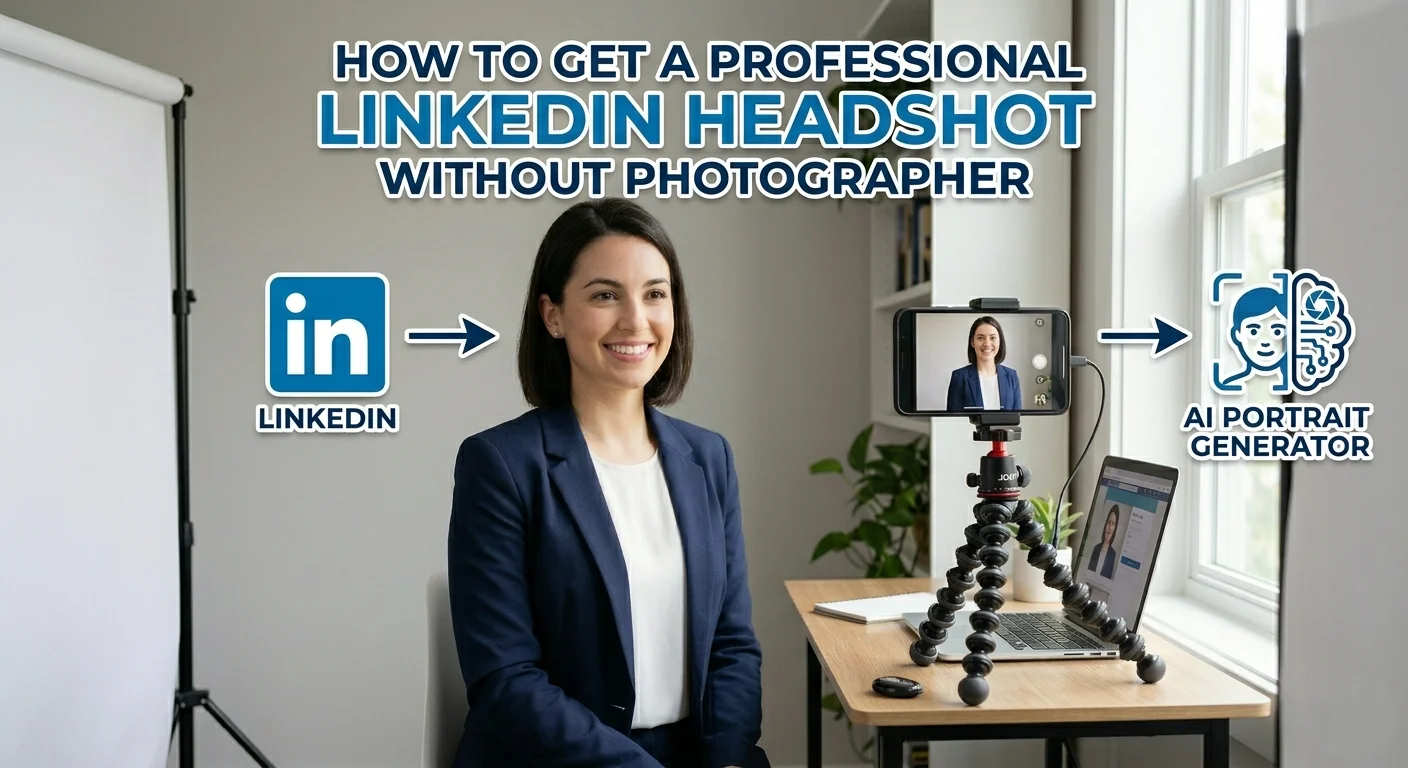
Learn how to create a professional LinkedIn headshot without hiring a photographer in this step-by-step guide.
The ingredients of a professional LinkedIn photo
A professional LinkedIn headshot is about presenting yourself in a way that feels polished, credible, and approachable.
Clear and high-quality
Your face should be easy to see, well-lit, and in focus. Blurry, pixelated, or poorly lit photos can make your profile appear less professional, even if the rest of your experience is impressive.
A high-quality image helps ensure that your profile photo looks sharp across different devices and screen sizes.
**Professional but approachable
**
The best LinkedIn headshots strike a balance between professional and friendly. A natural smile, relaxed posture, and confident expression can help you appear more approachable while still maintaining a professional image.
You don't need to look overly serious. in fact, appearing approachable can help create a stronger first impression.
**Clean and distraction-free
**
A cluttered background can draw attention away from the most important part of the image: you. Professional headshots typically feature simple backgrounds, neutral colors, or softly blurred environments that keep the focus on your face.
**Appropriate attire
**
Your clothing should align with your industry and personal brand. While a formal suit may be expected in some professions, other industries allow for a more relaxed look.
A good rule of thumb is to dress as you would for an important meeting or networking event in your field.
**Authentic and recognizable
**
Perhaps the most important requirement is authenticity. Your LinkedIn headshot should be a recognizable representation of who you are today. Avoid excessive filters or edits that dramatically alter your appearance.
Create a professional LinkedIn headshot with SnapEdit AI Portrait
If hiring a photographer isn't an option, AI can be one of the fastest ways to create a professional-looking LinkedIn headshot.
SnapEdit AI Portrait is an AI-powered portrait generator that transforms ordinary photos into polished portraits in just a few clicks. Instead of spending time setting up a photoshoot, finding the perfect location, or editing photos manually, you can generate professional headshots from a single image.
With a wide range of portrait styles, including professional photoshoot-inspired looks, SnapEdit makes it easy to create headshots suitable for LinkedIn profiles, resumes, personal websites, and professional portfolios.
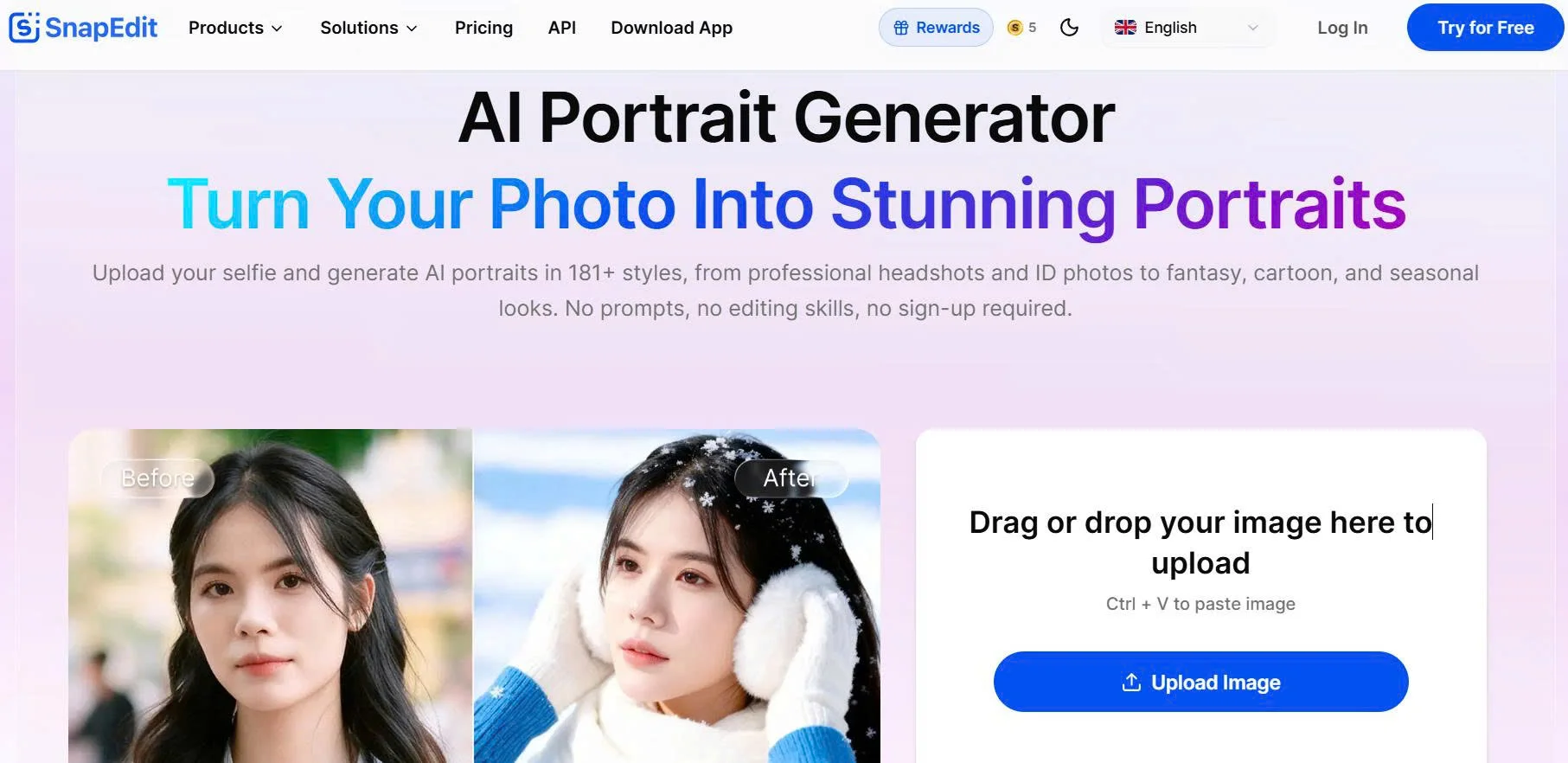
SnapEdit offers a variety of portrait categories and styles, allowing you to experiment with different professional looks while maintaining your recognizable facial features.
Step 1: Upload a clear photo
Start by uploading a portrait photo of yourself to SnapEdit at https://snapedit.app/ai-portrait.
For the best results:
- Use a front-facing image
- Choose a photo with good lighting
- Keep your face fully visible
- Avoid sunglasses or heavy obstructions
A high-quality source photo gives the AI more detail to work with, resulting in more realistic and professional-looking portraits.
Step 2: Choose a professional portrait style
Once your photo is uploaded, browse SnapEdit's portrait styles and select a look that fits your professional goals. For LinkedIn, professional and photoshoot-inspired styles are often the best choice. These styles can help create the polished appearance commonly associated with studio headshots while still keeping the final image natural and authentic.
You can also experiment with multiple styles to find the version that best matches your industry and personal brand.
Step 3: Generate your LinkedIn headshot
After selecting your preferred style, let SnapEdit AI Portrait do the rest. In just a few moments, the AI transforms your photo into a professional portrait while preserving your key facial features. The result is a high-quality headshot that looks polished, realistic, and suitable for professional platforms.
One of the biggest advantages of AI-generated portraits is the ability to create multiple variations from a single photo, giving you more options than a traditional photoshoot.
Step 4: Download and update your profile
Once you're happy with the result, simply download your favorite version and upload it to LinkedIn.
You can also use the same portrait for:
- Resumes and CVs
- Personal websites
- Online portfolios
- Professional networking platforms
- Business profiles
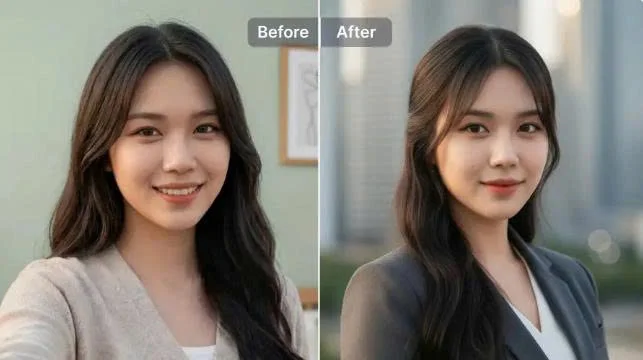
Instead of investing time and money into a traditional photoshoot, you can create a LinkedIn-ready headshot in minutes and update your professional image whenever you need.
=>> Pick a hair style that suits you
Most people don't want to download another app, learn complicated editing software, or spend hours trying to create the perfect LinkedIn photo. SnapEdit AI Portrait keeps things simple. You can upload a photo directly from your browser, choose a professional portrait style, and generate a polished headshot in minutes, whether you're using a laptop during your lunch break or scrolling on your phone between meetings.
What makes it especially useful for professional headshots is its ability to enhance your portrait while keeping your facial features recognizable. Instead of creating an overly edited or artificial-looking image, SnapEdit helps you look like the best version of yourself.
Plus, there's no software to install and no lengthy setup process. Just upload your photo, generate your portraits, and download your favorite result.
Ready to upgrade your LinkedIn profile? Try SnapEdit AI Portrait and see how professional your next headshot can look.