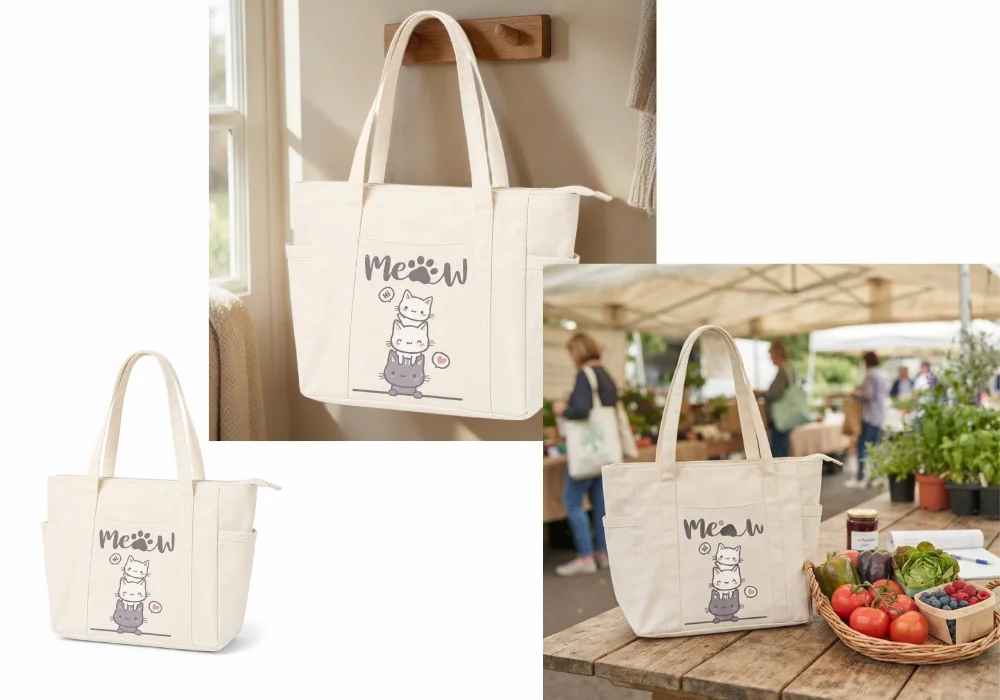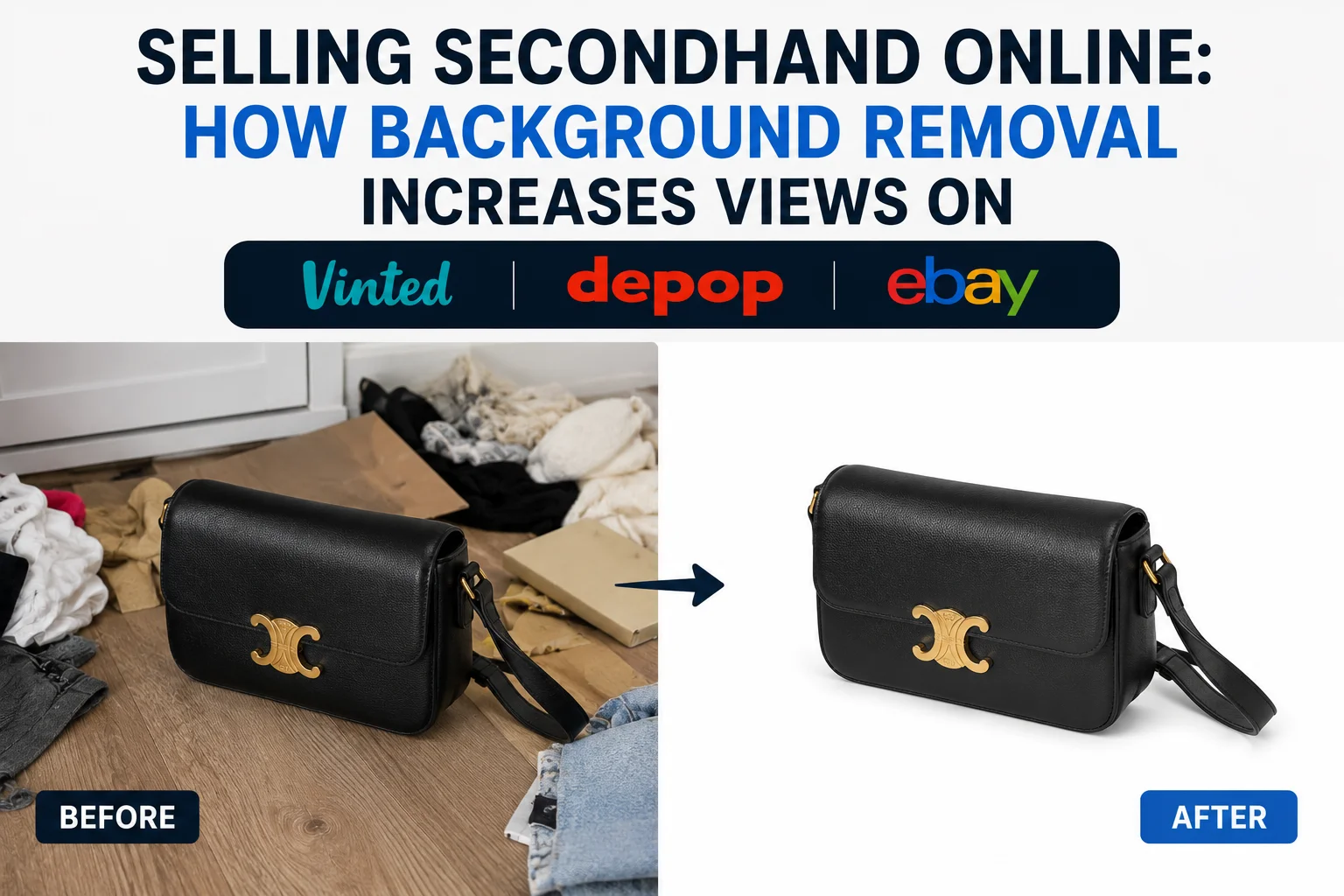
You've found a few clothes you no longer wear, snapped a quick photo on your bedroom floor, and uploaded the listing. A few days later, still no views, no likes, no offers.
The truth is, buyers often decide whether to click on a listing in just a few seconds. A cluttered background, wrinkled bedsheet, or messy room can distract them from what really matters: the clothes you're trying to sell.
We'll show you why backgrounds matter more than you might think, how they influence buyers' first impressions, and how to create secondhand clothing photos that look polished without spending hours editing.
Why some secondhand listings get more clicks than others
When buyers browse Vinted, Depop, or eBay, they're often scrolling through dozens, or even hundreds, of similar listings. Before they read the description or check the price, one thing catches their attention first: the photo.
A clean, well-presented image immediately makes a listing feel more trustworthy and easier to browse. On the other hand, a shirt photographed on a wrinkled bedsheet, a pair of jeans surrounded by other clothes, or a handbag sitting on a cluttered desk can make even a high-quality item look less appealing.
This doesn't mean you need a professional studio or expensive photography equipment. Many successful secondhand sellers take all their photos with a smartphone. The difference is presentation.
A clean background helps buyers focus on the item instead of the surroundings. It also makes the listing look more organized, giving the impression that the seller has taken care of both the product and the buying experience.
That's especially important when you're selling secondhand clothing. Since buyers can't touch the fabric or inspect the item in person, your photos become the strongest signal of quality and trust. On Vinted specifically, photos are one of the strongest signals the platform's own feed algorithm uses to decide what gets shown, ranking above your price and description. The easier you make it for shoppers to see the product, the more likely they are to stop scrolling and take a closer look.
Background removal: The secret sauce to increase views on your secondhand listings
When buyers are scrolling through a marketplace, they want to quickly understand what you're selling. If the photo includes a wrinkled bedsheet, a pile of laundry, colorful furniture, or other distracting objects, their eyes have to work harder to find the item.
Even if the clothing is in excellent condition, the presentation can make the listing feel less appealing.
Background removal solves this by eliminating unnecessary distractions and putting the focus back where it belongs: on the item itself.
A clean background doesn't always have to mean a plain white one.
For marketplaces like eBay, a simple white or neutral background often gives listings a more professional, catalog-style appearance and makes it easier for buyers to inspect the product.
On platforms like Depop, many sellers intentionally keep tasteful lifestyle backgrounds or creative flat lays to match their personal brand and aesthetic. The key isn't to remove every background, it's to remove distractions.
A word of caution for Vinted: don't over-polish
This is the part most guides skip, and it matters. Vinted buyers are used to what's sometimes called "home-made realism": clean, well-lit photos that still look like they came from a real wardrobe, not a studio.
If your photo looks too close to a brand lookbook, some buyers start wondering whether the item is genuine, or whether the photo is even yours. Vinted also doesn't allow stock photos or images pulled from elsewhere on the internet. So on Vinted, the goal of background removal isn't to make your photo look like an ad. It's to remove the mess (unmade bed, laundry pile, random clutter) while keeping the photo looking like it's genuinely your item, in your space.
If you're selling multiple items, using the same background style across your listings can make your shop feel more organized and trustworthy. Whether you're listing ten T-shirts or clearing out an entire wardrobe, consistency helps buyers browse your items more easily and gives your storefront a polished, boutique-like appearance, even if every photo was originally taken with your phone at home.
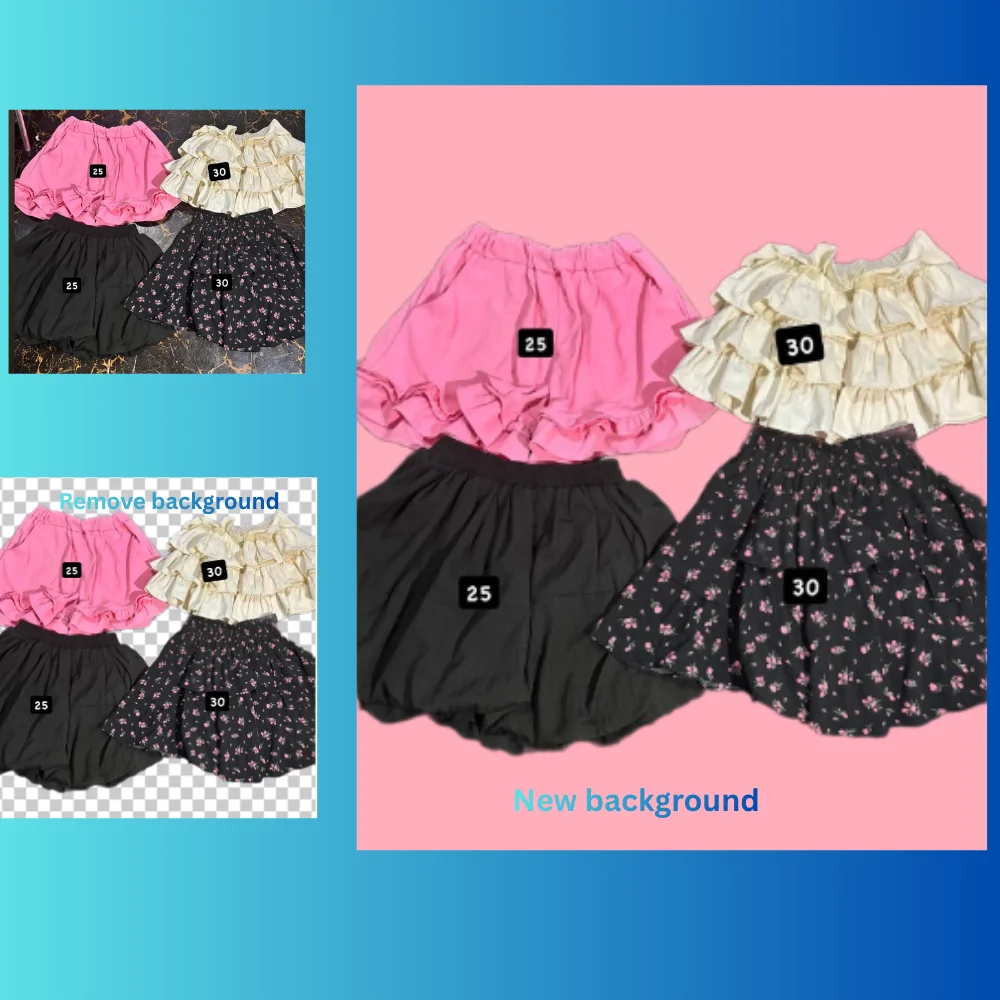
You can remove the original background, then choose one that fits your marketplace
With SnapEdit Background Remover, you can remove distracting backgrounds in just a few seconds using AI. The tool automatically detects your clothing item, creates a clean cutout, and lets you replace the original background with one that better suits your marketplace or personal brand.
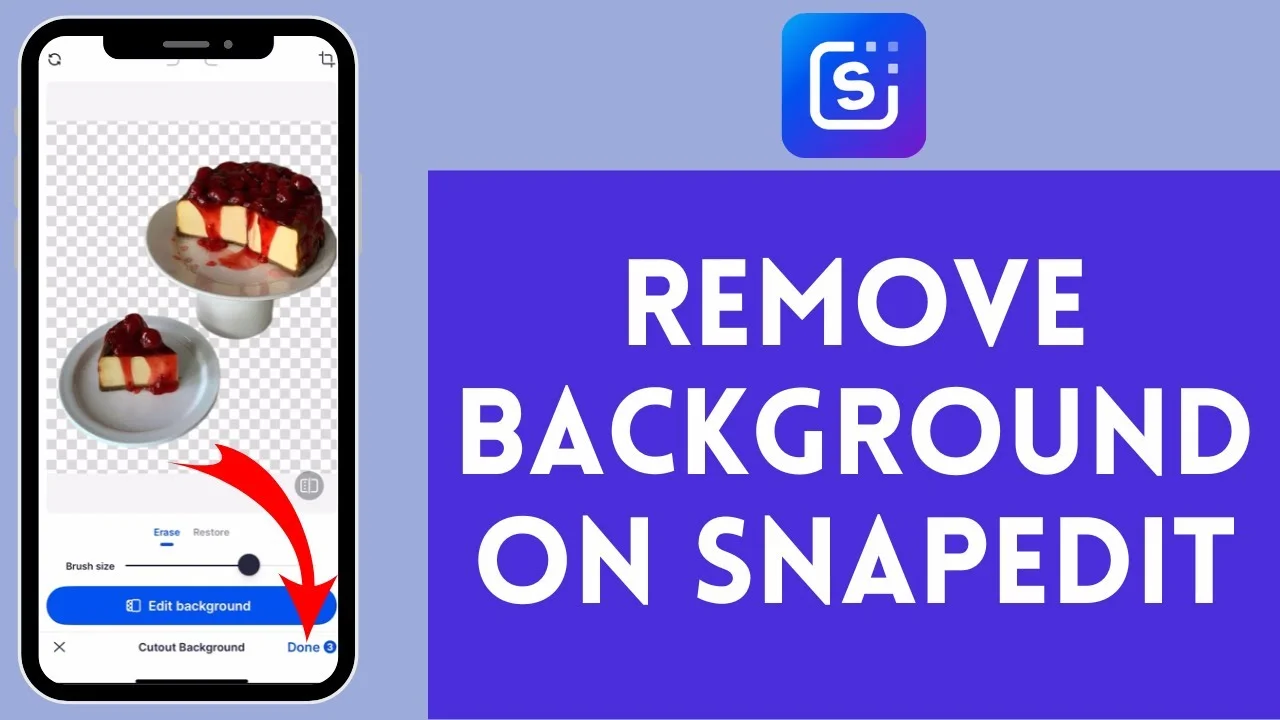
Instead of being limited to a plain white background, you can choose from more than 1500 ready-to-use background templates, switch to a solid color, create a transparent background, or even upload your own custom background image. The flexibility means you can tailor your photos to different selling platforms:
- White backgrounds create a clean, catalog-style look that's ideal for marketplaces where buyers want to evaluate the product clearly. Try a white background for eBay-style listings.
- Minimal neutral backgrounds give your listings a polished, modern appearance while keeping the focus on the clothing.
- Lifestyle backgrounds can add personality and help your listings feel more curated on platforms like Depop, where aesthetics often influence buying decisions.
- Custom backgrounds make it easy to create a consistent visual identity across your entire secondhand shop.
The best part: you only need to take one photo. After removing the original background, you can generate multiple versions for different marketplaces or audiences without photographing the item again.
Photograph the shirt on your bedroom floor once, remove the background, create a clean version for eBay, a stylish version for Depop, and a neutral version for Vinted.
Get your photo specs right before you edit
Before you even open an editor, a few platform-specific technical details decide whether your photo shows up correctly at all. Getting these wrong wastes the editing you've already done.
| Platform | Best orientation | Photos to include | What to avoid |
|---|---|---|---|
| Vinted | Portrait (4:5), item fills the frame | 1 hero shot + label, fabric, flaw close-ups | Landscape photos (get auto-cropped), stock or borrowed images |
| Depop | Square (1:1) works well | Flat lay or on-body hero shot + detail shots | Overly filtered or studio-style edits that clash with the platform's casual feel |
| eBay | Square or landscape, item centered | Full item, back view, label, any flaws | Cluttered backgrounds, inconsistent lighting between photos |
Across all three platforms, the first photo (the thumbnail buyers see while scrolling) matters more than any other. Use your clearest, most flattering, distraction-free shot as photo one, and save labels, flaws, and texture close-ups for the photos after it.
From bedroom floor to boutique listing: Smooth workflow for secondhand sellers
You don't need a mannequin, a clothing rack, or a professional photo studio to create listings that look polished. With a smartphone and a few simple editing steps, you can transform an everyday photo into one that looks ready for Vinted, Depop, or eBay.
Step 1: Lay the clothing flat and smooth out wrinkles
A quick shake and a few minutes with a steamer, or even smoothing the fabric by hand, can make a surprising difference. Wrinkle-free clothing immediately looks cleaner and better cared for.
Step 2: Take the photo in natural light
Photograph the item near a window or in a bright room during the day. Natural light helps preserve accurate colors and reveals fabric textures better than harsh overhead lighting or camera flash.
Step 3: Remove distracting backgrounds
Use SnapEdit Background Remover to separate the clothing from cluttered surroundings. Replace the original background with a clean white, neutral, or lifestyle background that best suits the marketplace you're selling on, keeping Vinted's preference for realism in mind.
Step 4: Add an on-body or try-on photo
A flat lay shows the item's shape, but buyers also want to see how it actually looks worn. A quick photo of the item on you, or on a hanger against your clean edited background, answers the question "how would this fit me?" before the buyer has to ask. Listings with a worn or on-body shot tend to convert better than flat lay photos alone.
Step 5: Keep the colors true to life
Avoid heavy filters or dramatic edits. Buyers want to know exactly what they're purchasing, so accurate colors help build trust and reduce misunderstandings.
Step 6: Upload multiple photos in the right order
Your first image should clearly show the entire item and act as your thumbnail. Follow it with close-ups of the fabric, labels, tags, stitching, and any signs of wear. Showing both the highlights and imperfections helps buyers make informed decisions and increases confidence in your listing.
Insider tips to help your secondhand listings stand out
Once you've created clean, distraction-free photos, a few extra touches can make your listings look more trustworthy and encourage buyers to click.
Photograph branded labels and tags
If you're selling well-known brands, don't hide the label. Include a clear close-up of the brand tag, size label, and care label so buyers can quickly verify authenticity and important product information.
Highlight the fabric texture
Some materials are easier to appreciate up close than from a full-length photo. Add a close-up of fabrics like denim, linen, wool, knitwear, leather, or corduroy to help buyers understand the item's quality and condition.
Keep your shop visually consistent
If you're listing multiple items, try using the same background style, camera angle, and editing style throughout your shop. A consistent look makes your listings feel more professional and helps buyers browse your closet more easily.
Choose your cover photo carefully
Your first image is what buyers see while scrolling through search results. Use the clearest, cleanest photo that shows the entire item without distractions, and save detail shots for the rest of the gallery.
Save your edited photos
Keep a copy of your edited images instead of deleting them after posting. If you decide to relist an item, cross-post it to another marketplace, or reuse the photo on social media, you'll already have a polished version ready to go.
FAQ
Does editing my photo's background count as misleading buyers?
No, as long as the item itself looks accurate. Removing a cluttered background is a presentation choice, not a way to hide flaws. Always keep the item's true color, condition, and any visible wear intact in at least one photo.
Will an edited background get my Vinted listing flagged?
Editing your own photo to remove a messy background is fine. What's not allowed is using a stock photo or an image that isn't actually of your item. As long as you're editing a real photo you took yourself, background removal is safe to use.
Do I need different background styles for each platform?
Not strictly, but it helps. A clean white or neutral background tends to perform well everywhere, while a slightly more lifestyle-oriented look tends to fit Depop's aesthetic and Vinted's preference for realism better than an overly polished catalog look.
Is SnapEdit Background Remover free to use?
Yes, you can remove and replace backgrounds with SnapEdit Background Remover without needing design skills or extra equipment. It works directly from your smartphone photos.
You don't have to photograph every item in a perfect room or invest in professional equipment. Sometimes, the difference between a listing that gets ignored and one that gets clicked is simply how you present it.
With SnapEdit Background Remover, you can remove distracting backgrounds and replace them with white, neutral, lifestyle, or custom backgrounds in just a few clicks. Start with one photo, create multiple listing styles, and make your secondhand items look their best wherever you choose to sell.