
For a small online shop with a handful of products, manually editing images or using an AI background remover one photo at a time can be perfectly manageable. But as your catalog grows, that same workflow can quickly become a bottleneck. Launching new products takes longer, repetitive editing consumes valuable time, and maintaining a consistent look across hundreds or thousands of product photos becomes increasingly difficult.
Let's walk through three common approaches to ecommerce background removal, manual editing, AI-powered software, and API automation, and figure out which one actually fits where your store is right now.
Background removal might seem like a small part of your ecommerce workflow, but it has a real impact on how quickly you launch products and how consistent your store looks. The right solution depends on the size of your business. A workflow that's perfectly adequate for a small shop can become inefficient as your catalog expands, while investing in enterprise automation too early just adds unnecessary complexity.
First, a quick way to know where you stand
Before comparing the three approaches in detail, here's a rough guide based on how many product images you're editing:
| You're editing roughly | Likely fit |
|---|---|
| Under 20 images a week | Manual editing, or an AI tool if you want speed without losing control |
| 20 to a few hundred images a week | AI background removal software |
| Several hundred to thousands of images a week, or images enter your system automatically (new supplier feeds, marketplace syncs) | Background removal API |
These are starting points, not hard rules. A store with 15 products a week but a very hands-on brand aesthetic might stay on manual editing longer. A store with 100 products a week but a small non-technical team might stay on AI software rather than jump to an API. Use the sections below to figure out where you actually fall.
Manual background removal: Maximum control, limited scalability
For many ecommerce businesses, manual editing is where the journey begins. If you're launching a new store, selling handmade products, or only adding a few new items each month, editing images one by one may be all you need. Tools like Photoshop and other professional photo editors give you complete control over every detail. You can refine edges, retouch imperfections, create complex compositions, and make precise adjustments that automated tools may not always achieve.
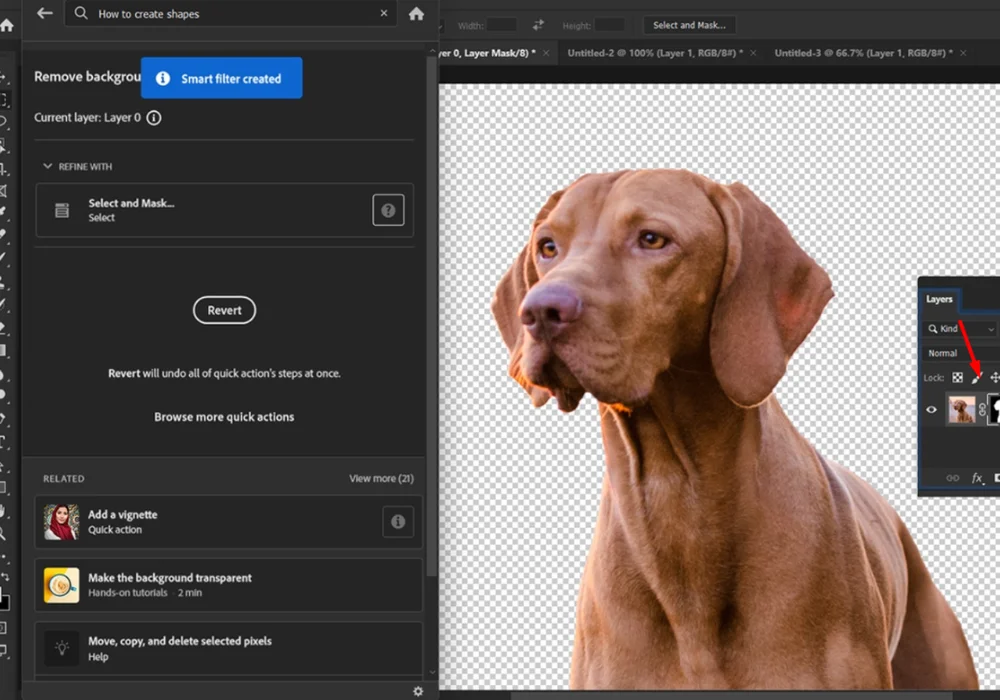
As your product catalog grows, every image still requires individual attention. Removing backgrounds, checking edges, exporting files, and repeating the same workflow hundreds of times quickly becomes time-consuming.
Manual editing also requires a certain level of design knowledge, making it difficult to delegate the work to team members who aren't familiar with professional editing software.
For businesses managing large catalogs or frequent product launches, manual editing often becomes less of a creative process and more of a repetitive production task. That's usually the point where many ecommerce teams begin looking for faster, AI-powered alternatives.
AI background removal software: Faster workflows for growing stores
Instead of carefully selecting subjects by hand, AI automatically detects the product and removes the background in just a few seconds. The result is a much faster workflow that allows ecommerce teams to edit more images without sacrificing consistency.
Compared to manual editing, AI software dramatically reduces the time spent on repetitive tasks while maintaining a consistent look across product images. Many AI tools also offer features beyond simple background removal, allowing you to complete multiple editing steps in the same workflow. Instead of switching between different applications, you can prepare marketplace-ready product photos from start to finish in one place.
For example, SnapEdit Background Remover not only removes backgrounds automatically but also lets you replace them with white, transparent, neutral, lifestyle, or custom backgrounds. You can further enhance image quality, resize photos for different platforms, adjust lighting, or expand the canvas, all without leaving the editor. If you're editing a whole product drop at once, the bulk background remover applies the same edit across a full batch instead of one image at a time.
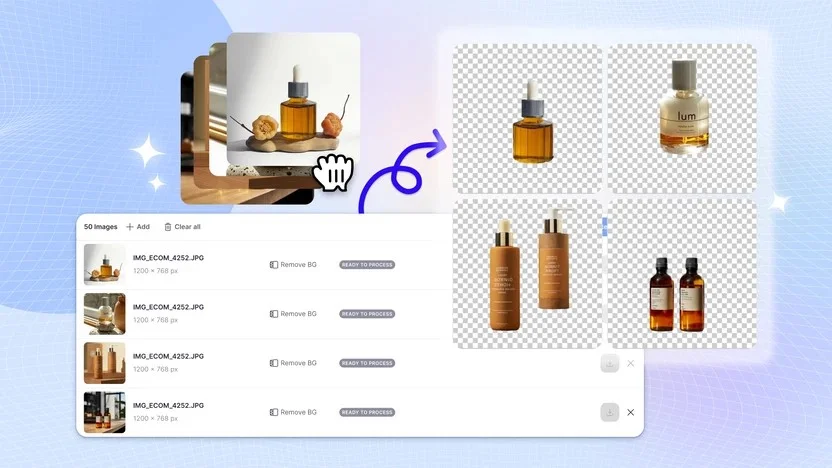
This is also the stage where marketplace requirements start to matter more. If you sell on Amazon, your main product image needs a pure white background to meet listing requirements. Other marketplaces and your own storefront have more flexibility, but a consistent background across your catalog still builds more buyer trust than a mix of styles. It's also worth double-checking your cutouts for the common background removal mistakes that become more noticeable once they're repeated across dozens of listings, like inconsistent edges or missing contact shadows.
Although AI software is significantly faster than manual editing, each image still needs to be uploaded, reviewed, and exported individually, or in batches through a bulk tool. For many businesses, that's perfectly manageable.
However, once you're processing hundreds or thousands of new product images on a regular basis, or images need to flow into your system without anyone opening an editor at all, even an efficient AI workflow can become another bottleneck. At that point, it may be time to move beyond editing images in a browser and start thinking about automation.
Background removal API: Built for large-scale automation
If your team is uploading hundreds or thousands of product images every week, manually importing, reviewing, and downloading each file can still consume hours of repetitive work.
A background removal API allows your applications or internal systems to send images directly to an AI service and receive the processed results automatically. Instead of opening an editor, uploading files, and downloading finished images one by one, the entire process can happen behind the scenes. Product images can be processed automatically as they're uploaded to your product management system, digital asset manager, or ecommerce platform.
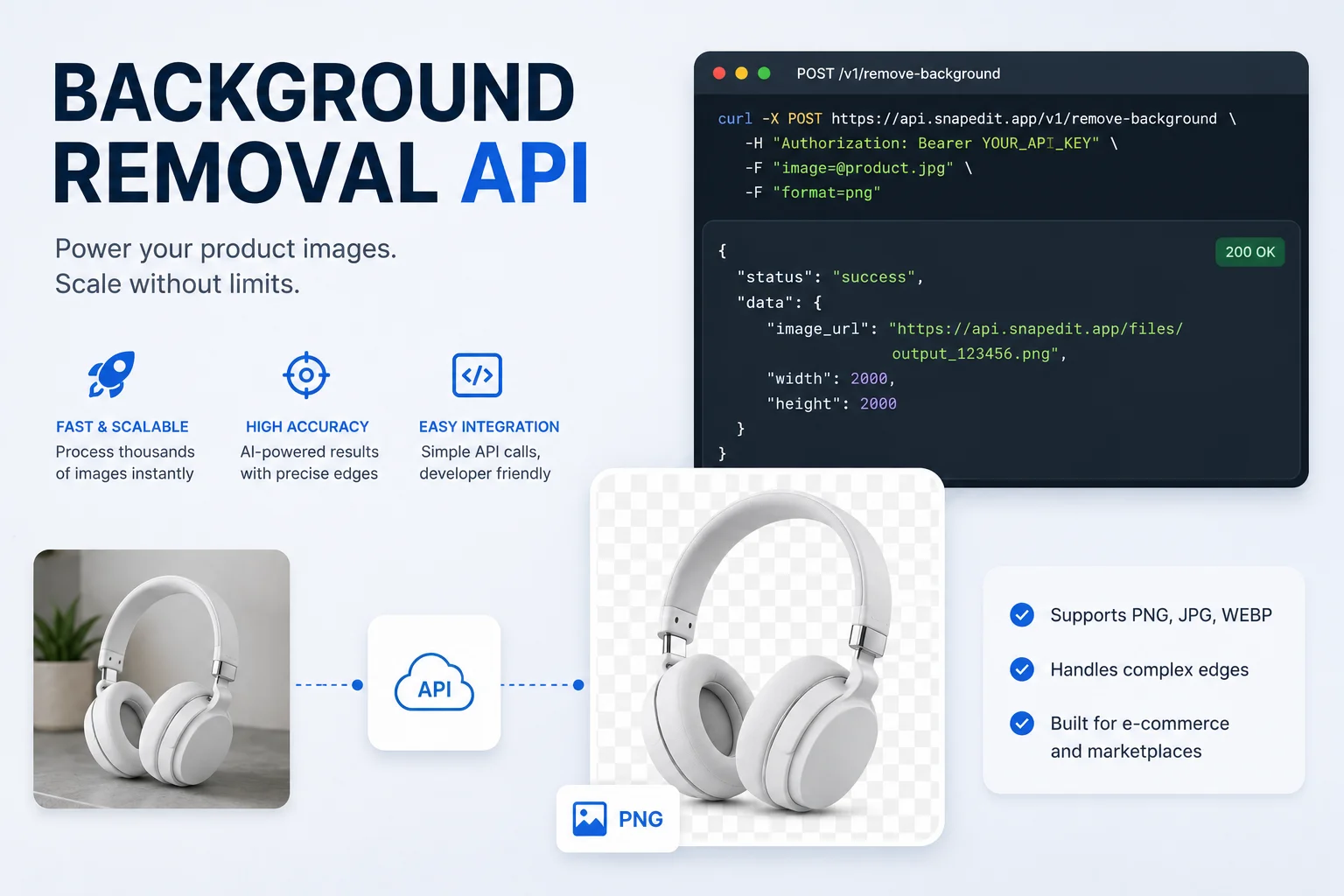
SnapEdit API helps developers integrate AI-powered image editing directly into their existing workflows. Rather than building separate editing steps, your systems can automatically process images through a simple API call. Because everything happens programmatically, new product photos can be processed automatically as they enter your workflow, whether they're uploaded by photographers, suppliers, or your merchandising team. Depending on your workflow, you can automate tasks such as background removal, image enhancement, object removal, virtual try-on, and 40+ other AI image and video models through one API.
Getting from "we need an API" to an actual running pipeline is its own decision, though, and it deserves more space than this comparison can give it. If you're weighing whether to build against the API directly or use a visual workflow builder on top of it, our workflow builder vs. API comparison covers that trade-off in depth. If you already know you want to build a pipeline and just need the steps, our step-by-step guide to building an AI image editing workflow walks through it. For teams that want an even lower-lift starting point than a full API integration, automating batch photo editing is often the middle step between AI software and a full API build.
If background removal has become a repetitive production task, your team spends hours processing images every week, or you're looking to automate your ecommerce pipeline, an API can save significant time while ensuring every image is processed consistently.
Curious how SnapEdit's API actually stacks up against Photoroom, Remove.bg, and other providers on quality and cost? Our background removal API comparison breaks down real test results across six tools.
Manual vs. AI vs. API at a glance
| Manual Editing | AI Background Removal Software | Background Removal API | |
|---|---|---|---|
| Best for | Small catalogs, occasional edits | Growing ecommerce stores | Large catalogs and enterprise workflows |
| Editing speed | Slow | Fast | Fully automated |
| Scalability | Low | Medium | High |
| Batch processing | Limited | Often available | Built into the workflow |
| Integration with ecommerce systems | No | Limited | Yes |
| Setup time | Low | Low | Medium |
- Choose manual editing if you only edit a handful of images and need complete creative control.
- Choose AI software if you're regularly adding products and want to save time without changing your workflow.
- Choose an API if you're processing hundreds or thousands of images and want background removal to happen automatically within your existing ecommerce system.
FAQs
Can I use a background removal API with Shopify, WooCommerce, or a custom ecommerce platform?
Yes. Most background removal APIs are platform-independent, meaning they can be integrated into Shopify apps, WooCommerce stores, custom ecommerce websites, product information management (PIM) systems, or other internal tools. As long as your platform can make API requests, developers can build an automated image processing workflow around it.
Will an API produce the same quality as the web app?
Generally, yes. APIs and web applications often use the same underlying AI models, so the quality of the background removal is typically comparable. The main difference is how the images are processed: a web app is designed for manual editing, while an API is designed for automated, large-scale workflows.
Can I start with AI software and switch to an API later?
Absolutely. AI background removal software is often the best choice for small and medium-sized stores because it's easy to use and doesn't require any technical setup. As your catalog expands and image editing becomes more repetitive, you can transition to an API to automate the same workflow without changing the quality of your product images.
What's the difference between this and choosing a workflow builder vs. an API?
This guide helps you decide which general approach fits your catalog size: manual, AI software, or API. Once you've decided an API makes sense, the follow-up decision is how to build on top of it, either through a visual workflow builder or direct API integration. That comparison is covered in our workflow builder vs. API guide.
Manual editing offers maximum control, AI software speeds up everyday image editing, and API automation helps growing businesses process large volumes of product photos efficiently. As your store scales, your workflow should scale with it.