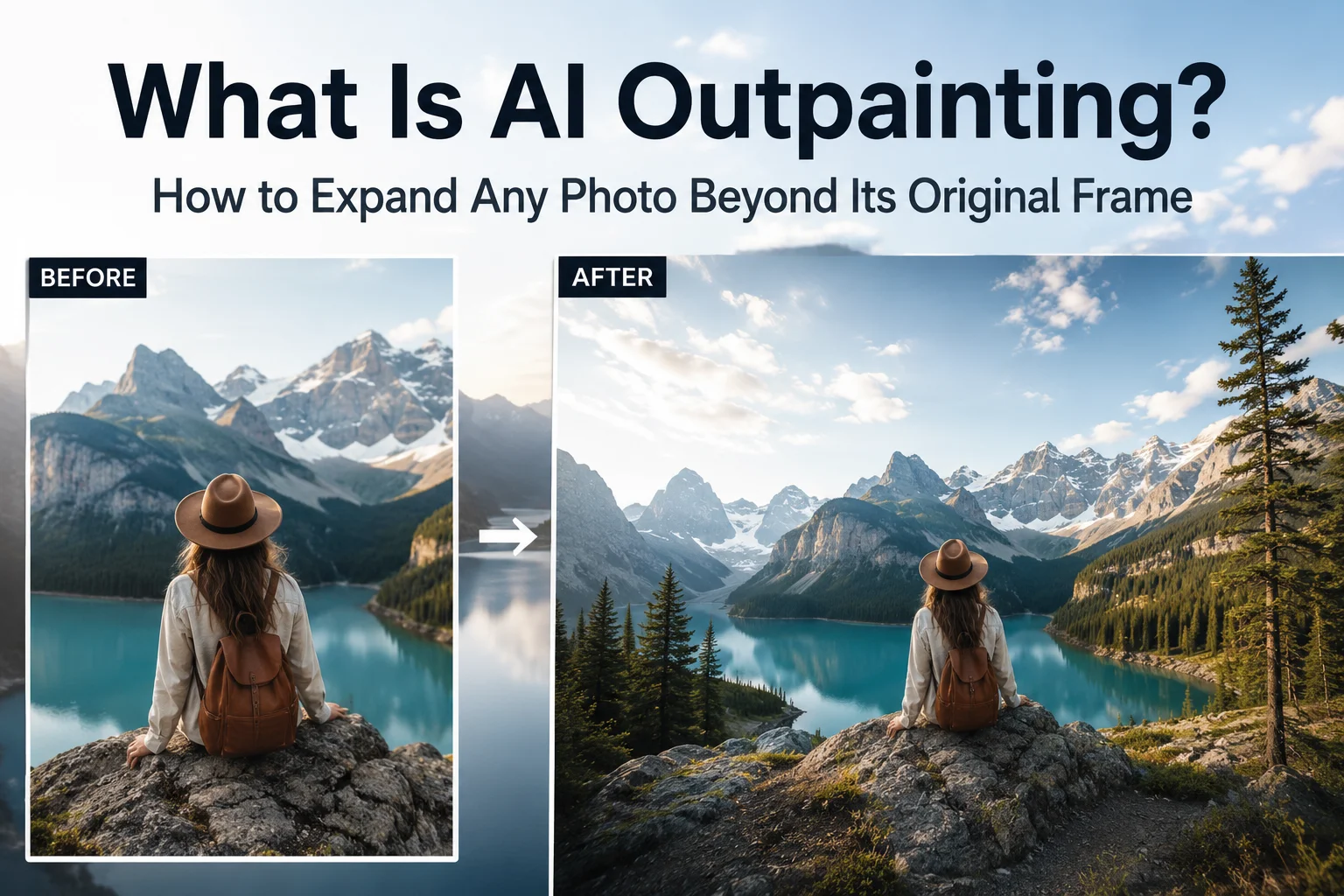
AI outpainting is a technique that extends a photo beyond its original edges. The AI studies the colors, lighting, textures, and perspective already in the image, then generates new pixels that continue the scene. The result looks as if the photo had been taken with a wider lens.
This guide explains how AI outpainting works, what you can do with it, why some results look fake, and how to expand an image with AI in a few clicks.
What is AI outpainting?
Imagine taking a photo and realizing later that you wish you'd stepped back just a little farther. Maybe the mountains feel cropped, the skyline doesn't quite fit, or there's not enough room to add text for a social media post.
That's exactly the problem AI outpainting is designed to solve. Instead of stretching your image or cutting important details away, AI outpainting creates new content beyond the edges of the original photo. It analyzes what's already in the image, such as colors, lighting, textures, perspective, and surrounding objects, then generates additional pixels that blend naturally with the existing scene.
The result is an expanded image that looks as though the camera captured more of the original environment.
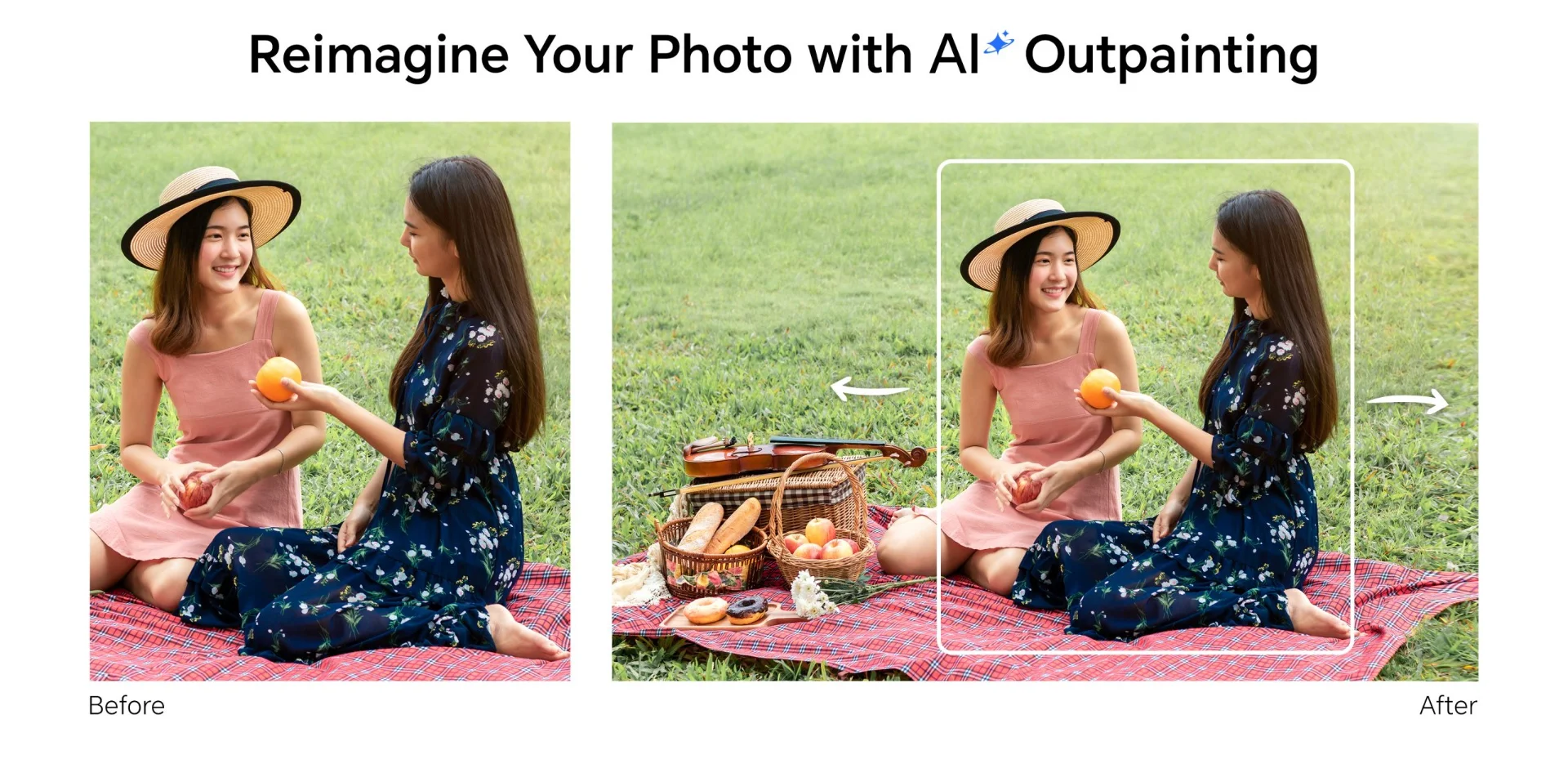
You'll also see outpainting called generative expand, AI image extension, or uncropping. The names differ from tool to tool, but the technique is the same.
How does AI outpainting work?
AI outpainting works in three stages: the AI reads the scene, predicts what lies beyond the frame, and blends the new area into the original.
- It reads the scene. Before generating anything new, the AI carefully analyzes the image you've uploaded. It looks for visual clues that help it understand what the image already contains and how everything fits together.
- It predicts what comes next. Just as your keyboard predicts the next word in a sentence, AI predicts what could naturally exist beyond the borders of your photo. If the image shows a blue sky, it might continue with clouds. If there's a grassy field, it can extend the landscape while keeping the perspective consistent.
- It blends the result. Once the new areas are generated, AI adjusts lighting, colors, textures, and perspective so the extension matches the original image as closely as possible.
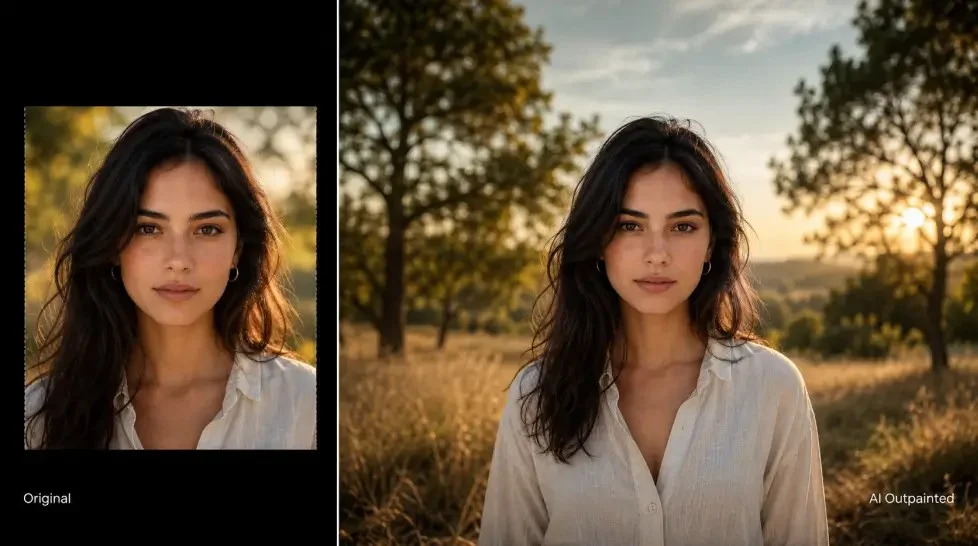
One detail matters more than the rest. The AI only sees your photo. It doesn't know what was really outside the frame, so the new area is a well-informed guess, not a recording. Most of the limits covered later in this guide come from that single fact.
How is outpainting different from cropping, resizing, and inpainting?
These four techniques all change an image, but only two of them create new pixels, and only outpainting creates them outside the frame.
| Technique | What it does | Creates new content? |
|---|---|---|
| Cropping | Removes parts of a photo to focus on a subject or fit a different aspect ratio | No |
| Resizing | Changes the image dimensions. Enlarging simply stretches the existing pixels | No |
| Inpainting | Regenerates a selected area inside the photo, for example to erase an object | Yes, inside the frame |
| Outpainting | Generates brand-new content to extend the photo beyond its edges | Yes, outside the frame |
Think of it this way: cropping takes information away, resizing rearranges what you already have, inpainting repaints something within the picture, and outpainting imagines what could exist just beyond the frame.
Inpainting and outpainting are close relatives. The tool you use to remove objects from photos relies on inpainting, because it fills the gap the object leaves behind.
What can you do with AI outpainting?
By extending the frame with realistic AI-generated content, you can adapt your photos for different purposes without sacrificing composition or quality.
- Turn portrait photos into landscape images. Need a wider image for a YouTube thumbnail, presentation, or desktop wallpaper? AI outpainting expands the scene naturally instead of stretching or cropping your photo.
- Resize images for any platform. Different social media platforms require different aspect ratios. AI outpainting adds space where needed, making it easy to repurpose one photo for Instagram, Facebook, YouTube, and more. See also how to reformat photos for social media platforms.
- Improve your composition. If your subject feels too close to the edge or the photo looks cramped, AI can add breathing room around the frame for a more balanced, professional-looking result.
- Make room for text. A product photo with extra background on one side leaves space for a headline, a price, or a logo in a banner or ad.
- Explore new creative ideas. From extending landscapes to creating cinematic backgrounds, AI outpainting gives creators more freedom to experiment beyond the limits of the original shot.
Depending on the photo, AI can realistically extend many types of backgrounds: more sky above a landscape, a wider beach, forest, or mountain view, extra wall or floor space in indoor photos, and extended backgrounds for portraits.
While AI isn't recreating the exact scene from real life, it's remarkably good at predicting what would naturally continue beyond the edges, making the final image feel seamless and believable.
Why do some outpainted photos look fake?
Outpainting fails when the AI has to guess too much. The four causes below explain most disappointing results, and each one has a practical fix.
The border cuts through a person, a hand, or text
When an edge slices through a shoulder, a hand, or a line of text, the AI has to invent the missing half. People notice mistakes in bodies and letters far faster than mistakes in sky or grass, so these are the hardest borders to extend.
Dense architecture and crowds are difficult for the same reason. Every line has to continue at the correct angle.
Fix: Pick a photo where the edges hold simple background, such as sky, wall, floor, sand, or foliage. If the edges are very complex, crop slightly inward before uploading, so the AI starts from a cleaner border.
The expansion is too large for one pass
The farther the new area sits from the original edge, the less real information the AI has to work from. A small extension continues the scene. A very large one forces the AI to invent most of the picture.
Fix: Expand modestly. SnapEdit's Scale slider goes up to 200%, but the recommended range is an expansion of about 30% to 50% of the original size. If you need more, expand in two smaller passes and check the result after each one.
A seam or color shift shows at the join
Sometimes the new area is believable but the join is visible: a faint line, a slight change in brightness, or a tint that doesn't match. This is one of the most common complaints about generative expand tools in general.
It tends to happen when the photo has a border or frame, a strong vignette that darkens the corners, or a heavy filter.
Fix: Crop away any border or frame first. Then generate again. Each run produces a different result, and a second attempt often blends better than the first.
The new area is softer than the original
A sharp camera photo holds fine detail in every pixel. The generated area can carry less of that detail, so it may look slightly soft next to the original when you zoom in.
Fix: Start with the highest-resolution original you have, and keep the expansion modest. Judge the image at the size people will see it, not at full zoom. If the whole image needs more sharpness afterward, an AI photo enhancer can upscale the finished result.
Before you publish, zoom in on the join and look for four things: a visible seam, a color shift, repeated objects, and lines that bend where they should run straight.
How do you expand a photo with SnapEdit AI Expand?
Trusted by millions of users worldwide, SnapEdit offers a growing collection of AI tools designed to enhance, restore, and transform photos, all without requiring professional editing skills.
One of its standout features is AI Expand, which lets you extend the borders of an image using AI-generated content. Whether you're creating space for a new composition, adapting a photo for a different aspect ratio, or simply recovering a crop that's a little too tight, AI Expand can generate realistic extensions in just a few clicks.
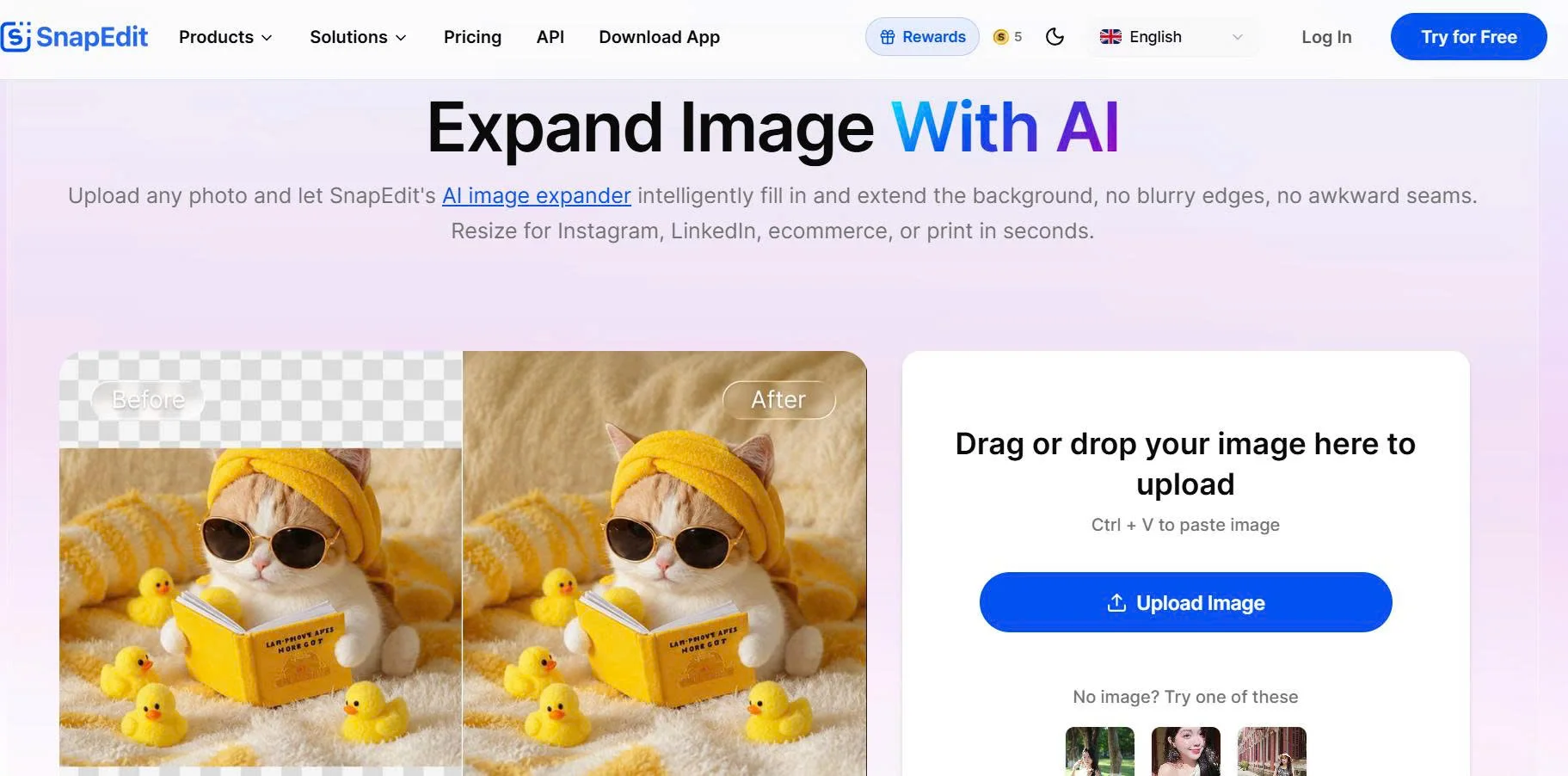
- Upload your photo. AI Expand works directly in your browser on desktop and mobile, with no software to install. It accepts JPG and PNG files.
- Choose a ratio. Select Keep ratio to extend the photo evenly, or Custom to pick a target size. The presets include Story, Insta Post, FB Cover, YouTube Cover, FB Post, TikTok Cover, Post, and Etsy, plus the ratios 1:1, 4:5, 3:4, 2:3, 16:9, and 9:16.
- Set the scale. Drag the Scale slider to decide how far the canvas extends. The panel shows the output size in pixels, so you know the final dimensions before you generate. Staying around 130% to 150% follows the recommended 30% to 50% expansion.
- Expand and download. SnapEdit generates the new areas in seconds. If the result isn't right, generate again without uploading the photo a second time.
AI Expand doesn't ask for a prompt. It reads everything it needs from the photo itself, which keeps the new area consistent with the original scene.
Whether you're designing a YouTube thumbnail, preparing an Instagram post, or giving a travel photo more breathing room, AI Expand helps you adapt your images without starting from scratch.
Need to expand a whole catalog? AI Expand is available as a step in SnapEdit Workflow for batches of photos. Developers can call the same model through the Expand (Outpaint) API, which sets the padding for each side in pixels and costs $0.016 per image.
Ready to see what's beyond the edges of your photo? Try SnapEdit AI Expand and transform tight crops into beautifully extended images.
Frequently asked questions
Is outpainting the same as generative fill?
Not exactly. Generative fill usually means inpainting, which regenerates an area inside the photo. Outpainting adds new content outside the original edges. In Adobe Photoshop, the outpainting feature is called Generative Expand.
How far can you expand a photo with AI?
It depends on the tool. In SnapEdit AI Expand, the Scale slider goes up to 200%. For the most natural result, expand by about 30% to 50% of the original size, because larger extensions force the AI to invent more of the scene.
Does AI outpainting need a prompt?
Some tools accept a text prompt to guide the new area. SnapEdit AI Expand doesn't use one. It generates the extension from the content of the photo alone.
Can I use an outpainted photo in a product or property listing?
Yes for added background and space around the subject. Be careful when the new area could mislead a buyer. A generated extension should never change the product itself, or make a room or garden look larger than it is. Check the rules of the platform you sell on.
Can I expand many photos at once?
Yes. Add the AI Expand step to a workflow in SnapEdit to process a batch, or use the Expand (Outpaint) API to automate it inside your own system.