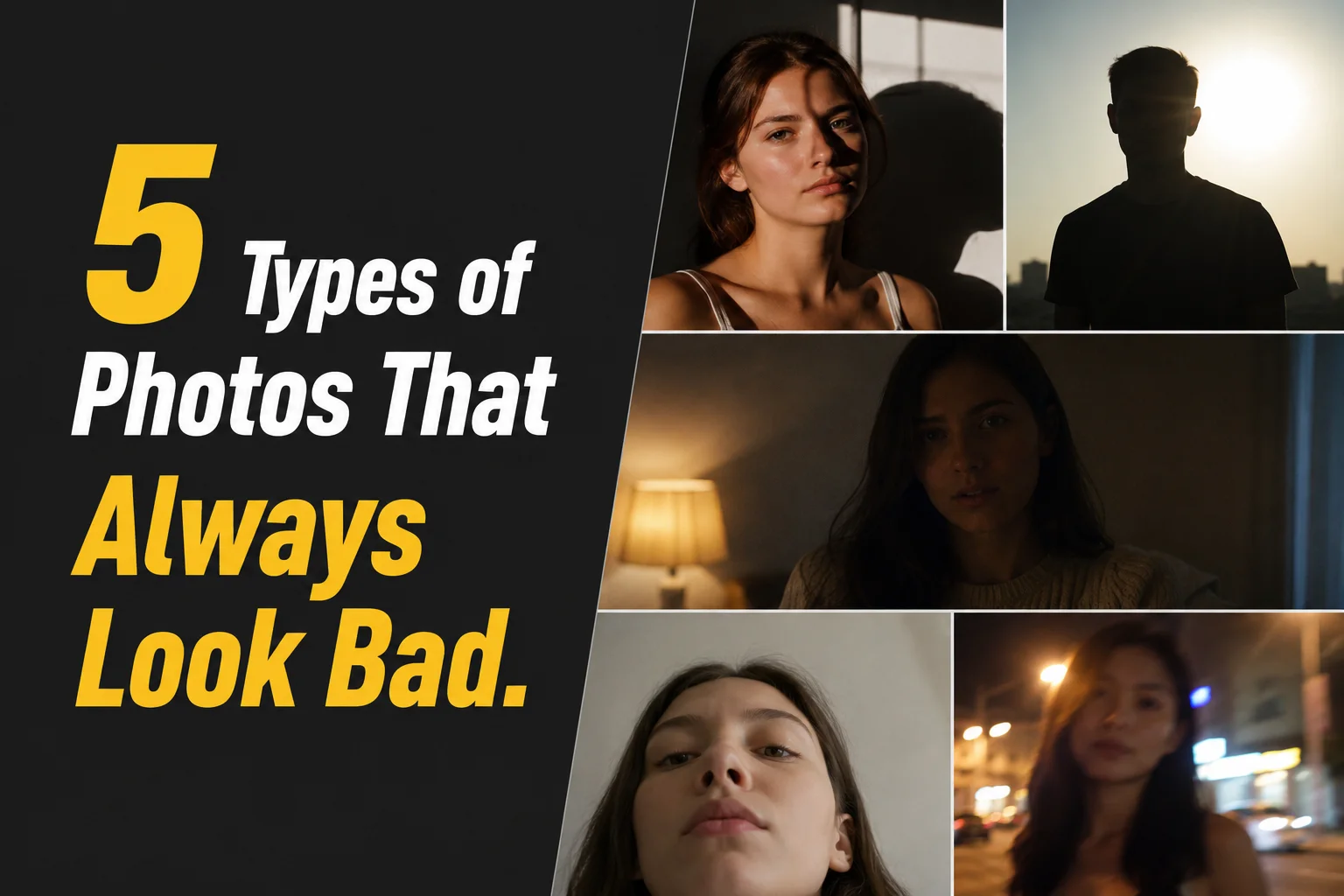
Ever looked at a photo and thought, "Why doesn't it look as good as I remember?" Chances are, your camera isn't to blame.
Let's walk through five types of photos that almost always turn out poorly, explain why they happen, and show you the easiest way to bring them back to life.
The background looks perfect, but your face is too dark
This is one of the most common photography frustrations. Maybe you're standing in front of a beautiful sunset, a bright window, or a breathtaking city skyline. The scenery looks incredible, but your face ends up looking like a silhouette.
Backlighting occurs when the strongest light source sits behind your subject. Because cameras have a limited dynamic range, they often prioritize the bright background to avoid overexposing the sky or window. As a result, the background looks beautiful while the subject becomes underexposed.
A common reaction is to increase the brightness or exposure. Unfortunately, that usually brightens the entire image, making the sky look washed out while doing little to restore natural-looking details in the face.
Instead of brightening the entire image, SnapEdit Backlight Fix intelligently detects the subject and selectively brightens darker areas while preserving highlights in the background. That means you can recover facial details without washing out the sunset, sky, or scenery that made you take the photo in the first place.
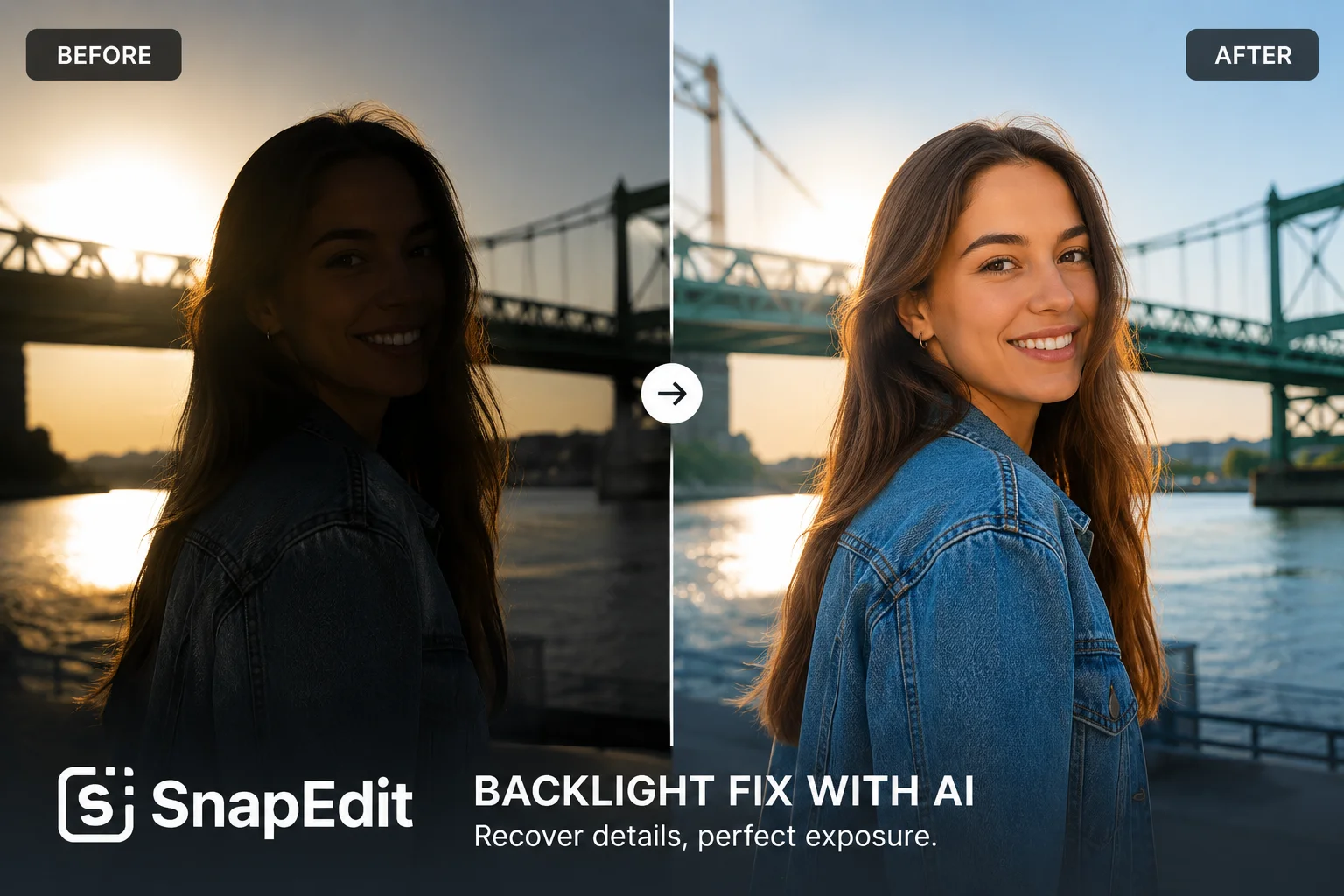
Rather than applying a blanket brightness adjustment, Backlight Fix uses AI to understand the lighting in your photo. It automatically identifies the subject, analyzes the contrast between bright and dark areas, and selectively relights shadowed regions while preserving background highlights.
The result is a much more balanced image. Facial features become clearer, skin tones appear more natural, and your subject stands out without losing the beautiful sunset, skyline, or window light that made the photo special in the first place.
Even better, everything happens automatically. There's no need to create masks, paint over specific areas, or manually adjust exposure sliders as you would in professional editing software. Simply upload your photo, let the AI analyze the scene, and you'll have a more naturally balanced image in just a few clicks.
The moment was perfect. The flash wasn't.
Some moments only happen once. A birthday celebration, a dinner with friends, a concert, or a late-night walk through the city; you quickly pull out your phone, snap a photo, and hope for the best.
Then you check the result and... everything looks darker than you remember. Unlike backlit photos, where the background is bright but the subject is underexposed, these images suffer from an overall lack of light. Faces lose detail, colors become dull, and the entire photo can appear muddy or noisy.
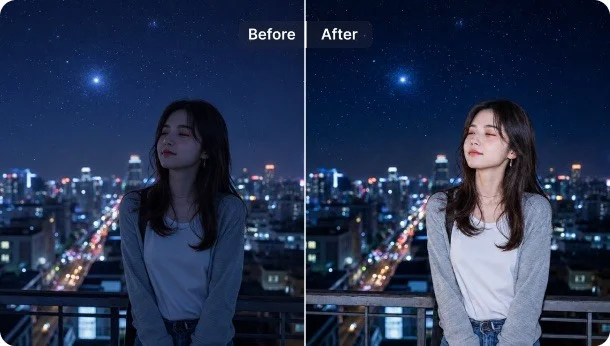
Instead of simply increasing the brightness, AI Flash recreates the effect of natural flash photography after the photo has already been taken. It analyzes your image to understand the existing lighting, subject placement, shadows, and exposure, then intelligently relights the scene to make the subject appear brighter while maintaining a realistic balance between the foreground and background.
The result is a photo that looks as if the flash had been turned on from the beginning. Faces appear clearer, skin tones look healthier, and details hidden in dark areas become visible again, all without making the image look overprocessed.
Your photo looks fine, but it doesn't stand out
Sometimes there's nothing technically wrong with a photo. It's sharp, properly exposed, and well-composed... yet it still feels a little ordinary. The difference often comes down to lighting.
Professional photographers don't just capture light, they shape it. A beam of window light, a dramatic rim light, or the warm glow of golden hour can completely change the mood of a portrait. The right lighting adds depth, draws attention to the subject, and gives an image that polished, premium look that stands out while scrolling through social media. The challenge is that recreating these lighting effects usually requires expensive studio equipment, perfect timing, or advanced editing skills.
Light Match lets you transform the lighting style of your photo. Simply choose from professionally designed presets like Window, Golden, Rim Light, Dramatic, Halo, Soft, or Side Light, or upload a reference image with lighting you love. The AI analyzes your subject and intelligently recreates that lighting on your photo, producing a natural-looking result that feels as though it was captured under those conditions.
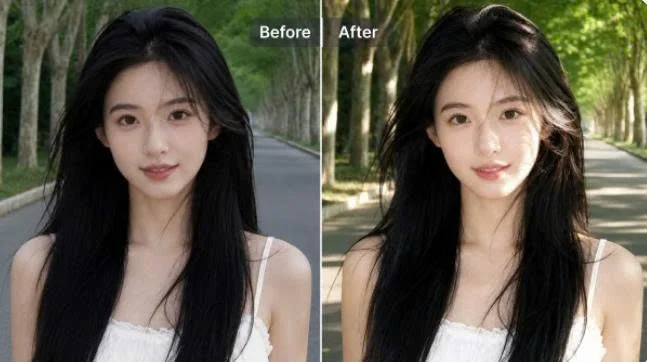
Whether you want the warmth of golden hour, the depth of studio side lighting, or a cinematic portrait with dramatic shadows, Light Match makes it possible in just a few clicks, without setting up lights, waiting for the perfect weather, or learning complex photo editing techniques.
Your photo is too dark
Not every dark photo needs dramatic relighting or studio-style effects. Sometimes the image just doesn't have enough brightness. This often happens on cloudy days, indoors, or in places with limited natural light. While the composition may be great, the photo can feel dull, making colors appear muted and important details harder to see.
In these situations, all you really need is a quick, balanced lighting boost. That's exactly what SnapEdit Auto Light is designed for.
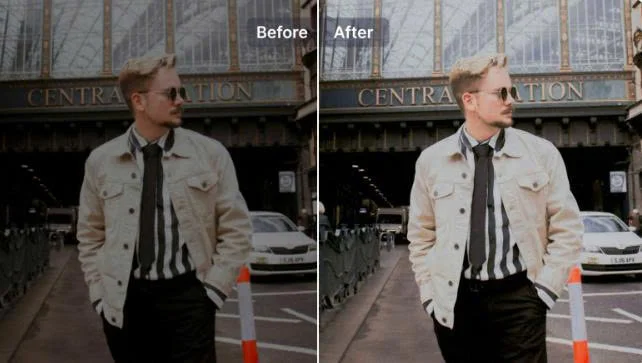
Auto Light automatically analyzes your image and adjusts the overall lighting to create a brighter, more balanced result. Instead of manually tweaking brightness, exposure, highlights, and shadows one by one, the AI optimizes these settings for you in just a few seconds.
The result is a photo that feels cleaner, brighter, and more vibrant while maintaining a natural look. It's a quick way to improve everyday images without spending time on manual editing.
A photobomber ruined the perfect shot
Sometimes the lighting is perfect, the composition is great, and everyone is smiling, but the photo is still ruined by something in the background.
Maybe a stranger walked into your vacation shot, a trash can ended up behind your portrait, or your beautiful sunset selfie now includes a crowd of tourists. Even small distractions can pull attention away from the subject and make an otherwise great photo feel cluttered.
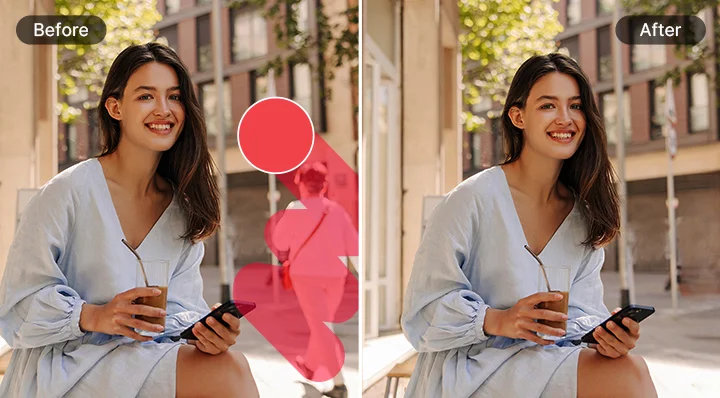
With SnapEdit Remove Object, you can remove unwanted people, distracting objects, or messy background elements in just a few clicks. The AI intelligently fills the removed area so the edit blends naturally with the rest of the image, helping your subject become the center of attention again.
This feature is perfect for:
- Vacation photos with photobombers
- Portraits with distracting background objects
- Street photography with unwanted people
- Product photos with cluttered surroundings
- Selfies taken in busy public places
Not every disappointing photo belongs in the trash. Sometimes it's a backlit portrait, sometimes you forgot to turn on the flash, and other times the lighting just doesn't do the moment justice. Even distracting backgrounds can take attention away from an otherwise great shot.
The key is identifying why your photo doesn't look right. Once you know the problem, finding the right solution becomes much easier.
Ready to rescue your photos? Upload your image to SnapEdit and let AI handle the hard part.